
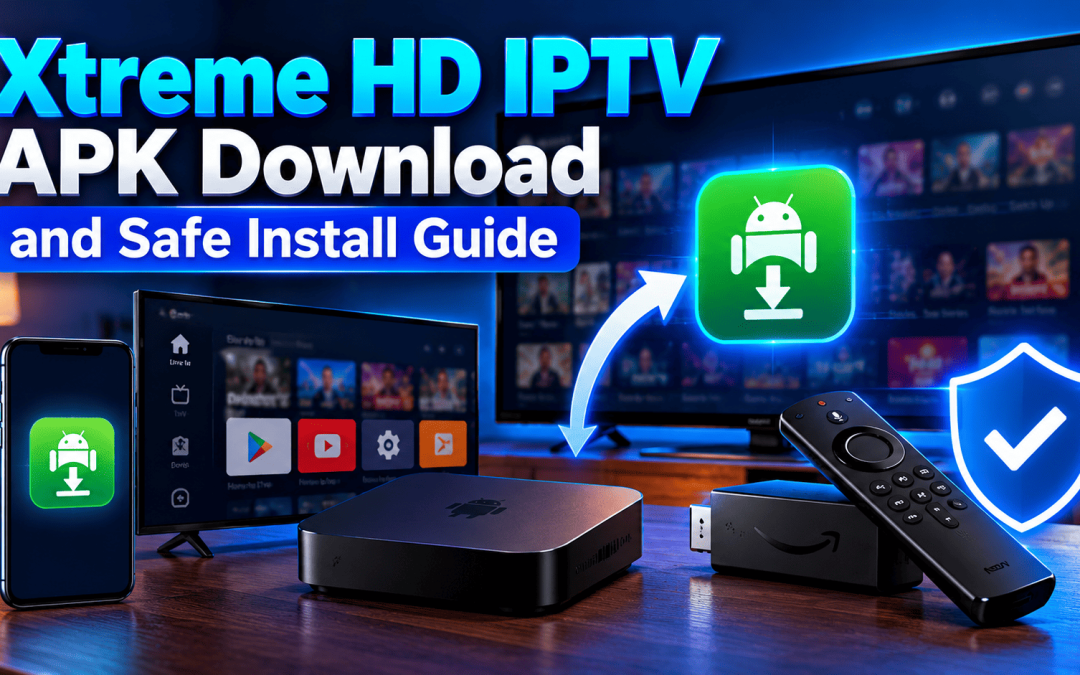
The safest Xtreme HD IPTV APK comes from our official app download page and nowhere else. It installs on Android phones, Android TV boxes and Amazon Firestick. You allow the install for that one source, open the app and sign in with your account details. Skip search ads, forum links and anything labeled “mod” or “cracked.”
Our app is a player. It handles live TV, VOD, series and catch up through a playlist or login, and it doesn’t carry media of its own. It also supports M3U8 playlists, web URLs and local audio or video files. A TV guide (EPG) sits on top so you aren’t scrolling blind. That’s why the APK is small to explain and quick to set up, as long as the file itself is the right one.
What the Xtreme HD IPTV APK Actually Is
An APK is the install package Android uses for an app. Phones usually get theirs from a store without you noticing. Many Android TV boxes and Firestick devices work differently, so people grab the file directly. That’s called sideloading.
Two points worth knowing before you start:
- The Xtreme HD IPTV APK is Android only. It won’t run on an iPhone or a Mac.
- The file holds the player. Your channels and on demand titles come from the account or playlist details you enter after installing.
Which Devices Run the Xtreme HD IPTV APK
Android Phones and Tablets
Most current Android phones and tablets handle the app without trouble. You’ll get touch controls and a clean channel list, which suits travel or a second screen in the kitchen.
Android TV and TV Boxes
This is the most comfortable fit for a living room. The remote friendly layout and the EPG make browsing quick. Our Android TV setup guide covers the full walkthrough.
Amazon Firestick and Fire TV
Firestick is where most US viewers sideload the Xtreme HD IPTV APK. The device accepts outside apps once you permit it. Follow our Firestick setup guide alongside the steps below.
What About iPhone and Smart TVs?
No APK exists for Apple devices. iPhone users should follow our iOS setup and playlist import guide. Samsung owners have their own path in the Samsung Smart TV guide.
Prep Your Device Before the Xtreme HD IPTV APK Download
A few minutes of prep saves most install headaches.
- Free up storage. Low space is behind a lot of failed installs.
- Update your device software so the app sits on a current system.
- Move close to the router or use a cable for the download.
- Keep your account or playlist details handy so you don’t hunt for them mid install.
- Check that your security software is running.
How to Install the Xtreme HD IPTV APK Safely
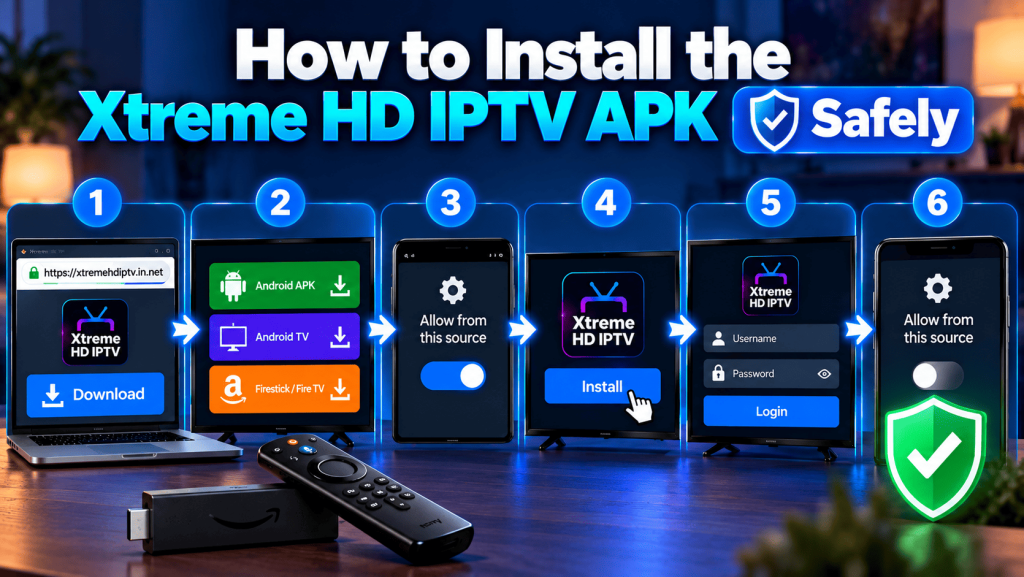
Menu names change between devices and software versions, so treat these as the general order.
- Open our Xtreme HD IPTV app download page by typing the address yourself.
- Pick the download link for your device.
- When your device asks, allow installs from that one source only.
- Finish the install and open the app.
- Enter your login or playlist details and let the channel list load.
- Turn the unknown source permission back off.
Step six gets skipped a lot. Leaving the door open means any future file can install without a warning.
Is the Xtreme HD IPTV APK Safe to Download?
The file is only as safe as the place you got it. Fake pages copy our name and logo, and they rank for “xtreme hd iptv apk” searches. We say so plainly on our site because it keeps happening.
The FTC advises against downloading free shows and movies from sites you don’t know well. It also says not to click ads that offer software and to type the developer’s web address yourself instead. That’s exactly the habit that protects you here.
A short checklist before you tap install:
- You reached the page by typing the address, not by clicking an ad.
- The page belongs to Xtreme HD IPTV and not a lookalike domain.
- The app asks only for permissions a player needs.
- Your security software is switched on and current.
Direct APK or Store App, Which Is Better?
Neither is perfect, so here’s the honest trade off.
A store app is screened by the store and usually updates on its own. That convenience is real. A direct APK from our page gives you the official file for devices where a store listing isn’t an option or isn’t current. You do the updating yourself by returning to the page.
If your device offers the app through a trusted store, that route is fine. If it doesn’t, the direct download from our own page is the one we stand behind. Both beat a random file from a forum.
Xtreme HD IPTV APK Mod, Cracked and Latest Version Files
Searches like “xtreme hd iptv apk mod” and “latest version apk” bring up plenty of files. We don’t support any of them.
Here’s the problem with modified files. Nobody can tell what was added inside. A repackaged APK can carry unwanted code, and it can stop working the moment the real app changes. Our support team can only help with the app from our own page.
When you want the newest build, return to the app download page. Don’t trust a site that claims it has a “newer” one.
What You Get After Installing the App
Once you’re signed in, the app gives you:
- Live TV with a program guide
- VOD and series libraries
- TV catch up where available
- HD and 4K streams where your device and connection allow
You can also add extra connections to your account when more people in the house want to watch at once. Our anti freeze technology works on the stream side to keep playback steady, and our support runs 24/7. Plans start at one month and go up to lifetime on the pricing page.
Fixing Xtreme HD IPTV APK Install Problems
Install errors look scary but they’re usually simple.
- “App not installed.” Often caused by low storage or a leftover older copy. Free up space and remove the old version first.
- “Parse error” or “not compatible.” The file may be damaged or your Android version may be too old. Download it again from our official page.
- Install blocked. The unknown source permission is off for that browser or file manager. Turn it on for that one source.
- App opens then closes. Clear the app cache and restart the device. Our playback fixes guide has more detail.
Why Viewers Across the USA Come to Us
We run Xtreme HD IPTV from Aventura, Florida, and we hear from viewers in many US cities. Most questions about the APK are really questions about trust, so we keep the download on one official page and answer by WhatsApp or the contact form. Setup guides for each device live in one installation guide, which saves guessing.
Final Thoughts
Getting the Xtreme HD IPTV APK right takes a few minutes. Use the official page. Match the file to your device. Switch off the install permission afterward. Everything else is routine.
If you’d like a hand, reach our team through the contact page or browse the plans first. Tell us your device and we’ll point you to the right download.
FAQ’s
No. Sideloading only needs the unknown source permission. Rooting isn’t part of the process.
You can install it on several Android devices. How many can stream at once depends on your plan, so ask us if you need extra connections.
Android often warns about apps that don’t come from a store. Make sure the file came from our official page. If the warning still worries you, contact us before installing.
Installing an app outside a store isn’t illegal on its own. What matters is that the content you watch is something you’re licensed to view.
It depends on how it was installed. Check our app download page for the current build, and ask support if you’re unsure whether yours is up to date.

Have you ever used a Bitcoin so far? If not then don’t worry, we have a solution for you to Read more

Internet-based television has transformed how users access live channels, movies, and on-demand content. Among the many IPTV services available today, Read more

The Xtreme HD IPTV Channel list offers one of the most extensive collections of live TV channels, premium sports, movies, Read more

Staying current in the ever-evolving realm of television and entertainment is vital. Gone are the days when only limited options Read more