
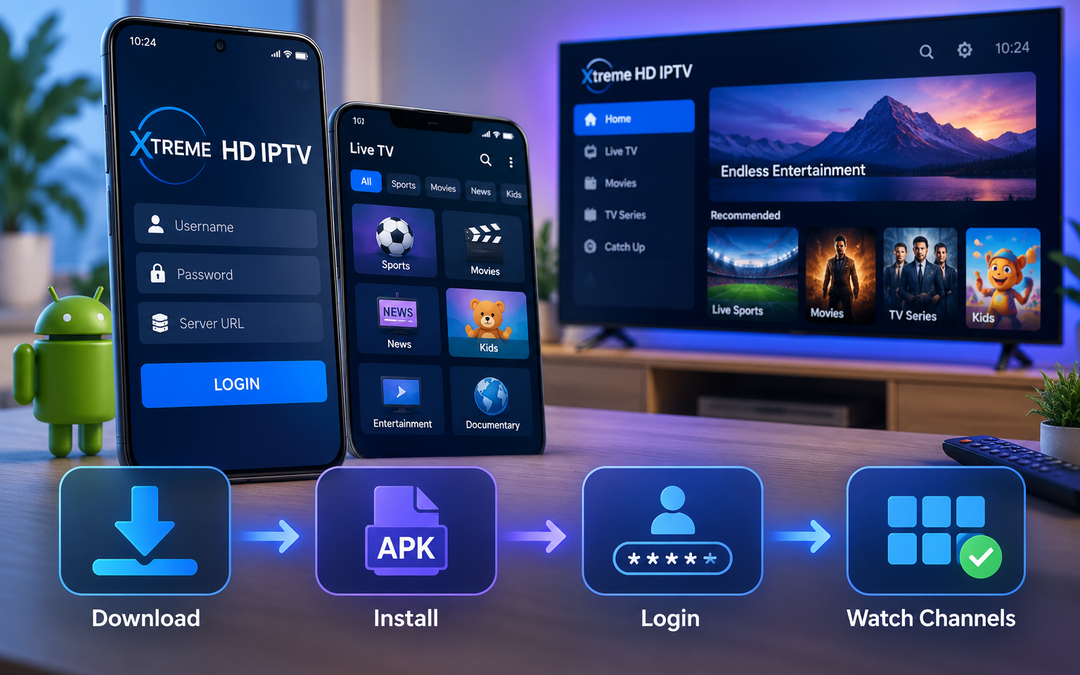
Your IPTV app crashes on launch. Or it installs fine and then buffers every time a live channel loads. If you’ve been searching for the Xtreme HD IPTV APK and getting mixed answers about where to get it or how to set it up, you’re not alone. Most of the confusion comes down to one thing: people expect a single branded app file, when the real setup involves picking a compatible player and pointing it at your subscription.
Here’s what actually needs to happen, in order.
What Is the Xtreme HD IPTV APK?
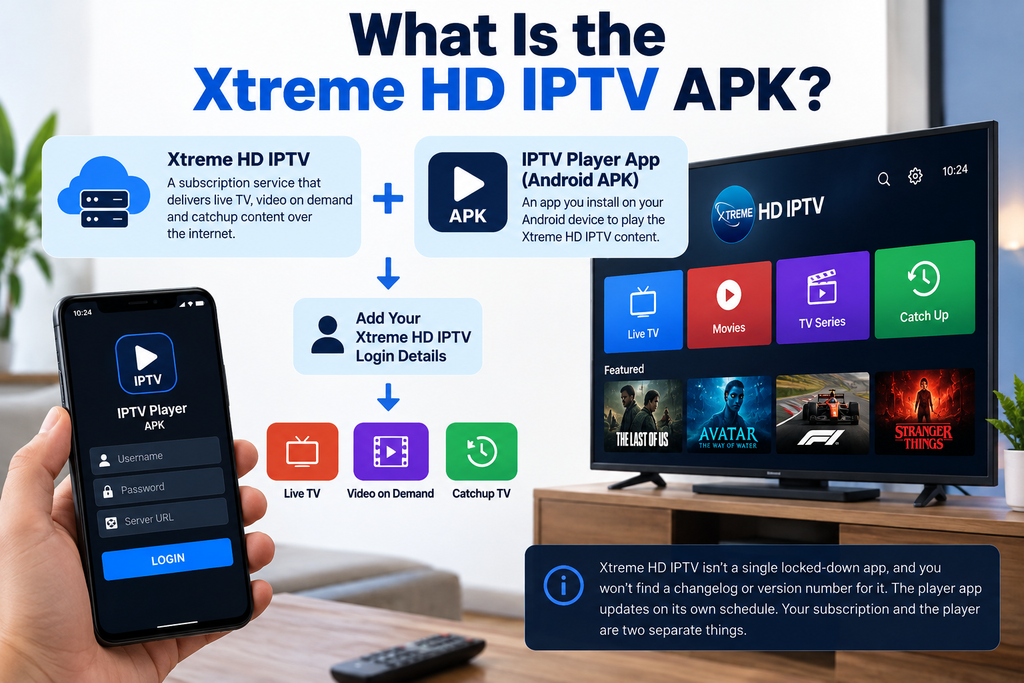
Xtreme HD IPTV isn’t a single locked-down app the way a streaming service like Netflix is. It’s a subscription service that delivers live TV, video on demand and catchup content over the internet. To watch that content on Android, you install an IPTV player app (an APK) and load your Xtreme HD IPTV login details into it.
That’s why you won’t find a changelog or a version number tied to “Xtreme HD IPTV” itself. The player app updates on its own schedule. Your subscription and the player are two separate things.
What the App Lets You Watch
Once your player is set up with your credentials, you get access to:
- Live TV channels across sports, news, entertainment and international programming
- Movies and TV shows through the on demand library
- An electronic program guide (EPG) so you can see what’s airing without flipping through channels blind
- Catch up on select channels if you missed something live
Key Features
- Large channel library spanning US, UK, Canadian and international content
- HD and Full HD streams where your connection supports it
- Works across phones, tablets, Firestick, Android TV boxes and Smart TVs
- Multiple device support depending on your plan
- Customer support if setup or playback gives you trouble
What You Need Before You Install
Nothing exotic here, just the basics:
- Android version: 5.0 or newer for most IPTV players; check the specific player’s Play Store or download page listing before installing
- RAM and storage: at least 2GB RAM and a few hundred MB of free storage runs smoothly on most players
- Internet connection: a stable connection is more important than raw speed, but budget for at least 10 to 15 Mbps for HD and more if multiple devices are streaming at once
- Compatible devices: Android smartphones and tablets, Android TV, Firestick and Fire TV and MAG boxes; Smart TVs and Windows or Mac machines work through a separate IPTV player app
How to Install an IPTV Player for Xtreme HD IPTV on Android
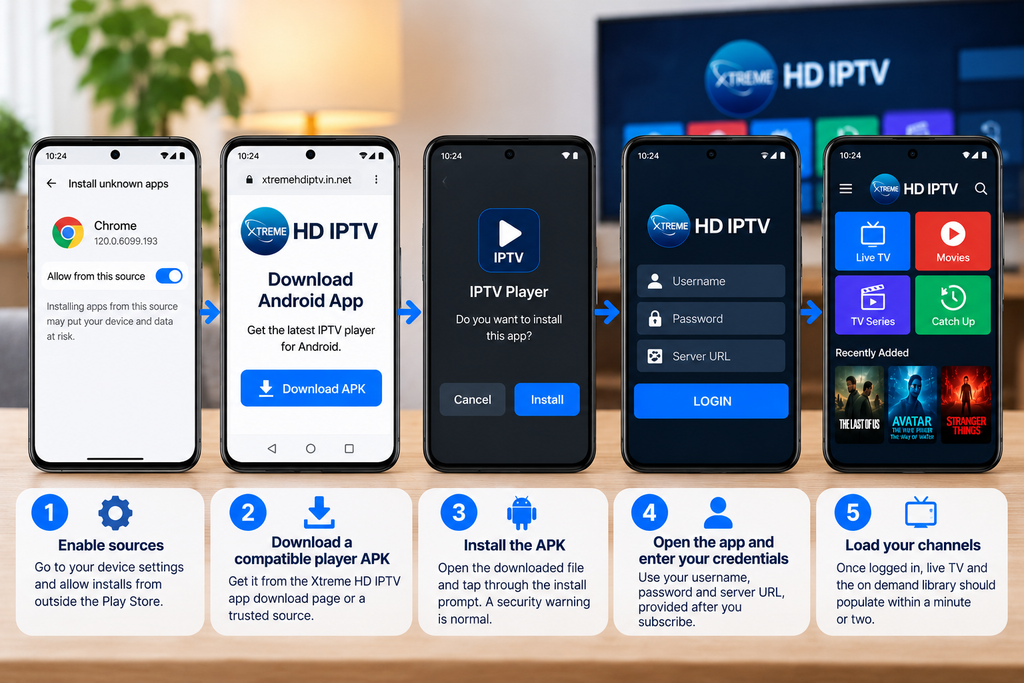
- Enable sources – Go to your device settings and allow installs from outside the Play Store, since most IPTV players aren’t listed there.
- Download a compatible player APK – Get it from the Xtreme HD IPTV app download page or a trusted source. Skip random third-party download sites. Fake copies of popular streaming apps are common and Xtreme HD IPTV has publicly warned that unofficial sites have caused confusion before.
- Install the APK – Open the downloaded file and tap through the install prompt. You’ll likely see a security warning since it’s outside the Play Store. That’s expected for this kind of app.
- Open the app and enter your credentials – You’ll need your username, password and server URL, all provided after you subscribe.
- Load your channels – Once logged in, live TV and the on demand library should populate within a minute or two.
If you’re setting this up on a Firestick instead, the steps are close to the same but the sideloading tool differs. Their Firestick setup guide walks through that separately.
Using Xtreme HD IPTV Day to Day
Once it’s running, the app splits into a few sections. Live TV gets you channel surfing with the EPG showing what’s on now and next. Movies and Series cover the on demand side. Catchup lets you rewind supported channels if you missed a broadcast. Most players let you favorite channels too, which saves you from scrolling the full channel list every time you sit down.
Common Problems and Fixes
App won’t install – Double check unknown sources is actually enabled, not just toggled and forgotten. Some Android versions require you to allow it per app, not just system-wide.
Buffering or freezing – This is almost always the connection, not the app. Test your speed, move closer to the router or switch to a wired connection if your device supports it.
Login not working – Server URLs are case sensitive and easy to mistype. Copy and paste your credentials instead of typing them out.
Channels missing or blank – Try refreshing the playlist inside the player’s settings menu before assuming something’s broken. EPG data especially can take a few minutes to populate after first login.
App crashes on launch – Clear the app’s cache and storage from your device settings, then reopen it. If that doesn’t help, reinstall.
Is Xtreme HD IPTV Safe and Legal?
IPTV itself is legal in the US and most countries when the service streams properly licensed content. The gray area comes from services that stream copyrighted material without authorization, not from the technology itself.
Sideloading an APK outside the Play Store carries some risk if you’re pulling it from an untrustworthy site. Stick to the official Xtreme HD IPTV site or a verified player from a known developer and you avoid the malware risk that gives sideloading a bad reputation.
Final Thought
Getting Xtreme HD IPTV running isn’t complicated once you know it’s a player plus credentials setup, not a single app download. Grab a trusted player, plug in your login details from your subscription plan and you’ll be streaming within minutes. If anything gets stuck along the way, reach out to support rather than troubleshooting blind.
FAQs
Not exactly. You’ll pick a player compatible with each device type (Android, Firestick, Smart TV), but your Xtreme HD IPTV login works across them based on your plan’s device limit.
Usually it’s the unknown source setting or a storage space issue. Check both before trying again.
On Android and Firestick you need a player app, since there’s no browser-based version for TV streaming. iOS and some Smart TVs use dedicated apps instead.
No free trial is currently offered. Subscriptions start at a flat rate covering the plan length you choose.
Clear cache and storage first. If it still crashes, uninstall, restart your device and reinstall a fresh copy.

In the digital age, the way we consume television and media has undergone a significant transformation, and Internet Protocol Television Read more

The landscape of the streaming industry has changed dramatically in recent years, with several players vying for dominance. Typhoon IPTV Read more

How to jailbreak a Chromebook? Chromebooks have gained popularity as lightweight, efficient, and affordable devices that provide seamless integration with Read more

Kemo IPTV is a popular IPTV service provider that delivers television programs and other video content to your device. The Read more