
Short answer: Xtreme HD IPTV is a subscription IPTV provider. It suits viewers who want flexible plan lengths (1 month to lifetime) and wide device support, but it isn’t the best fit if you want fully licensed channels, built-in cloud DVR, and zero research. Test it on a short plan first, as you would with any provider.
What Types of IPTV Services Are There?
There are three types, and mixing them up is the most common buyer mistake.
| Licensed streaming bundles | Subscription IPTV providers | Player apps | |
| Supplies channels | Yes, fully licensed | Yes, varies by provider | No |
| Typical cost | Higher | Lower to moderate | App fee only |
| International channels | Limited | Often broad | Depends on your source |
| Cloud DVR | Usually included | Rare or limited | Depends on app |
| Licensing clarity | Very clear | Must be verified | Your responsibility |
| Best for | Simplicity | Variety and value | Tech-savvy users |
Xtreme HD IPTV falls in the middle column.
Is IPTV Legal?
The technology is legal. Legality depends on the content. Services streaming properly licensed channels are lawful. Redistributing copyrighted channels without permission is not, and it can expose both providers and viewers to legal and security risks. Read any provider’s terms and confirm what it supplies before paying.
Where Does Xtreme HD IPTV Fit?
It offers plans from one month to lifetime, with apps and setup for Android, Firestick, Android TV, Smart TVs, iPhone, Windows, macOS, and MAG devices. It focuses on live TV, sports, and on-demand content.
What Matters Most When Comparing IPTV?
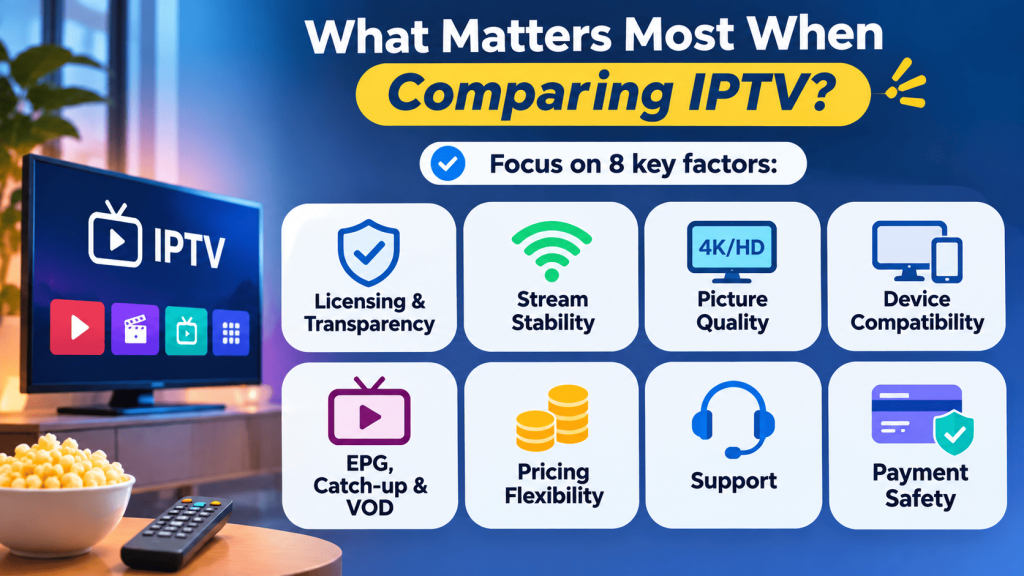
Stream stability, transparency, and support matter most. Check these eight factors:
- Transparency and licensing. Be wary of vague wording or claims like “every channel in the world.” Read the terms.
- Stream stability. Buffering during a live match is the top reason people leave. Look for a trial and recent feedback on uptime.
- Picture quality. A compressed “4K” stream can look worse than clean 1080p. Test on your own screen.
- Device compatibility. Confirm it works on hardware you already own, with published setup guides.
- EPG, catch-up, and VOD. These only add value if they’re organized, current, and searchable.
- Pricing flexibility. Short plans are cheap to test, while long plans cut the monthly cost but raise your risk. Watch for hidden fees and unclear renewals.
- Support. Send a pre-sales question and time the reply.
- Payment safety. Prefer traceable payment methods and a clear refund or trial policy.
What Internet Speed Do I Need for IPTV?
About 10 to 15 Mbps per HD stream, and 25 Mbps or more for 4K or multiple screens.
How Do I Test an IPTV Service Before Committing?
Start with a one-month plan or trial, and test it in five steps:
- Watch a live event in the evening, when servers are busiest.
- Confirm the channels, languages, and regions you care about actually work.
- Message support and note how fast and clearly they answer.
- Check that the app runs well on your main device and the EPG loads.
- Move to a longer plan only after all four checks pass.
What Are the IPTV Red Flags?
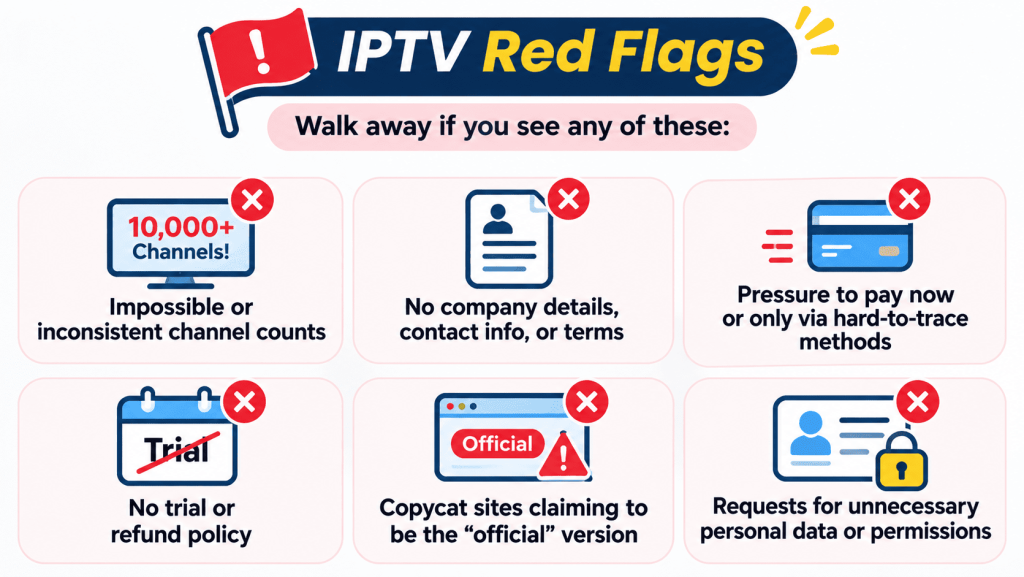
Walk away if you see any of these:
- Impossible or inconsistent channel counts
- No company details, contact info, or terms of service
- Pressure to pay now, or only via hard-to-trace methods
- No trial or refund policy
- Copycat sites claiming to be the “official” version
- Requests for unnecessary personal data or permissions
Why Does My IPTV Keep Buffering?
The usual causes are weak Wi-Fi, slow broadband, an overloaded router, an outdated app, or peak-time server congestion. Try a wired connection, restart your devices, and update the app before contacting support.
Is a VPN Necessary for IPTV?
No, but some users choose one for privacy. It can slow your connection, so test with and without it and follow the laws where you live.
Which IPTV Option Should You Choose?
- Licensed bundle: you want simplicity, DVR, and no licensing questions, and don’t mind paying more.
- Subscription provider (like Xtreme HD IPTV): you value variety and flexible pricing and will research and test first.
- Player app: you already have legitimate sources and want a better interface.
The best IPTV service is transparent, stable when it counts, and backed by responsive support. Xtreme HD IPTV is worth shortlisting if you want flexible plans and broad device support, provided it passes the same checklist as every other provider.
Frequently Asked Questions (FAQ)
1. Is IPTV legal in 2026?
IPTV technology is legal. Legality depends on the content: services that deliver properly licensed material are lawful, while redistributing copyrighted channels without permission is not. Always check what a provider supplies and read its terms.
2. What is the difference between IPTV and regular streaming apps?
Both use the internet. Traditional streaming apps come from licensed platforms with fixed lineups, while IPTV usually refers to channel-based live TV delivered through a playlist, portal or dedicated app, often with broader international coverage.
3. How do I choose a reliable IPTV provider?
Compare transparency, stream stability, device support, pricing flexibility, support quality and refund or trial terms. Test with a short plan or trial and a live event before you buy a long subscription.
4. What internet speed do I need for IPTV?
A stable connection of about 10 to 15 Mbps per HD stream is a good starting point, and 25 Mbps or more is better for 4K or multiple screens.
5. Should I buy a one-year or lifetime plan right away?
It is safer to begin with a one-month plan or trial. Move to a longer plan only after the service proves stable, the channels you want are available and support responds well.
6. How can I spot a fake or copycat IPTV website?
Check for a consistent domain, clear contact details, terms of service and a privacy policy. Be cautious if multiple sites claim to be the only “official” version, and confirm the correct website before paying.
7. Why does my IPTV keep buffering?
Common causes are a weak Wi-Fi signal, slow broadband, an overloaded router, an outdated app or server congestion during peak events. Try a wired connection, restart your devices and update your app before contacting support.
8. Is a VPN necessary for IPTV?
A VPN is not required, but some users choose one for privacy. It can also slow your connection, so test with and without it and follow the laws and terms that apply where you live.
Setting up IPTV on your Firestick or Android device opens up a world of entertainment possibilities. By following a few Read more

The Xtreme HD IPTV Channel list offers one of the most extensive collections of live TV channels, premium sports, movies, Read more

The IPTV Reseller program is a great way for you to earn money by selling our services. We have partnered Read more

For many people, watching TV is the best way to relax and unwind after a long day. But now that Read more