
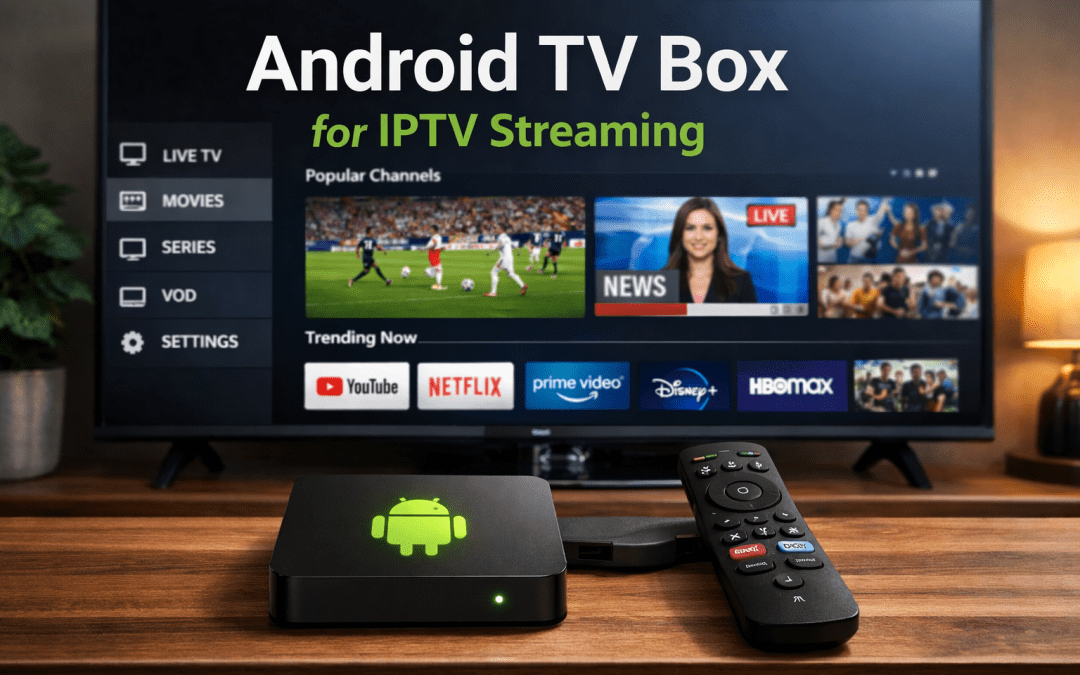
The landscape of home entertainment has transformed dramatically over the past few years. Traditional cable subscriptions are giving way to more flexible, cost-effective streaming solutions. Among these alternatives, IPTV (Internet Protocol Television) has emerged as a popular choice for viewers seeking diverse content from around the world. However, the quality of your IPTV experience depends heavily on the device you use to access it.
If you’re searching for the best Android TV box for IPTV, you’re likely overwhelmed by the sheer number of options available in the market. From budget-friendly models to premium devices packed with cutting-edge features, the selection can be bewildering. This comprehensive guide will walk you through everything you need to know about selecting the perfect Android IPTV box for your streaming needs.
Understanding IPTV and Why Your Device Matters
Before diving into specific devices, it’s essential to understand what IPTV is and why your choice of hardware significantly impacts your viewing experience. IPTV delivers television content over internet protocols rather than traditional terrestrial, satellite, or cable formats. This technology allows for greater flexibility, on-demand content, and often more affordable pricing structures.
The device you use to access IPTV services acts as the intermediary between your internet connection and your television. A quality IPTV TV box needs to handle high-definition video streams, manage multiple applications simultaneously, and provide a responsive user interface. Inadequate hardware can result in buffering, poor video quality, app crashes, and an overall frustrating experience.
Key Features to Consider in an Android IPTV Box
Processing Power and RAM
The processor serves as the brain of your streaming device. For IPTV streaming, you’ll want a device with at least a quad-core processor. Many modern devices feature processors from manufacturers like Amlogic, Rockchip, or Allwinner. Higher-end models may include hexa-core or octa-core processors that provide smoother multitasking and faster app loading times.
RAM is equally critical. A minimum of 2GB RAM is acceptable for basic IPTV streaming, but 4GB has become the standard for devices in 2025. This additional memory allows the device to handle multiple background processes, switch between apps seamlessly, and maintain stable performance during extended viewing sessions.
Storage Capacity
Internal storage determines how many applications you can install and how much content you can cache. Most best Android TV box for IPTV options come with either 16GB or 32GB of internal storage. While 16GB might suffice for users who primarily stream content, 32GB or more provides breathing room for multiple apps, games, and downloaded content.
Many devices also support expandable storage through microSD cards or external USB drives. This feature becomes particularly valuable if you plan to store media files locally or need space for recordings.
Video Resolution Support
In 2025, 4K resolution has become standard, but not all devices handle it equally. When evaluating an Android IPTV box, verify that it supports:
- 4K Ultra HD at 60fps (frames per second)
- HDR10 or HDR10+ for enhanced color and contrast
- Dolby Vision support (in premium models)
- Hardware decoding for common video codecs (H.264, H.265/HEVC, VP9)
These specifications ensure you can enjoy high-quality streams without taxing the processor unnecessarily. Hardware decoding is particularly important as it offloads video processing from the CPU, resulting in lower power consumption and heat generation.
Connectivity Options
A versatile IPTV TV box should offer multiple connectivity options:
Wireless Connectivity: Dual-band WiFi (2.4GHz and 5GHz) is essential. The 5GHz band provides faster speeds and less interference, which is crucial for high-definition IPTV streaming. WiFi 6 support is becoming increasingly common and offers even better performance in congested network environments.
Wired Connection: An Ethernet port provides the most stable connection for IPTV streaming. For serious streamers who want to eliminate buffering, a gigabit Ethernet port is preferable.
Bluetooth: Bluetooth 5.0 or later allows you to connect wireless peripherals like keyboards, mice, game controllers, and headphones.
USB Ports: Multiple USB ports (preferably USB 3.0 or higher) enable you to connect external storage, webcams, or other accessories.
Operating System and Updates
The Android operating system version matters more than many buyers realize. Devices running Android 11 or newer provide better security, improved performance, and compatibility with the latest apps. Some manufacturers use Android TV OS, which is specifically optimized for television viewing and offers a cleaner interface with better app support.
Regular firmware updates are crucial for security and functionality. Research whether the manufacturer has a track record of providing consistent updates before making your purchase.
Types of Android TV Boxes for IPTV
Budget-Friendly Options
Entry-level devices typically range from $30 to $60 and offer basic functionality suitable for casual viewers. These Android IPTV box models usually feature:
- Quad-core processors
- 2GB RAM
- 16GB internal storage
- 4K resolution support (though actual performance may vary)
- Basic remote controls
While these devices can handle IPTV streaming, they may struggle with demanding applications, advanced gaming, or multitasking. They’re best suited for users with modest expectations who primarily watch standard IPTV channels.
Mid-Range Performers
Mid-range devices ($60-$120) represent the sweet spot for most users. These offer:
- More powerful processors (often hexa-core)
- 4GB RAM
- 32GB or 64GB storage
- Reliable 4K streaming performance
- Better build quality
- More responsive interfaces
This category includes many of the best Android TV box for IPTV options that balance performance and affordability. They handle multiple IPTV apps smoothly, support casual gaming, and provide a generally responsive experience.
Premium Devices
High-end models ($120 and above) cater to enthusiasts who want the best possible experience:
- Cutting-edge processors (octa-core)
- 6GB or more RAM
- 64GB to 128GB storage
- Advanced features like AI upscaling
- Dolby Atmos audio support
- Premium remote controls with voice commands
- Certified Android TV OS
These devices offer future-proof specifications and the smoothest possible IPTV streaming experience, along with capabilities for demanding games and applications.
Popular IPTV Applications and Compatibility
When selecting an IPTV TV box, consider compatibility with popular IPTV applications. Most Android boxes support a wide range of apps, but performance can vary. Common applications include:
IPTV Smarters Pro
This popular application provides an intuitive interface for accessing IPTV services. It supports multiple playlists, EPG (Electronic Program Guide), catch-up TV, and both live and VOD (Video On Demand) content. A capable Android IPTV box should run this app smoothly without lag or crashes.
TiviMate
Known for its clean interface and robust features, TiviMate has become a favorite among IPTV users. It offers advanced features like picture-in-picture mode, recording capabilities, and customizable channel lists. Premium subscriptions unlock additional functionality.
Perfect Player
This lightweight application offers excellent performance even on lower-spec devices. It supports various playlist formats and includes features like favorites management and parental controls.
Kodi
While not exclusively an IPTV app, Kodi remains popular for its versatility. It supports numerous add-ons for IPTV services and offers extensive customization options. However, Kodi can be resource-intensive, so ensure your device has adequate specifications.
Network Requirements for Optimal IPTV Performance
Even the best Android TV box for IPTV won’t perform well without a proper internet connection. Understanding network requirements helps set realistic expectations and troubleshoot issues.
Internet Speed Recommendations
Different streaming qualities require varying bandwidth:
- Standard Definition (SD): 3-5 Mbps
- High Definition (HD): 5-10 Mbps
- Full HD (1080p): 10-20 Mbps
- 4K Ultra HD: 25-50 Mbps
These are per-stream requirements. If multiple devices in your household stream simultaneously, you’ll need proportionally more bandwidth. Most IPTV providers recommend having at least 50-100 Mbps for a comfortable experience with occasional multi-device usage.
Router Placement and Configuration
Your router’s position significantly affects streaming quality. Place it centrally in your home, elevated, and away from potential interference sources like microwaves or cordless phones. If your IPTV TV box is far from the router, consider:
- Using a WiFi extender or mesh network system
- Upgrading to a router with better range
- Running an Ethernet cable for the most reliable connection
Modern routers offer Quality of Service (QoS) settings that prioritize streaming traffic. Configuring these settings can ensure your IPTV streams get sufficient bandwidth even when other devices are active.
Security and Privacy Considerations
When using an Android IPTV box, security should be a priority. These devices connect to the internet and access various services, potentially exposing you to security risks.
VPN Usage
Many IPTV users employ VPN (Virtual Private Network) services for several reasons:
- Privacy: VPNs encrypt your internet traffic, preventing ISPs and third parties from monitoring your viewing habits
- Geographic restrictions: Some content may be region-locked, and VPNs can help access it
- ISP throttling: Some internet providers throttle streaming traffic, which VPNs can circumvent
When selecting an Android IPTV box, verify that it supports VPN applications. Many popular VPN services like NordVPN, ExpressVPN, and Surfshark offer Android apps. However, VPNs can reduce connection speeds, so choose a service known for fast servers.
App Sources and Malware
Only install applications from trusted sources like the Google Play Store or verified APK repositories. Sideloading apps from unknown sources can introduce malware that compromises your device and personal information. Enable Google Play Protect if available, and consider installing reputable antivirus software.
Firmware Updates
Keep your device’s firmware updated. Manufacturers release updates to patch security vulnerabilities, improve performance, and add features. Enable automatic updates if available, or regularly check for updates manually.
Remote Controls and User Interface
The remote control significantly impacts your daily experience with an IPTV TV box. Different devices offer varying remote control quality and features.
Basic IR Remotes
Budget devices typically include simple infrared (IR) remotes with basic buttons for navigation, volume control, and playback. These work reliably but require line-of-sight to the device and lack advanced features.
Bluetooth Remotes
Better devices include Bluetooth remotes that don’t require line-of-sight and often feature:
- Voice search capabilities
- Backlit buttons for dark room viewing
- Programmable buttons for quick access to favorite apps
- Built-in microphones for voice commands
Air Mouse and Keyboard Remotes
Some remotes combine traditional buttons with motion control or include a QWERTY keyboard on the reverse side. These are particularly useful for applications requiring text input or when using the device for browsing.
Mobile App Control
Many best Android TV box for IPTV models support control via smartphone apps. These applications turn your phone into a versatile remote with a full keyboard, voice input, and easy content sharing capabilities.
Audio Capabilities
While video quality gets most attention, audio performance shouldn’t be overlooked when choosing an Android IPTV box.
Audio Output Options
Look for devices with:
- HDMI ARC (Audio Return Channel) or eARC for simplified soundbar/receiver connections
- Optical audio output for older sound systems
- Analog audio outputs for basic speaker connections
Audio Format Support
High-quality devices support advanced audio formats:
- Dolby Digital and Digital Plus: Standard surround sound formats
- Dolby Atmos: Object-based audio for immersive sound
- DTS:X: Competitor to Dolby Atmos
- Hi-Res Audio: For music enthusiasts
If you have or plan to get a home theater system, ensure your IPTV TV box supports the audio formats your system can handle.
Gaming Capabilities
Many Android TV boxes double as casual gaming devices. If gaming interests you, consider:
GPU Performance
The Graphics Processing Unit determines gaming performance. Popular GPUs in IPTV boxes include Mali series and ARM GPUs. More cores and higher clock speeds provide better gaming performance.
Controller Support
Verify that the device supports popular game controllers like Xbox, PlayStation, or dedicated Android controllers. Bluetooth connectivity is essential for wireless gaming.
Game Compatibility
Android TV has an extensive library of games, from simple puzzles to more demanding titles. Higher-end Android IPTV box models can even handle some emulated classic console games through specialized apps.
Cooling and Build Quality
Internal components generate heat during operation, particularly during demanding tasks like 4K streaming or gaming. Adequate cooling prevents thermal throttling (performance reduction to prevent overheating) and extends device lifespan.
Passive vs. Active Cooling
Budget devices typically use passive cooling with heat sinks and ventilation holes. Mid-range and premium devices often include small fans for active cooling. While fans introduce slight noise, they maintain better thermal performance.
Build Materials
Plastic is most common in budget devices, while premium models may feature metal construction that aids heat dissipation. The build quality also affects durability and aesthetic appeal.
Setting Up Your Android IPTV Box
Once you’ve selected the best Android TV box for IPTV for your needs, proper setup ensures optimal performance.
Initial Configuration
- Physical Connection: Connect the device to your TV via HDMI and power it on
- Network Setup: Connect to your WiFi network or plug in an Ethernet cable
- Google Account: Sign in to access the Play Store and sync your apps
- System Updates: Check for and install any available firmware updates
- Display Settings: Configure resolution and refresh rate settings for your TV
Installing IPTV Applications
Navigate to the Google Play Store and search for your preferred IPTV applications. Download and install them following the on-screen instructions. For apps not available in the Play Store, you may need to enable “Unknown Sources” in the security settings before sideloading APK files.
Configuring IPTV Services
Each IPTV service has different configuration requirements:
- URL or M3U Playlist: Some services provide a URL or M3U playlist file that you enter into your IPTV app
- Username and Password: Other services use login credentials
- EPG Configuration: Set up the Electronic Program Guide for channel information and schedules
- Playlist Organization: Organize channels into favorites or categories for easier navigation
Optimization
Fine-tune your setup for the best experience:
- Buffer Settings: Adjust buffer sizes in your IPTV app if you experience frequent buffering
- Video Settings: Configure hardware acceleration if available
- Audio Settings: Match audio output to your sound system’s capabilities
- Parental Controls: Set up PIN protection for adult content if needed
Troubleshooting Common Issues
Even the best Android IPTV box can encounter problems. Understanding common issues and solutions helps maintain smooth operation.
Buffering and Stuttering
Causes:
- Insufficient internet speed
- Network congestion
- Server-side issues with IPTV provider
- Device performance limitations
Solutions:
- Test your internet speed and upgrade if necessary
- Connect via Ethernet instead of WiFi
- Adjust buffer settings in your IPTV app
- Close background applications to free up resources
- Try a different server if your IPTV service offers multiple options
- Restart your router and IPTV TV box
App Crashes
Causes:
- Insufficient RAM or storage
- Corrupted app data
- Incompatible app version
Solutions:
- Clear app cache and data
- Uninstall and reinstall the problematic app
- Ensure your device firmware is updated
- Close other running applications
- Consider factory resetting if issues persist
No Video or Audio
Causes:
- Incorrect HDMI connection
- Incompatible resolution settings
- Audio format mismatch
Solutions:
- Verify HDMI cable is properly connected
- Try a different HDMI port on your TV
- Adjust resolution settings on the device
- Check audio output settings
- Ensure your TV supports the output resolution
Remote Control Issues
Causes:
- Dead batteries
- Connection interference
- Pairing problems
Solutions:
- Replace batteries
- Re-pair Bluetooth remotes following manufacturer instructions
- Ensure line-of-sight for IR remotes
- Try the mobile app control as an alternative
Maintenance and Longevity
Proper maintenance extends your Android IPTV box lifespan and maintains performance.
Regular Updates
Keep your device updated with the latest firmware and app versions. Updates often include performance improvements, bug fixes, and security patches.
Cache Management
Regularly clear cached data from apps, especially IPTV applications that can accumulate significant cache over time. This frees up storage and can improve performance.
Physical Maintenance
- Keep ventilation holes clear of dust
- Place the device in a well-ventilated area
- Avoid stacking other electronics on top of the box
- Periodically clean the exterior with a soft cloth
Storage Management
Monitor available storage space. When running low:
- Uninstall unused applications
- Clear cache from all apps
- Move media files to external storage
- Consider a factory reset if heavily cluttered (after backing up important data)
Future-Proofing Your Purchase
Technology evolves rapidly, but selecting an Android IPTV box with certain features helps ensure relevance for years to come.
Current Specifications for Longevity
In 2025, aim for:
- At least 4GB RAM (6GB preferred)
- 32GB or more storage
- Android 11 or newer
- WiFi 6 support
- HDMI 2.1 for future display technologies
- AV1 codec support for efficient streaming
Emerging Technologies
Consider devices that support or are likely to receive updates for:
AV1 Codec: This royalty-free video codec offers better compression than current standards, meaning higher quality at lower bitrates. As adoption increases, hardware support becomes valuable.
8K Support: While 8K content remains rare, devices supporting 8K resolution offer additional future-proofing as content availability grows.
WiFi 6E: The latest WiFi standard offers even better performance in crowded environments and will become more important as smart home devices proliferate.
Matter Protocol: For smart home integration, Matter protocol support allows your IPTV TV box to communicate with various smart home ecosystems.
Legal Considerations
Understanding the legal landscape surrounding IPTV is important for responsible use.
Legitimate IPTV Services
Many reputable IPTV services operate legally by licensing content appropriately. These include:
- Official streaming services with live TV components
- Network-specific apps from broadcasters
- Authorized IPTV providers in your region
Gray Areas
Some IPTV services operate in legal gray areas, offering access to content without clear licensing. While the legality varies by jurisdiction, users should be aware of potential risks:
- Service interruptions if providers are shut down
- Quality and reliability issues
- Potential legal exposure (though enforcement typically targets providers rather than users)
Protecting Yourself
To use an IPTV TV box responsibly:
- Research IPTV services before subscribing
- Prefer established, transparent providers
- Understand your local laws regarding streaming content
- Use VPNs for privacy, not to circumvent legal restrictions
- Avoid services that obviously offer pirated content
Comparing Specific Device Categories
While this guide doesn’t promote specific brands, understanding device categories helps narrow your selection.
Certified Android TV Devices
Devices with official Android TV certification undergo Google’s testing and meet specific standards. Benefits include:
- Guaranteed access to Google Play Store
- Chromecast built-in
- Google Assistant integration
- Regular security updates
- Standardized user interface
These represent some of the best Android TV box for IPTV options for users prioritizing reliability and official support.
Generic Android Boxes
Uncertified devices run standard Android rather than Android TV OS. They offer:
- Often lower prices
- More customization options
- Ability to sideload any Android app
- Variable quality and support
These can be excellent value but require more research to find reliable models.
Hybrid Devices
Some devices combine multiple functions:
- IPTV box with built-in satellite or cable tuners
- Media center PCs that function as Android boxes
- Smart projectors with built-in Android systems
These all-in-one solutions appeal to users wanting to minimize device clutter.
Environmental Considerations
As electronic devices, Android IPTV box models have environmental impacts worth considering.
Power Consumption
Modern devices are relatively energy-efficient, typically consuming 5-15 watts during active use and 1-3 watts in standby. However, over years of operation, these numbers accumulate. Consider:
- Devices with efficient processors
- Proper standby modes that reduce consumption
- Turning off devices when not in use for extended periods
Device Lifespan
Choosing quality devices that last longer reduces electronic waste. Factors affecting lifespan include:
- Build quality
- Manufacturer support duration
- Upgrade potential (some devices allow storage expansion or firmware customization)
Disposal
When replacing an old device:
- Recycle electronics properly through designated programs
- Consider donating functional devices
- Remove personal data before disposal
Warranty and Customer Support
Reliable customer support distinguishes quality manufacturers from budget alternatives.
Warranty Coverage
Standard warranties typically cover:
- Manufacturing defects
- Hardware failures under normal use
- Duration of 1-2 years for most devices
Premium devices might offer extended warranties or additional coverage options.
Customer Service Access
Before purchasing an Android IPTV box, investigate:
- Available support channels (email, phone, chat)
- Response times reported by other users
- Quality of documentation and FAQs
- Active user communities for peer support
Firmware Update History
Research the manufacturer’s track record for providing updates. Devices receiving regular updates for 2-3 years offer better long-term value and security.
Cost-Benefit Analysis
Determining the best Android TV box for IPTV for your specific situation requires weighing costs against benefits.
Initial Investment
Device prices range dramatically from under $30 to over $200. Consider:
- Your budget constraints
- How often you’ll use the device
- Other devices you already own that might handle IPTV
- Future needs and upgrade cycles
Ongoing Costs
Beyond the device purchase:
- IPTV service subscriptions (range from free to $30+ monthly)
- VPN services if used ($3-12 monthly typically)
- Increased electricity costs (minimal, usually under $1 monthly)
- Potential accessory purchases (better remotes, storage expansion)
Value Proposition
Compare the total cost of IPTV streaming via an Android IPTV box against alternatives:
- Traditional cable/satellite subscriptions
- Multiple standalone streaming service subscriptions
- Smart TVs with built-in apps
- Smartphone or tablet streaming
For many users, IPTV via a dedicated Android box offers the best balance of cost, content access, and viewing experience.
User Experience Factors
Technical specifications matter, but the overall experience depends on numerous factors.
Interface Responsiveness
A sluggish interface frustrates users daily. The best Android TV box for IPTV options offer:
- Instant response to remote commands
- Smooth scrolling through menus
- Quick app launching
- Minimal lag when switching between apps
Customization Options
Some users prefer devices that allow extensive customization:
- Custom launchers that change the home screen appearance
- Ability to organize apps freely
- Widget support
- Theme options
Others prefer the simplicity of stock interfaces that work well without modification.
Learning Curve
Consider the technical proficiency of all users in your household. Some IPTV TV box models feature simpler interfaces better suited for less technical users, while others assume familiarity with Android systems.
Special Use Cases
Different users have unique requirements that influence device selection.
Multi-Room Setups
If equipping multiple televisions:
- Consistency across devices simplifies switching between rooms
- Bulk purchases might offer discounts
- Network infrastructure becomes more important
- Centralized playlist management becomes valuable
Business and Commercial Use
Businesses using IPTV for digital signage or customer entertainment need:
- Reliable, stable devices
- Good warranty and support
- Ability to remotely manage or configure
- Professional appearance
Travel and Portable Use
For travelers wanting familiar entertainment:
- Compact devices that travel easily
- Support for various power standards
- Quick setup capabilities
- VPN compatibility for accessing home content abroad
Community and Resources
The Android IPTV box community offers valuable resources for users at all levels.
Online Communities
Forums and social media groups provide:
- Device recommendations and reviews
- Troubleshooting assistance
- App suggestions
- Configuration tips
- Custom firmware options
Popular platforms include Reddit communities, dedicated forums, and Facebook groups focused on IPTV and Android streaming.
YouTube Channels
Many content creators specialize in Android TV box reviews, tutorials, and comparisons. These visual guides help understand device interfaces and capabilities before purchasing.
Developer Communities
For technically inclined users, developer communities offer:
- Custom ROMs and firmware
- Advanced configuration guides
- App development resources
- Homebrew applications
Making Your Final Decision
After considering all factors, narrowing down to the best Android TV box for IPTV for your needs involves a systematic approach.
Create a Prioritized Requirements List
Rank these factors by importance to you:
- Budget constraints
- Required features (4K, specific apps, etc.)
- Network connectivity options
- User interface preferences
- Gaming or additional capabilities
- Brand reputation and support
- Aesthetic considerations
Research Specific Models
With your requirements clear:
- Read professional reviews from technology websites
- Check user reviews on retail sites (while considering potential fake reviews)
- Watch video reviews to see devices in action
- Compare specifications across models
- Verify current pricing and availability
Consider the Ecosystem
Think beyond the device itself:
- Do you already use other Android devices that would sync well?
- Are there specific apps or services you require?
- What are your future upgrade plans?
- How does this fit into your overall entertainment system?
Make the Purchase
Once decided:
- Buy from reputable retailers with good return policies
- Verify warranty coverage
- Keep all documentation
- Test thoroughly within the return period
Conclusion
Selecting the best Android TV box for IPTV in 2025 requires balancing numerous factors including performance specifications, connectivity options, user interface preferences, and budget constraints. The ideal Android IPTV box varies significantly based on individual needs—what works perfectly for a casual viewer might disappoint an enthusiast seeking premium features and maximum flexibility.
Throughout this guide, we’ve explored the critical components that determine IPTV streaming quality, from processing power and RAM to network requirements and app compatibility. We’ve examined how different price points offer varying capabilities, and how to match those capabilities to your specific use case.
The perfect IPTV TV box is one that delivers reliable, high-quality streaming for the content you actually watch, fits within your budget, and provides a user experience that makes daily operation enjoyable rather than frustrating. Whether you opt for a budget-friendly device for occasional viewing or invest in a premium model for a complete entertainment hub, understanding the factors outlined in this guide empowers you to make an informed decision.
Remember that technology continually evolves. A device that represents the pinnacle of performance today will eventually be superseded by newer models with additional capabilities. However, by selecting hardware with appropriate specifications for your current needs—and some reasonable future-proofing—you can enjoy years of excellent IPTV streaming before considering an upgrade.
The streaming landscape continues to mature, with IPTV playing an increasingly central role in how people consume television content. With the right Android IPTV box supporting your viewing habits, you’ll enjoy flexible access to diverse content, better value compared to traditional services, and a customizable entertainment experience tailored to your preferences.
Take your time researching options, prioritize the features that matter most to you, and don’t hesitate to leverage the extensive online community for advice and recommendations. The investment in finding the right device pays dividends in viewing enjoyment for years to come.

Have you ever used a Bitcoin so far? If not then don’t worry, we have a solution for you to Read more

Internet-based television has transformed how users access live channels, movies, and on-demand content. Among the many IPTV services available today, Read more

The Xtreme HD IPTV Channel list offers one of the most extensive collections of live TV channels, premium sports, movies, Read more

Staying current in the ever-evolving realm of television and entertainment is vital. Gone are the days when only limited options Read more