
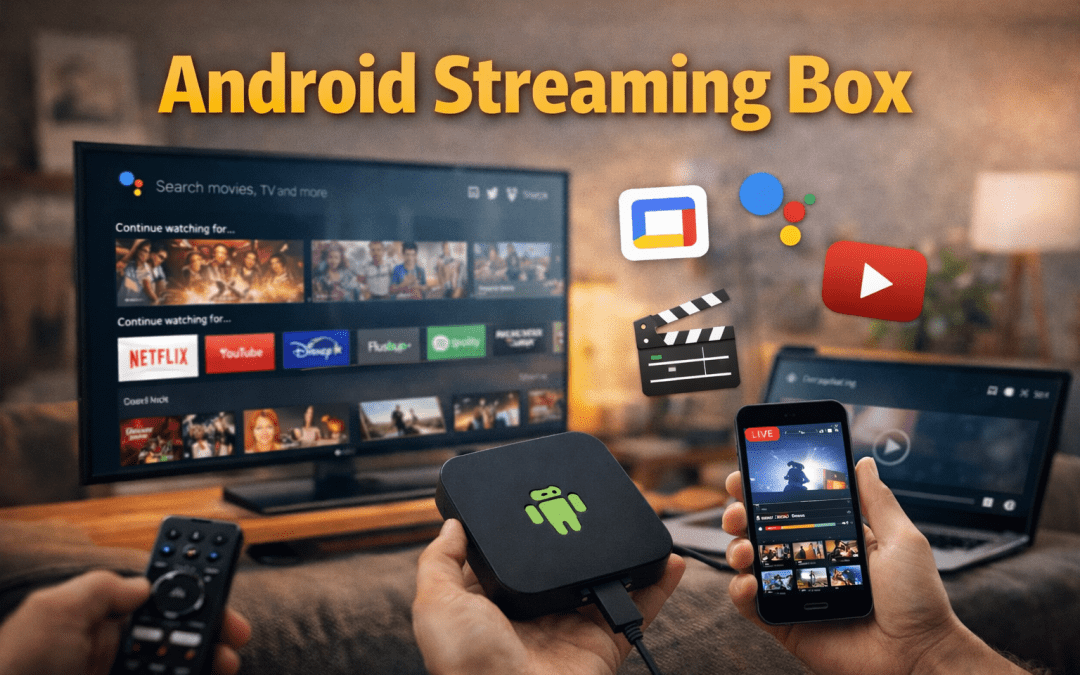
Streaming has completely changed how people watch TV. Traditional cable subscriptions are declining, and on-demand content has become the standard. At the center of this shift is a simple but powerful device: the Android streaming box.
If you’re looking to upgrade your TV, cut cable costs, or get more control over what you watch, an Android TV streaming box can be one of the smartest investments you make. This guide explains what these devices do, how they differ from smart TVs, what features actually matter, and how to choose the right one in 2026—without hype or unrealistic claims.
What Is an Android Streaming Box?
An Android streaming box is a small device that connects to your TV via HDMI and runs Google’s Android TV or Google TV operating system. Once connected to the internet, it allows you to stream movies, TV shows, live TV apps, music, and more—just like a smart TV, but with more flexibility.
Unlike phones or tablets, Android TV devices are built specifically for large screens. Apps are optimized for remote control use, bigger fonts, and simpler navigation.
In short:
It turns any TV—new or old—into a smart TV with access to thousands of streaming apps.
Android Streaming Box vs Smart TV: Which Is Better?
Many modern TVs already include built-in apps, so why use a separate device?
The difference comes down to performance, updates, and longevity.
Smart TVs often stop receiving updates after a few years. Apps become slower, compatibility drops, and newer services may stop working entirely—even though the TV itself still works perfectly.
An Android streaming box solves this by separating the software from the TV. When technology changes, you replace a small device instead of an entire television. Streaming boxes also tend to have:
- Faster processors
- More frequent software updates
- Better app support
- Cleaner, less restricted interfaces
For long-term reliability, a dedicated Android TV box is usually the better choice.
Android TV vs Google TV: What’s the Difference?
You’ll see both terms used when shopping:
- Android TV is the operating system
- Google TV is a newer interface built on top of Android TV
Google TV focuses more on content discovery. Instead of opening apps one by one, it recommends movies and shows from all your services in one place. Functionally, both platforms support the same apps and features—the difference is mostly how content is presented.
Features That Actually Matter in 2026
Performance and Memory
A smooth experience depends on the processor and RAM.
- Minimum recommended RAM: 2GB
- Ideal for long-term use: 4GB
- Storage: 16GB or more is practical for apps and updates
More memory means faster menus, smoother multitasking, and fewer crashes.
Video Quality Support
Most modern Android streaming boxes support:
- 4K Ultra HD (now the standard)
- HDR10 / Dolby Vision for better contrast and color
- 60fps playback for sports and fast motion
If your TV supports these formats, your streaming box should too.
Audio Capabilities
If you use a soundbar or home theater system, look for support for:
- Dolby Atmos
- DTS:X
Even if you don’t have advanced speakers yet, having support keeps your setup future-proof.
Connectivity
Important ports and connections include:
- HDMI 2.1 (for higher frame rates and future formats)
- Ethernet port (more stable than Wi-Fi)
- Wi-Fi 6 for faster wireless streaming
- Bluetooth for headphones and controllers
- USB ports for storage and accessories
Remote and Voice Control
Most Android TV boxes now include voice remotes with Google Assistant. Voice search is especially useful for finding content quickly without typing.
Good remotes also let you:
- Control TV power and volume
- Launch apps instantly
- Use voice commands for playback and smart home control
Apps, Streaming Services, and Live TV
Streaming Apps
Android TV devices give you access to the Google Play Store, which includes:
- Netflix
- YouTube
- Disney+
- Amazon Prime Video
- Apple TV+
- HBO Max, Peacock, Paramount+, and more
Apps are designed specifically for TV screens and updated regularly.
Free Streaming Options
You don’t need paid subscriptions to use an Android streaming box.
Popular free, legal services include:
- Pluto TV
- Tubi
- Freevee
- YouTube
- Network apps like PBS and ABC
This makes Android TV a solid option even for free TV streaming.
Live TV and IPTV (Important Note)
Live TV can be accessed legally through:
- YouTube TV
- Hulu + Live TV
- Sling TV
- Network apps
- Over-the-air antennas (with supported tuners)
While the term “IPTV” is often used broadly, not all IPTV services are legal or reliable. Stick to licensed providers to avoid security and legal risks.
Choosing the Right Android Streaming Box
Entry-Level (Budget)
Best for:
- Secondary TVs
- Casual streaming
- HD or light 4K use
Expect basic performance and fewer advanced features—but reliable playback.
Mid-Range (Best Value)
Ideal for most users.
You get:
- 4K + HDR
- Faster performance
- Better long-term updates
- Stable app support
This is the sweet spot for most households.
Premium Models
Best for:
- High-end home theaters
- Gaming or cloud gaming
- Dolby Atmos setups
- Long-term future-proofing
These devices cost more but deliver top-tier performance.
Setup and Optimization Tips
Setting up an Android TV box takes about 10–15 minutes:
- Connect via HDMI
- Use the included power adapter
- Connect to Wi-Fi or Ethernet
- Sign in with a Google account
- Install your apps
For best performance:
- Use Ethernet if possible
- Enable 4K and HDR in settings
- Keep apps updated
- Restart occasionally
Security and Privacy Basics
To stay safe:
- Install apps only from Google Play
- Use a strong Google account password
- Enable parental controls if needed
- Avoid unknown sideloaded apps
- Be cautious with free VPNs
Android TV is generally secure when used responsibly.
What’s Next for Android Streaming Boxes?
Looking ahead:
- 8K support is increasing
- AV1 video codec improves quality at lower bandwidth
- Cloud gaming continues to expand
- Smart home integration is becoming standard
Android streaming boxes are evolving into full entertainment hubs—not just video players.
Using Android Streaming Boxes with Live TV Services
One of the biggest advantages of an Android streaming box is its compatibility with a wide range of live TV and streaming platforms. In addition to major services like YouTube TV and Sling TV, many users choose premium IPTV providers that offer broader channel selections and flexible viewing options.
For example, services like Xtreme HD IPTV are commonly accessed through Android TV boxes using supported IPTV player apps. When paired with a stable internet connection and compatible hardware, Android streaming devices provide smooth playback, multi-screen support, and easy navigation for live TV, sports, and on-demand content.
As with any streaming service, users should always verify service legitimacy, regional availability, and supported apps before subscribing.
Final Thoughts
An Android streaming box is one of the most flexible and cost-effective ways to upgrade your TV experience in 2026. It gives you control over apps, updates, content sources, and future upgrades—without locking you into a single brand or platform.
Whether you want free TV, premium streaming, live channels, or smart home integration, there’s an Android TV device that fits your needs and budget.
Choose based on your TV, internet speed, and viewing habits—not marketing promises. When selected wisely, an Android streaming box can deliver years of reliable, high-quality entertainment.
An Android streaming box is one of the smartest upgrades you can make for your home entertainment setup in 2026. It delivers flexibility, long-term value, and access to both premium and free streaming services—without locking you into outdated TV software.
Whether you’re watching movies, streaming live TV, or using services like Xtreme HD IPTV on compatible apps, the right Android TV box gives you full control over how and when you watch.
Before choosing a device or service:
- Match the box to your TV and internet speed
- Use verified apps and providers
- Avoid unrealistic “too good to be true” offers
- Test performance before long-term commitments
👉 Ready to upgrade your streaming experience?
Choose a reliable Android streaming box, pair it with a trusted service, and enjoy smoother performance, better picture quality, and complete viewing freedom.
FAQs
What is an Android streaming box?
An Android streaming box is a device that connects to a TV and runs Android TV or Google TV, allowing users to stream apps, movies, live TV, and games over the internet.
Is an Android TV box better than a smart TV?
Yes, in many cases. Android TV boxes receive longer software support, offer faster performance, and can be upgraded without replacing the entire TV.
Do Android streaming boxes support live TV?
Yes. Android streaming boxes support live TV through licensed streaming apps, network apps, antennas (with tuners), and compatible IPTV services.
Can I watch free TV on an Android streaming box?
Yes. Free, legal services like Pluto TV, Tubi, Freevee, YouTube, and network apps provide live and on-demand content without subscriptions.
What internet speed is needed for Android TV streaming?
- SD: 3–5 Mbps
- HD: 5–10 Mbps
- 4K: 25 Mbps or higher
A wired Ethernet connection provides the most stable performance.
Is it safe to use an Android streaming box?
Yes, when apps are installed from the Google Play Store and the device is kept updated. Avoid unknown third-party apps and unsecured IPTV sources.
What’s the difference between Android TV and Google TV?
Android TV is the operating system. Google TV is a newer interface built on Android TV that focuses on content recommendations across apps.

Have you ever used a Bitcoin so far? If not then don’t worry, we have a solution for you to Read more

Internet-based television has transformed how users access live channels, movies, and on-demand content. Among the many IPTV services available today, Read more

The Xtreme HD IPTV Channel list offers one of the most extensive collections of live TV channels, premium sports, movies, Read more

Staying current in the ever-evolving realm of television and entertainment is vital. Gone are the days when only limited options Read more