
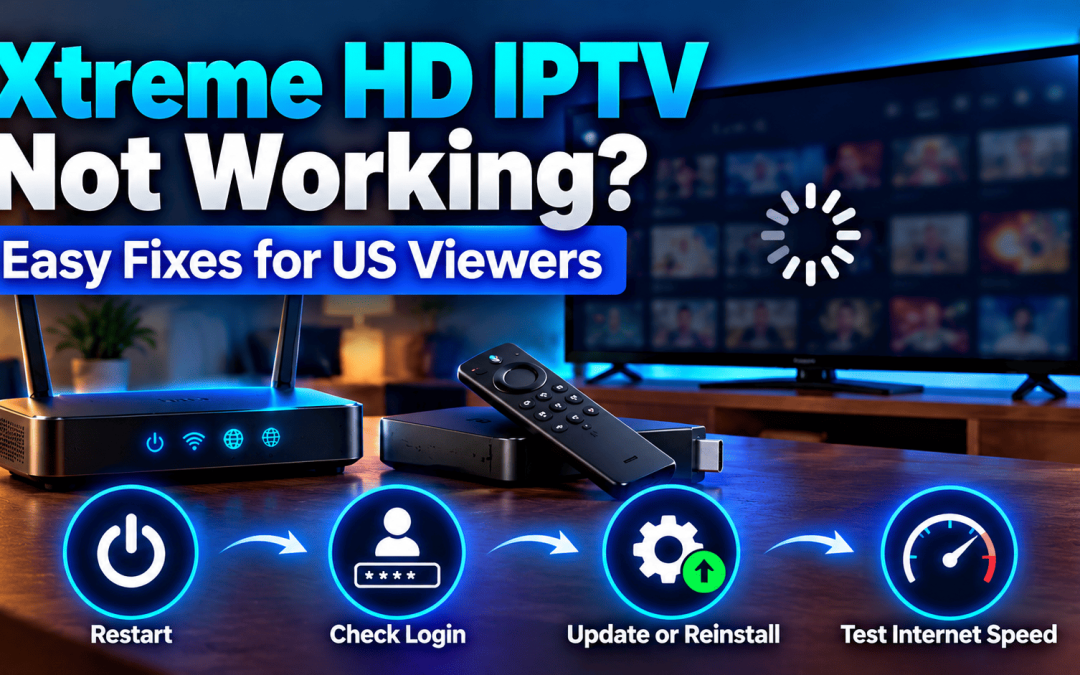
If Xtreme HD IPTV is not working, run four checks in this order. Restart your router and your device. Type your login details again exactly as we sent them. Update or reinstall the app. Then test your internet speed on the same device you stream from. In most US homes, the fault sits in one of those four places. If it still won’t load, our support team can look at your account directly.
Xtreme HD IPTV runs through an app on devices like Firestick and Android TV. You sign in with the details we send after purchase, and the app pulls in your channel list, the TV guide (EPG) and the on demand library. The setup is simple, so a fault is usually easy to find once you know where to look. This guide sorts the common failures by what you actually see on screen.
Why Xtreme HD IPTV Stops Working
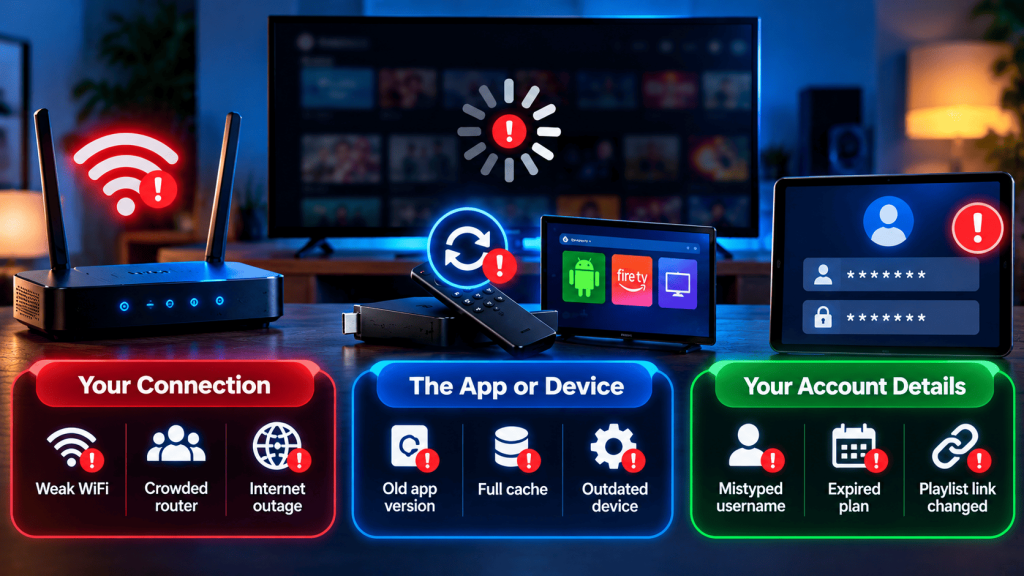
Three things cause most “xtreme hd iptv not loading” reports.
- Your connection. Weak WiFi, a crowded router or a short outage with your internet provider.
- The app or device. An old app version, a full cache or a TV that hasn’t updated its software in months.
- Your account details. A mistyped username, an expired plan or a playlist link that changed.
Rarely, the cause is on the server side. We cover how to tell the difference further down.
Match What You See to the Fix
Xtreme HD IPTV Black Screen or Not Loading
The problem: The app opens but nothing plays, or it hangs on the loading wheel.
What’s usually behind it: Corrupted cache data, or a device that dropped its connection without telling you.
The fix:
- Close the app fully and open it again.
- Load a web page or another app on the same device to confirm the internet is alive.
- Clear the app cache from your device settings.
- Restart the device.
One more thing. If the black screen only hits a single channel, that’s a channel issue. Try a few others before you change any settings.
Xtreme HD IPTV Buffering or Freezing
The problem: The picture stalls every few seconds, then catches up.
What’s usually behind it: Your home network is sharing bandwidth with other devices, or the WiFi signal is weak where the TV sits.
The fix:
- Plug in an Ethernet cable if your device has a port.
- Move the router closer, or switch the device to the 5 GHz band.
- Pause large downloads and other streams while you watch.
- Drop from 4K to HD for a few minutes as a test.
Our anti freeze technology works on our side of the stream. It can’t rescue a weak connection inside your home, which is why these local checks matter. Our playback fixes guide goes deeper on router and DNS tweaks.
Xtreme HD IPTV Login Failed or Not Working After Sign In
The problem: The app rejects your details, or accepts them and still shows an empty screen.
What’s usually behind it: A trailing space copied from the message, the wrong letter case, or a plan that has run out.
The fix:
- Type the details by hand once instead of pasting them.
- Check uppercase and lowercase letters carefully.
- Confirm your plan is still active in your account. Our account management guide shows where to look.
- Make sure you’re using the details meant for this app and not an older set.
Missing Channels or EPG Not Showing
The problem: The channel list is empty, or the TV guide shows blank rows.
What’s usually behind it: The playlist didn’t finish loading, or the guide hasn’t refreshed yet. A wrong date or time zone on the device also makes the EPG look empty. People miss that one a lot.
The fix: Refresh the playlist from the app settings. Give the guide a few minutes to update after a fresh sign in. Then check that your device date, time and time zone are set automatically.
Xtreme HD IPTV App Crashing on Firestick or Android TV
The problem: The app closes by itself, sometimes right after launch.
What’s usually behind it: Low storage on the device, or an outdated app build.
The fix: Free up storage first. Then grab the current build from our Xtreme HD IPTV app download page and reinstall. If you’re setting up again from scratch, follow the Firestick setup guide or the Android TV setup guide so no step gets skipped.
Is Your Internet Fast Enough for IPTV in the USA?
Speed is the most overlooked cause of an Xtreme HD IPTV stream that won’t play properly. The FCC’s broadband speed guide lists about 5 to 8 Mbps for one HD video stream and 25 Mbps for 4K, and those figures assume one activity at a time.
Screens add up fast. Two HD streams and one 4K stream running together need roughly 35 to 41 Mbps before anyone else in the house touches the network.
Run your speed test on the streaming device itself. A test on your laptop in another room tells you very little about the TV. Our 4K playback and bandwidth tips explain how to match quality to your connection.
A Five Step Reset That Fixes Most Cases
When nothing obvious stands out, do this clean reset.
- Unplug the router and the streaming device for 30 seconds.
- Power the router on first and wait for the lights to settle.
- Power the device back on.
- Open the app and sign in fresh.
- Test one HD channel before you try 4K.
It takes a few minutes and clears out stuck network sessions that the app can’t see.
When the Problem Is Not on Your Side
Sometimes the fault isn’t in your home at all. Suspect this if several channels fail on every device you own while your internet works fine everywhere else.
Message us when that happens. Send these details so we can move faster:
- Your device model and the app version
- The exact error text, or a photo of the screen
- The time the problem started
- Your plan type
Reach us through the contact page or on WhatsApp at +1 (903) 224-7708. Our support runs 24/7.
What Makes Our Setup Easier to Troubleshoot
We built Xtreme HD IPTV around a few things that keep problems short.
- One installation guide covering Firestick, Android, iPhone, Smart TV, Windows, Mac and MAG devices
- A built in EPG so you can spot a loading fault versus a missing channel
- HD and 4K streams where your device and connection support them
- Plans from one month up to lifetime, listed on our pricing page
Fewer moving parts means fewer places for a fault to hide.
Stay Safe While You Fix It
Troubleshooting is where people get tricked. Search results for “xtreme hd iptv not working” are full of copycat sites offering patched apps.
- Only use the links on our official site.
- Skip any “fix” file from a random forum or video description.
- Watch only content you have the rights to view. We don’t endorse streaming copyright protected material without permission.
Final Thoughts
Most cases of Xtreme HD IPTV not working come down to a weak connection, a stale app or a typo in the login. Work through the symptom that matches yours and you’ll usually be streaming again quickly.
If you’ve tried the steps and it’s still stuck, don’t spend another evening guessing. Talk to the Xtreme HD IPTV team through our contact page. Tell us your device and what you see, and we’ll help you sort it. Planning a new setup instead? Take a look at our plans and pick what fits your home.
FAQ‘s
Your account is fine in that case. The TV app is likely outdated or its cache is full, so update or reinstall it there.
Yes, try it. A VPN adds delay and can block the connection. If the app loads without it, switch servers or leave it off for IPTV.
It can happen. If speed tests look healthy but streams still stall, ask your provider whether they manage traffic on your plan.
No. Your plan is tied to your account details and not to the app on the device. Sign in again after the reinstall.
Most home setups don’t. A standard router with a steady signal is enough. Changes like QoS only help in busy households.

In the digital age, the way we consume television and media has undergone a significant transformation, and Internet Protocol Television Read more

The landscape of the streaming industry has changed dramatically in recent years, with several players vying for dominance. Typhoon IPTV Read more

How to jailbreak a Chromebook? Chromebooks have gained popularity as lightweight, efficient, and affordable devices that provide seamless integration with Read more

Kemo IPTV is a popular IPTV service provider that delivers television programs and other video content to your device. The Read more