
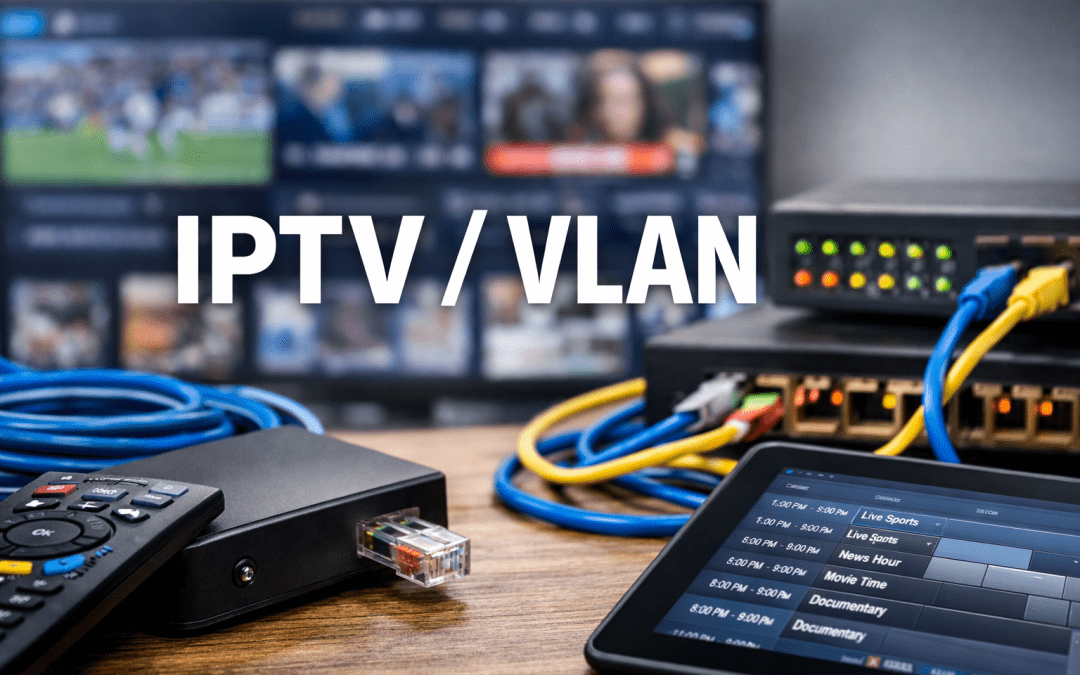
Modern networking infrastructure has evolved significantly over the past two decades, introducing technologies that optimize how data travels across networks. Two terms that frequently appear together in networking discussions are IPTV and VLAN. While they serve different purposes, understanding their relationship is crucial for anyone managing network infrastructure, whether for residential buildings, hotels, hospitals, or corporate environments.
This comprehensive guide explores the IPTV VLAN meaning, how these technologies work individually and together, and why network administrators implement them to improve performance and security.
Understanding the Basics: What Are These Technologies?
Before diving into how IPTV and VLAN work together, it’s essential to understand each technology independently.
What Is IPTV?
Internet Protocol Television represents a fundamental shift in how television content reaches viewers. Unlike traditional broadcast methods that rely on satellite signals or cable infrastructure, IPTV delivers television programming through Internet Protocol networks—the same technology that powers your internet connection.
IPTV systems convert television signals into data packets that travel across IP networks. This method offers several advantages over conventional broadcasting, including the ability to deliver on-demand content, enable interactive features, and provide personalized viewing experiences.
The technology supports three primary service types: live television broadcasting, time-shifted media (allowing viewers to watch programs that aired hours or days earlier), and video on demand (VOD), where users select content from a library whenever they choose.
Organizations ranging from hospitality chains to educational institutions have adopted IPTV because it simplifies content distribution across multiple locations while reducing infrastructure costs associated with traditional cable systems.
What Is a VLAN?
A Virtual Local Area Network represents a logical grouping of devices on a network, regardless of their physical location. Traditional networks connect devices based on physical proximity—everything plugged into the same switch belongs to the same network segment. VLANs break this limitation by allowing network administrators to create separate network segments logically rather than physically.
Think of VLANs as creating separate lanes on a highway. Even though all vehicles travel on the same physical road, different lanes can have different rules, speeds, and destinations. Similarly, VLANs allow different types of network traffic to travel across the same physical infrastructure while remaining isolated from each other.
Network engineers implement VLANs for several compelling reasons. They enhance security by isolating sensitive traffic, improve performance by reducing broadcast domains, simplify network management, and provide flexibility in organizing network resources without requiring physical infrastructure changes.
What Is IPTV/VLAN in Networking Context?
When people search for “what is IPTV/VLAN,” they’re typically asking about the practice of dedicating a specific VLAN exclusively to IPTV traffic. This configuration has become a standard approach in professional network deployments where IPTV services operate alongside other network applications.
The VLAN IPTV setup involves creating a separate virtual network segment specifically for television content delivery. This separation ensures that video streams don’t interfere with other critical network services like voice communications, data transfers, or internet browsing.
Why Combine IPTV with VLANs?
The combination addresses several technical challenges that arise when delivering high-quality video content across shared network infrastructure:
Bandwidth Management: Video streaming, especially high-definition or 4K content, consumes substantial bandwidth. A single HD stream typically requires between 5-8 Mbps, while 4K streams can demand 25 Mbps or more. When dozens or hundreds of users stream content simultaneously, this creates significant network load. Dedicating a VLAN IPTV ensures video traffic doesn’t saturate bandwidth needed for other services.
Quality of Service Prioritization: Network devices can prioritize traffic based on VLAN tags. By placing IPTV on its own VLAN, administrators can configure switches and routers to give video packets higher priority, reducing latency, jitter, and packet loss that would otherwise degrade viewing quality.
Network Isolation: Separating IPTV traffic from general data traffic prevents issues in one system from affecting the other. If the data network experiences congestion or security incidents, the IPTV service continues operating normally because it travels through an isolated path.
Multicast Efficiency: IPTV systems often use multicast transmission to send one video stream to multiple viewers simultaneously. VLANs provide natural boundaries for multicast domains, preventing unnecessary multicast traffic from flooding the entire network while ensuring it reaches intended recipients.
Security Enhancement: Isolating IPTV traffic on a dedicated VLAN adds a security layer. Unauthorized devices cannot easily intercept video streams, and potential security breaches in the general network don’t automatically compromise the IPTV infrastructure.
How VLAN IPTV Configuration Works
Implementing a VLAN IPTV setup requires careful planning and proper configuration across multiple network layers. Understanding the technical process helps clarify why this approach has become an industry standard.
Network Architecture Design
The foundation of any IPTV VLAN deployment begins with network architecture. Administrators must identify which network segments will carry IPTV traffic, determine how many concurrent streams the network needs to support, and calculate the total bandwidth requirements.
A typical implementation involves managed switches that support VLAN tagging according to the IEEE 802.1Q standard. These switches can assign different ports to different VLANs or allow multiple VLANs to traverse the same physical connection through VLAN trunking.
VLAN Assignment and Configuration
Network administrators assign a unique VLAN ID to the IPTV service—commonly VLAN 10, 20, or another value that doesn’t conflict with existing VLANs on the network. This ID gets configured across all network switches that will carry IPTV traffic.
On managed switches, specific ports might be configured as access ports assigned to the IPTV VLAN. Devices connected to these ports—such as IPTV set-top boxes or smart TVs—automatically become part of the IPTV VLAN without requiring any configuration on the device itself.
Trunk ports carry multiple VLANs between switches, allowing IPTV traffic to traverse the entire network while maintaining its isolation. These trunks typically connect switches in a network backbone or link switches across different floors or buildings.
DHCP and IP Address Management
Devices on the IPTV VLAN need IP addresses to communicate. Network administrators typically configure a dedicated DHCP scope for the IPTV VLAN, providing IP addresses, subnet masks, default gateways, and DNS servers specific to IPTV devices.
This separate DHCP scope allows different configuration options for IPTV devices compared to general network devices. For example, IPTV devices might use different DNS servers optimized for content delivery or have longer DHCP lease times since they remain stationary and connected.
Quality of Service Configuration
Quality of Service policies ensure IPTV traffic receives appropriate priority. Administrators configure switches and routers to recognize IPTV VLAN traffic through VLAN tags and apply specific QoS markings.
Common implementations use Differentiated Services Code Point (DSCP) markings or Class of Service (CoS) values to prioritize video traffic. These markings tell network devices to forward IPTV packets before less time-sensitive traffic like email or file transfers.
Multicast Configuration
Since IPTV commonly uses multicast transmission to efficiently deliver live channels, the VLAN IPTV must support Internet Group Management Protocol (IGMP). IGMP allows devices to join and leave multicast groups dynamically, ensuring users receive requested channels while preventing unnecessary multicast traffic.
Administrators enable IGMP snooping on switches to prevent multicast traffic from flooding all ports. This feature makes switches intelligent about multicast distribution, forwarding video streams only to ports where devices have requested them.
Common Applications of IPTV VLAN
Understanding practical applications helps illustrate why organizations invest in IPTV VLAN infrastructure.
Hospitality and Hotels
Hotels represent one of the most common environments for IPTV VLAN deployments. Modern hotel guests expect television services comparable to their home entertainment systems, including HD quality, on-demand content, and interactive features.
Hotels deploy IPTV systems to deliver television services to hundreds or thousands of guest rooms through their existing network infrastructure. By implementing a dedicated VLAN IPTV, hotels ensure video quality remains consistent regardless of how many guests use internet services simultaneously.
The separation also enables hotels to offer premium content or pay-per-view services securely, preventing unauthorized access while simplifying billing integration with property management systems.
Healthcare Facilities
Hospitals and healthcare facilities use IPTV systems to provide patient entertainment, educational content, and critical communications. A dedicated IPTV VLAN ensures that video services don’t interfere with electronic health records, medical device communications, or other critical healthcare IT systems.
Healthcare environments often have strict regulatory requirements regarding network security and data protection. VLAN segmentation helps maintain compliance by clearly separating patient entertainment systems from networks carrying protected health information.
Educational Institutions
Universities and schools deploy IPTV systems to distribute educational content, campus announcements, and entertainment to dormitories, student centers, and common areas. A VLAN IPTV prevents student streaming activities from overwhelming network resources needed for academic applications like learning management systems or research databases.
Educational institutions also appreciate the flexibility VLANs provide. Administrators can easily extend IPTV services to new buildings or reconfigure network segments during campus renovations without requiring extensive physical infrastructure changes.
Corporate Environments
Corporations use IPTV for internal communications, training content delivery, and digital signage throughout facilities. Large corporate campuses with conference centers, lobbies, and employee common areas benefit from centralized content management that IPTV provides.
The IPTV VLAN ensures corporate video communications don’t compete with business-critical applications for bandwidth. During company-wide broadcasts or training sessions where hundreds of employees might stream simultaneously, VLAN isolation prevents network congestion that would impact other business operations.
Multi-Dwelling Units
Apartment complexes and condominiums increasingly offer IPTV services as an amenity to residents. This approach allows property managers to negotiate bulk content agreements while providing residents with modern television services through the building’s internet infrastructure.
A dedicated VLAN IPTV ensures that one resident’s heavy streaming doesn’t degrade television quality for neighbors. It also allows property managers to control which content packages individual units can access while maintaining centralized management of the television infrastructure.
Technical Benefits of IPTV VLAN Implementation
Beyond the basic isolation benefits, implementing a VLAN IPTV provides several technical advantages that improve overall network performance and management.
Broadcast Domain Reduction
Networks generate broadcast traffic—messages sent to all devices on a network segment—for various operational reasons. As networks grow larger, broadcast traffic increases, potentially consuming significant bandwidth and processing power on network devices.
VLANs divide a network into smaller broadcast domains. By placing IPTV devices on a separate VLAN, broadcast traffic from the IPTV system doesn’t reach devices on other VLANs, and general network broadcasts don’t reach IPTV devices. This reduction improves efficiency across the entire network.
Simplified Network Troubleshooting
When issues arise, network isolation simplifies troubleshooting. If users report video quality problems, administrators know to focus on the IPTV VLAN specifically—checking switch ports assigned to that VLAN, verifying QoS configurations, and analyzing traffic patterns isolated to that segment.
Conversely, if data network issues occur, administrators can quickly rule out IPTV traffic as a contributing factor because it travels through an isolated path. This clear separation reduces diagnostic time and helps resolve issues faster.
Scalability and Flexibility
Organizations grow and change over time, requiring network infrastructure to adapt. VLANs provide scalability without physical infrastructure changes. Adding IPTV service to new locations requires only configuring the appropriate VLAN on existing switches rather than running dedicated cabling.
This flexibility extends to reorganizations as well. If a conference room previously used for general purposes needs IPTV service added, administrators simply reconfigure the switch port to include the IPTV VLAN—no physical work required.
Enhanced Security Through Segmentation
Security best practices emphasize the principle of least privilege—systems should have access only to resources they specifically need. A dedicated VLAN IPTV embodies this principle by ensuring IPTV devices cannot communicate with unrelated network segments unless specifically configured to do so.
This isolation limits potential attack surfaces. Even if an IPTV device becomes compromised, the attacker’s access remains confined to the IPTV VLAN unless they can break through additional security layers configured between VLANs.
Bandwidth Guarantee Through QoS
While VLANs alone don’t guarantee bandwidth, they enable effective Quality of Service implementations. By tagging all IPTV traffic with a specific VLAN ID, network devices can consistently identify and prioritize video packets.
This consistent prioritization ensures that during periods of network congestion, IPTV traffic maintains the bandwidth allocation it needs for smooth playback. Users experience fewer interruptions, reduced buffering, and consistent video quality even when the network carries heavy loads.
Planning an IPTV VLAN Deployment
Successful implementation requires thorough planning across multiple dimensions. Organizations should consider several factors before deploying a VLAN IPTV solution.
Bandwidth Assessment
The first step involves calculating total bandwidth requirements. Administrators must determine how many simultaneous streams the system will support, what video quality standards apply (SD, HD, or 4K), and whether live channels, on-demand content, or both will be offered.
A conservative calculation multiplies the maximum number of potential simultaneous viewers by the bandwidth per stream, then adds a buffer for overhead and future growth. For example, a hotel with 200 rooms might assume 150 simultaneous streams at 8 Mbps each, requiring 1.2 Gbps dedicated to IPTV traffic.
Network Infrastructure Evaluation
Existing network infrastructure must support the planned IPTV deployment. Key considerations include whether current switches support VLANs and IGMP snooping, whether network uplinks have sufficient capacity to carry IPTV traffic alongside existing loads, and whether the core network infrastructure can handle the additional multicast traffic IPTV generates.
Organizations may need to upgrade switches, increase uplink capacity, or enhance core routing infrastructure to support a robust IPTV VLAN implementation.
Content Source Integration
IPTV systems require content sources—whether traditional broadcast channels converted to IP format, streaming content from providers, or locally produced video content. The VLAN IPTV configuration must allow IPTV devices to reach these content sources while maintaining isolation from other network segments.
This often involves configuring routing between the IPTV VLAN and the VLAN where content servers reside, implementing firewall rules that permit only necessary communication, and ensuring content delivery networks can efficiently distribute content to potentially hundreds of simultaneous viewers.
Device Management Strategy
IPTV deployments involve numerous devices—set-top boxes, smart TVs, or software clients—that require configuration, updates, and ongoing management. Organizations should plan how these devices will be managed within the VLAN IPTV environment.
Management approaches might include dedicated management VLANs that allow administrators to access IPTV devices for updates and troubleshooting, automated provisioning systems that configure devices without manual intervention, or remote management tools that function within the VLAN isolation constraints.
Redundancy and Failover Planning
Professional IPTV deployments require high availability. Users expect television services to work reliably, making redundancy planning essential. Organizations should consider redundant network paths to prevent single points of failure, backup content sources in case primary sources become unavailable, and failover mechanisms that automatically switch to backup systems without user intervention.
The IPTV VLAN configuration should support these redundancy mechanisms, ensuring that failover events don’t disrupt service or create network routing loops that could affect the entire network.
Common Challenges and Solutions
Even well-planned IPTV VLAN implementations can encounter challenges. Understanding common issues and their solutions helps organizations prepare for smooth deployments.
Multicast Flooding
Without proper configuration, multicast traffic can flood network segments, consuming excessive bandwidth and degrading performance for all network users. This occurs when switches lack IGMP snooping or when administrators haven’t properly configured multicast routing.
The solution involves enabling IGMP snooping on all switches carrying the VLAN IPTV, configuring IGMP querier devices to manage multicast group membership, and setting appropriate multicast pruning rules to prevent unnecessary traffic propagation.
VLAN Configuration Inconsistencies
Large networks involve many switches, increasing the likelihood of configuration inconsistencies. A single misconfigured switch can prevent IPTV traffic from reaching portions of the network or create VLAN mismatches that block communication entirely.
Organizations address this challenge through careful documentation of VLAN assignments across all network devices, automated configuration management tools that ensure consistency, and regular audits to verify that physical configurations match intended designs.
Inter-VLAN Routing Complexity
While VLAN isolation provides benefits, IPTV systems often need limited communication with devices on other VLANs—for example, accessing central management systems or reaching internet-based content sources. Configuring inter-VLAN routing that permits necessary communication while maintaining security requires careful planning.
Solutions typically involve Layer 3 switches or routers that perform inter-VLAN routing, firewall rules that specifically permit required traffic flows while blocking everything else, and access control lists (ACLs) that enforce security policies at VLAN boundaries.
Quality of Service Conflicts
Networks often carry multiple types of priority traffic—voice communications, IPTV, and critical business applications. When QoS policies conflict or when traffic prioritization isn’t properly configured, users may experience degraded quality across multiple services.
Addressing QoS conflicts requires comprehensive QoS strategy that defines priority levels for all traffic types, consistent QoS marking across all network devices, and regular monitoring to verify that QoS policies achieve intended results.
Device Compatibility Issues
Not all IPTV devices or network equipment support the same VLAN standards or capabilities. Older devices might lack support for 802.1Q VLAN tagging, or certain IPTV set-top boxes might have limited network configuration options.
Organizations overcome compatibility challenges through careful device selection during the planning phase, network design that accommodates devices with limited VLAN capabilities, and hybrid approaches that use VLANs where possible while implementing alternative isolation methods for incompatible devices.
Best Practices for IPTV VLAN Management
Organizations that successfully deploy and maintain IPTV VLAN infrastructures follow several best practices that ensure long-term reliability and performance.
Comprehensive Documentation
Every VLAN deployment should include thorough documentation covering VLAN ID assignments across the network, switch port configurations and their assigned VLANs, IP address schemes for the IPTV VLAN, QoS policies and their implementation details, and network diagrams showing VLAN topology.
This documentation proves invaluable during troubleshooting, network expansions, or when new staff members need to understand the network architecture.
Regular Performance Monitoring
Continuous monitoring helps identify issues before they impact users. Organizations should monitor bandwidth utilization on the VLAN IPTV to detect capacity constraints, track packet loss and jitter that could degrade video quality, observe multicast group membership to ensure efficient content delivery, and analyze QoS statistics to verify traffic prioritization works as intended.
Modern network management systems can automate much of this monitoring, generating alerts when metrics exceed acceptable thresholds.
Scheduled Maintenance Windows
IPTV services require ongoing maintenance—software updates for devices, switch firmware upgrades, and configuration adjustments as the network evolves. Organizations should establish scheduled maintenance windows during low-usage periods, communicate maintenance schedules to users in advance, and implement changes following change management procedures that include rollback plans if issues arise.
Security Audits and Updates
Network security requires ongoing attention. Regular security audits should verify that VLAN isolation remains effective, review firewall rules and ACLs that govern inter-VLAN traffic, ensure management access to IPTV devices follows least-privilege principles, and check that security patches are current across all IPTV infrastructure components.
Capacity Planning and Scaling
Organizations should regularly assess whether current IPTV VLAN capacity meets demands and plan for future growth. This involves reviewing bandwidth utilization trends to predict when upgrades become necessary, monitoring simultaneous viewer counts against maximum capacity, and planning network expansions before capacity limitations impact service quality.
Future Trends in IPTV and Network Segmentation
Technology continues evolving, bringing new capabilities and considerations to VLAN IPTV deployments.
Software-Defined Networking Integration
Software-Defined Networking (SDN) represents a fundamental shift in network management, centralizing control and enabling dynamic network reconfiguration through software. SDN controllers can automatically adjust VLAN configurations, modify QoS policies based on real-time conditions, and optimize routing paths for IPTV traffic.
Organizations adopting SDN can create more responsive IPTV infrastructures that adapt to changing demands without manual intervention.
Network Function Virtualization
Network Function Virtualization (NFV) allows traditional network appliances to run as software applications on standard servers. In IPTV contexts, functions like video transcoding, content delivery, and session management can be virtualized and scaled dynamically.
Combining NFV with VLAN IPTV segmentation creates flexible architectures where IPTV functions scale up during high-demand periods and scale down during quiet times, optimizing resource utilization.
Enhanced Security Through Microsegmentation
While VLANs provide network segmentation, emerging security approaches advocate for even more granular microsegmentation. This technique creates security policies for individual workloads or applications rather than entire network segments.
Future IPTV VLAN implementations might incorporate microsegmentation principles, applying specific security policies to different IPTV components—set-top boxes, content servers, management systems—even within the same VLAN.
5G and Wireless IPTV Delivery
The growth of 5G wireless technology opens possibilities for IPTV delivery over wireless networks with performance comparable to wired connections. Organizations might extend VLAN IPTV concepts into wireless domains, creating virtual network segments for IPTV traffic on wireless infrastructure.
This evolution would allow mobile IPTV experiences while maintaining the quality control and management benefits that VLAN segmentation provides.
AI-Driven Network Optimization
Artificial intelligence and machine learning increasingly influence network management. AI systems can analyze network behavior patterns, predict congestion before it occurs, and automatically adjust configurations to optimize performance.
Future VLAN IPTV systems might leverage AI to dynamically adjust QoS priorities based on viewing patterns, automatically reconfigure VLANs to balance loads, and predict capacity requirements based on historical trends and external factors like special events.
Comparing IPTV VLAN with Alternative Approaches
While VLAN IPTV represents a common implementation approach, organizations sometimes consider alternatives. Understanding these options helps clarify when VLAN segmentation provides the best solution.
Physical Network Separation
Some organizations build entirely separate physical networks for IPTV—dedicated switches, cabling, and infrastructure isolated from the data network. This approach provides maximum isolation but requires substantial capital investment and ongoing maintenance of parallel infrastructure.
VLAN segmentation achieves similar isolation benefits while sharing physical infrastructure, significantly reducing costs and simplifying management. For most organizations, the VLAN IPTV approach provides better value.
Quality of Service Without VLANs
Networks can implement QoS policies without VLAN segmentation, prioritizing IPTV traffic through other mechanisms like DSCP markings or application-layer identification. However, without VLAN isolation, IPTV and data traffic still share broadcast domains and compete for the same logical network space.
The IPTV VLAN approach combines QoS benefits with broadcast domain isolation, security advantages, and simplified management that QoS alone doesn’t provide.
Application-Layer Routing
Some advanced networks use application-layer routing, directing traffic based on application characteristics rather than network-layer constructs like VLANs. While powerful, this approach requires sophisticated equipment and expertise to implement and maintain.
For most IPTV deployments, VLAN segmentation provides sufficient functionality with greater simplicity and broader equipment compatibility compared to application-layer routing approaches.
Conclusion
Understanding the IPTV VLAN meaning and implementation reveals why this approach has become standard practice for professional IPTV deployments. By creating dedicated virtual network segments for television content delivery, organizations achieve several critical objectives: ensuring consistent video quality through bandwidth management and QoS prioritization, enhancing security through network isolation, simplifying troubleshooting through clear traffic separation, and providing scalability without requiring physical infrastructure changes.
The combination of IPTV and VLAN technologies addresses the unique challenges that video content delivery presents in shared network environments. Whether in hotels, hospitals, educational institutions, or corporate facilities, a properly implemented VLAN IPTV ensures that users enjoy high-quality television services without compromising the performance of other critical network applications.
Success requires careful planning during the design phase, proper configuration across all network devices, ongoing monitoring to ensure continued performance, and adherence to best practices that maintain security and reliability. Organizations that invest in understanding and properly implementing these technologies position themselves to deliver superior IPTV experiences while maintaining robust, efficient network infrastructures.
As technology evolves and organizations demand more from their networks, the principles underlying IPTV VLAN segmentation—logical network division, traffic prioritization, and security through isolation—remain relevant. Whether implemented through traditional VLAN technologies or future networking paradigms, these fundamental concepts will continue guiding effective network design for multimedia content delivery.
For organizations considering IPTV deployments or seeking to optimize existing implementations, VLAN segmentation represents not just a technical requirement but a strategic approach to network architecture. It transforms television content delivery from a potential network burden into a well-managed service that coexists harmoniously with other applications, delivering value to users while maintaining the integrity and performance of the broader network infrastructure.
Setting up IPTV on your Firestick or Android device opens up a world of entertainment possibilities. By following a few Read more

The Xtreme HD IPTV Channel list offers one of the most extensive collections of live TV channels, premium sports, movies, Read more

The IPTV Reseller program is a great way for you to earn money by selling our services. We have partnered Read more

For many people, watching TV is the best way to relax and unwind after a long day. But now that Read more