
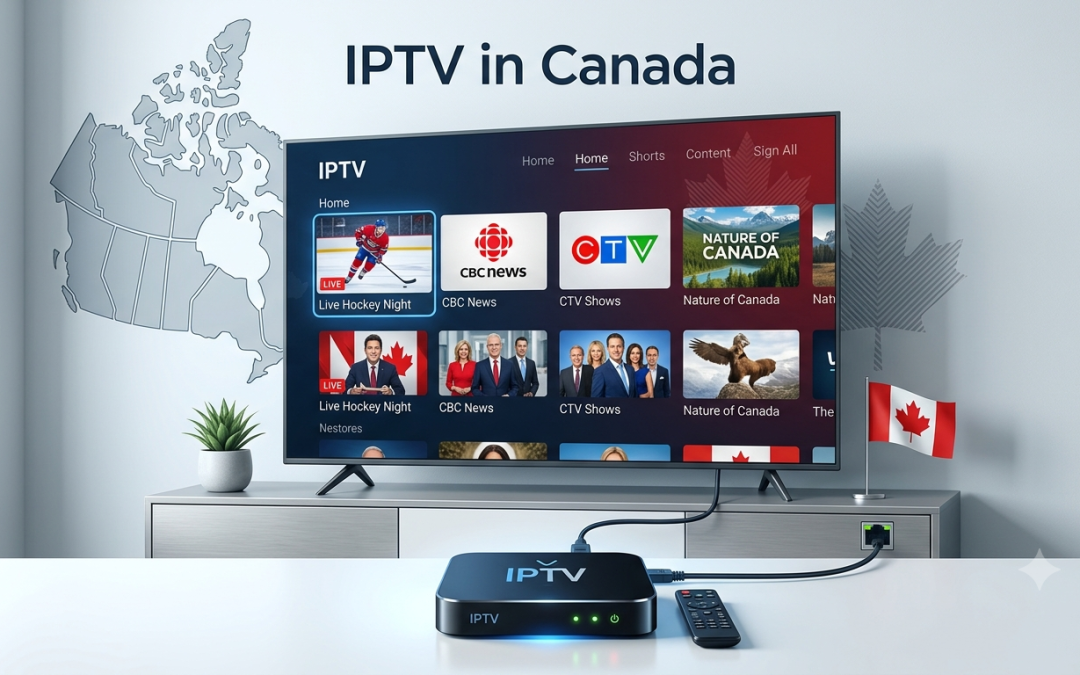
If you want to watch IPTV on a television that does not have the right apps built in, an IPTV box can make the setup much easier. These small streaming devices connect to your TV and internet connection, giving you access to compatible streaming applications and IPTV players from one place.
But not every device marketed as an IPTV box is the same. Hardware specifications, operating system, app support, storage, connectivity, and remote control experience can all affect how well it performs.
The most important point is that an IPTV box does not automatically provide television channels. You still need a compatible IPTV service or authorised content source and an IPTV player that works with the device.
This guide explains how IPTV boxes work, what specifications matter, and how to choose one for your viewing setup.
What Is an IPTV Box?
An IPTV box is a streaming device that connects to your television and internet connection. It runs applications that can access internet based video services.
Many IPTV boxes use Android TV or another TV focused operating system. Android TV is designed specifically for television devices and remote based navigation rather than touchscreen use. (developer.android.com)
The basic setup is simple:
Internet connection → IPTV service → IPTV player → IPTV box → Television
The box handles the application and playback while your television provides the display and audio.
This means the device itself is not the IPTV provider.
How Does an IPTV Box Work?
An IPTV box connects to your TV through HDMI and connects to the internet through Wi Fi or, on supported models, Ethernet.
Once connected, you can install compatible applications and sign in to your services.
For IPTV streaming, the process generally looks like this:
- Connect the IPTV box to your television.
- Connect it to power.
- Connect the box to the internet.
- Install a compatible IPTV player.
- Enter your IPTV subscription credentials.
- Load the available playlist or account.
- Select live TV, VOD, or other available content.
The exact process depends on the IPTV service and player.
For example, Xtreme HD IPTV states that its service works with applications supporting Xtream Codes or M3U URLs and recommends IPTV Smarters and TiviMate among its compatible player options. (xtremehdiptv.in.net)
Do You Need an IPTV Box for IPTV?
No. An IPTV box is useful, but it is not always necessary.
You may already have a device capable of running a compatible IPTV application. Depending on the service, IPTV can work on:
- Smart TVs
- Firestick
- Android TV devices
- Smartphones
- Tablets
- Windows computers
- Mac computers
- MAG devices
- Compatible streaming boxes
Xtreme HD IPTV currently lists Smart TVs, Firestick, Android TV, smartphones, tablets, Windows, macOS, and MAG devices among its supported platforms. (xtremehdiptv.in.net)
An IPTV box becomes useful when your existing TV does not support the player you want or when you want a dedicated device for streaming.
Why Use an IPTV Streaming Box?
A dedicated IPTV streaming box can be useful for several reasons.
Better App Flexibility
An Android based TV box can provide access to a wider range of TV applications than some Smart TV operating systems.
Easier IPTV Setup
You can install a compatible IPTV player directly on the box instead of trying to work around the limitations of your television’s built in software.
Dedicated Hardware
A separate streaming device can also be replaced or upgraded without replacing the television.
Remote Friendly Interface
TV operating systems are designed around remote controls and viewing from a distance. Android TV’s developer guidelines specifically focus on clear interfaces and navigation using directional controls and a select button. (developer.android.com)
For regular television use, that can make a noticeable difference.
Android IPTV Box: What Should You Look For?
An Android IPTV box can be a practical choice because Android TV supports a broad range of applications and streaming features.
However, specifications vary considerably between devices.
RAM
RAM affects how comfortably the device handles applications and multitasking.
Xtreme HD IPTV’s FAQ recommends an Android box with 3 GB or 4 GB of RAM and 32 GB of storage for its service. It also lists examples such as Firestick, NVIDIA Shield, Formuler boxes, Chromecast with Google TV, and Mi Stick. (xtremehdiptv.in.net)
For basic IPTV viewing, you do not necessarily need an extremely powerful box. But adequate RAM can help when using larger applications or switching between several apps.
Storage
Storage is mainly useful for applications, system files, and locally stored content.
A box with more storage can be useful if you plan to install several applications.
Processor
A capable processor helps with application performance and video playback. If you want to stream higher resolution content, check that the device supports the resolution and video formats you plan to use.
Wi Fi and Ethernet
A stable internet connection matters for IPTV streaming.
If the box has Ethernet support, a wired connection can be useful where Wi Fi is weak or congested.
What Is the Best IPTV Box?
There is no single best IPTV box for every viewer.
The right device depends on your TV, internet connection, preferred IPTV player, streaming resolution, and budget.
Instead of choosing based only on advertising, compare the following:
| Feature | Why It Matters |
| Operating system | Determines app compatibility |
| RAM | Affects application performance |
| Storage | Provides space for apps and data |
| Processor | Helps with playback and general responsiveness |
| Wi Fi | Important for wireless streaming |
| Ethernet | Useful for a stable wired connection |
| HDMI | Connects the box to your TV |
| 4K support | Important for compatible 4K content |
| Remote | Affects everyday navigation |
| App support | Determines which IPTV players you can use |
If you only plan to watch IPTV, spending more on features you will never use may not provide much benefit.
IPTV Box for Smart TV: Do You Need One?
A Smart TV already has an operating system and built in applications, so you may wonder why you would need an additional device.
The answer comes down to app compatibility.
Some Smart TVs support popular IPTV applications directly. Others have more restricted app stores or operating systems.
An IPTV box for Smart TV gives you another operating environment. If your TV does not support the IPTV player you prefer, a compatible external box may solve the problem.
It can also make sense if your television is several years old and its built in hardware feels slow.
Instead of replacing the entire TV, you can connect a modern streaming box and continue using the same screen.
IPTV Box vs Firestick
Firestick is itself a streaming device, so it can be used for IPTV in much the same way as an IPTV box.
The main differences come down to hardware, operating system, app availability, and personal preference.
| Factor | IPTV Box | Firestick |
| Form factor | Usually a separate box | Compact HDMI device |
| Operating system | Often Android TV or Google TV | Fire OS |
| App flexibility | Depends on model | Broad Fire TV ecosystem |
| Ethernet | Available on some models | Depends on model and adapter |
| Storage | Varies widely | Varies by model |
| IPTV support | Depends on player | Many compatible players |
| Upgrade options | Vary by device | Model dependent |
For someone who wants a compact solution, Firestick can be convenient. If you want more storage, Ethernet, or specific Android TV features, a dedicated box may be preferable.
How to Set Up an IPTV Box
Once you have selected your device, the setup is usually straightforward.
1. Connect the Box to Your TV
Use an HDMI cable to connect the box to an available HDMI port.
2. Connect the Power
Use the supplied power adapter and turn on the device.
3. Connect to the Internet
Choose your Wi Fi network and enter the password. If your device supports Ethernet, you can use a wired connection instead.
4. Complete the Device Setup
Sign in with the required account and complete any software updates.
5. Install an IPTV Player
Choose a compatible IPTV player based on the format provided by your IPTV service.
6. Enter Your IPTV Subscription Details
Your provider may supply Xtream Codes credentials or an M3U URL.
7. Load Your Content
Once the account connects, you may see live TV, movies, series, VOD, EPG, or catch up content depending on your subscription.
Xtreme HD IPTV provides a dedicated installation guide covering supported device setup and login steps.
What Is an IPTV Subscription?
An IPTV subscription gives you access to a service or content source through an internet connection. The subscription and the IPTV box are separate purchases.
Think of it like this:
IPTV box = hardware
IPTV player = software
IPTV subscription = service or content access
You need compatible components for the setup to work correctly.
For example, buying an expensive Android TV box does not automatically provide live TV channels. Likewise, installing an IPTV player does not create a channel lineup.
Xtreme HD IPTV currently publishes subscription options with different device connection plans and provides access to live TV and VOD through supported devices. Its current pricing should be checked directly before purchase because plans and prices can change. (xtremehdiptv.in.net)
How Many Connections Do You Need?
This depends on how many people in your household want to watch simultaneously.
If one person watches IPTV on one television, a single connection may be enough.
If several people want to stream at the same time, you need a subscription that supports multiple simultaneous connections.
Xtreme HD IPTV states that its standard subscription includes one connection and that additional connections can be purchased through its add on connection plans. It currently supports up to five connections. (xtremehdiptv.in.net)
Do not confuse multiple devices with multiple simultaneous connections. A subscription may allow installation on several devices while limiting how many can stream at the same time.
How to Avoid IPTV Box Buffering
A good IPTV box cannot completely eliminate buffering.
Playback depends on several factors, including:
- Internet connection quality
- Wi Fi signal
- Router performance
- Device hardware
- Video resolution
- IPTV player
- The individual stream
- Provider infrastructure
If possible, use Ethernet when Wi Fi is unreliable.
You should also keep your streaming device updated. The FTC recommends keeping internet connected devices and their software updated as part of basic home security practices. (consumer.ftc.gov)
If only one channel buffers while everything else works normally, the issue may be related to that particular stream rather than your IPTV box.
Is a More Expensive IPTV Box Always Better?
No.
A more expensive device may provide better hardware, additional storage, faster processing, Ethernet, or more advanced video support. But that does not mean you need the most expensive model.
Start with your actual requirements.
If you mainly watch IPTV in HD and use one or two applications, a mid range device may be sufficient.
If you want 4K streaming, multiple applications, local media playback, gaming, or more storage, investing in stronger hardware may make more sense.
The goal is to buy a device that matches your use rather than paying for specifications you will not use.
What Should You Check Before Buying an IPTV Box?
Before placing an order, check these points:
Operating System
Make sure it supports the applications you intend to use.
IPTV Player Compatibility
Confirm that your preferred IPTV player works on the device.
Video Resolution
If you have a 4K television, check that the device supports compatible 4K playback.
Connectivity
Check Wi Fi standards and whether Ethernet is available.
Storage and RAM
Choose enough hardware for your applications and viewing habits.
Software Updates
A device that receives regular software updates can be easier to maintain.
Warranty and Seller Reputation
Buy hardware from a reputable source and check the warranty before paying.
Are IPTV Boxes Safe to Use?
The hardware itself is simply a connected streaming device. The bigger concern is the software and content sources installed on it.
Avoid installing applications from unknown sources simply because they promise access to premium content.
The FTC recommends keeping connected devices updated, changing default passwords where applicable, and disabling features you do not use. (consumer.ftc.gov)
You should also use IPTV services and content that you are legally authorised to access in your location.
Xtreme HD IPTV and IPTV Boxes
Xtreme HD IPTV supports a wide range of devices and applications. Its FAQ specifically recommends Android boxes with 3 GB or 4 GB of RAM and 32 GB of storage, while also mentioning Firestick, NVIDIA Shield, Formuler boxes, Chromecast with Google TV, and Mi Stick as options. (xtremehdiptv.in.net)
The service also supports IPTV applications that work with Xtream Codes or M3U URLs.
This gives customers flexibility when choosing hardware, but device compatibility should still be checked before purchasing.
You can review the Xtreme HD IPTV device information and installation resources before deciding which setup suits you.
Final Thoughts
An IPTV box can be a useful addition to your home entertainment setup, especially when your Smart TV does not support the IPTV player you want to use.
The right device should provide the hardware performance, operating system, app compatibility, connectivity, and video support you actually need. You do not necessarily need the most expensive model.
Before buying, check your IPTV subscription requirements and make sure the box supports your preferred player. Also remember that the box, IPTV player, and IPTV service are three separate parts of the setup.
For viewers using Xtreme HD IPTV, the service supports multiple streaming platforms and recommends compatible Android based devices and IPTV players.
Ready to choose your IPTV setup? Visit Xtreme HD IPTV to review the current subscription options, supported devices, and setup information before getting started.
Frequently Asked Questions
What is an IPTV box used for?
An IPTV box connects to your television and internet connection and lets you run compatible streaming and IPTV applications on the TV.
Do I need an IPTV box if I have a Smart TV?
Not necessarily. If your Smart TV supports your preferred IPTV player, you may not need an external device. An IPTV box is useful when you need additional app compatibility or better hardware.
What is the best IPTV box for streaming?
The right device depends on your budget, preferred IPTV player, video resolution, storage requirements, and internet connection. There is no single box that is best for every viewer.
How much RAM should an IPTV box have?
For Xtreme HD IPTV, the current FAQ recommends an Android box with 3 GB or 4 GB of RAM and 32 GB of storage. Your actual requirements may vary depending on the applications you use.
Does an IPTV box come with an IPTV subscription?
Usually, no. The IPTV box is hardware, while an IPTV subscription is a separate service. You need a compatible IPTV player and authorised content source to watch IPTV.

In the digital age, the way we consume television and media has undergone a significant transformation, and Internet Protocol Television Read more

The landscape of the streaming industry has changed dramatically in recent years, with several players vying for dominance. Typhoon IPTV Read more

How to jailbreak a Chromebook? Chromebooks have gained popularity as lightweight, efficient, and affordable devices that provide seamless integration with Read more

Kemo IPTV is a popular IPTV service provider that delivers television programs and other video content to your device. The Read more