

The popularity of Internet Protocol Television (IPTV) continues to grow in 2026. More viewers are choosing internet-based television to access live channels, sports, movies and on-demand entertainment across different devices. However, this growing popularity has also created opportunities for scammers to build fake websites that imitate established IPTV brands.
These clone websites often copy logos, website layouts, promotional banners, subscription packages and even customer support information. Their primary objective may be to collect payments, steal personal information or distribute unsafe applications.
For customers, identifying a genuine website before purchasing a subscription is essential. Whether you are exploring streaming options or comparing IPTV providers, knowing the warning signs can help you avoid unnecessary risks.
In this guide, we explain how to check website authenticity, recognize suspicious activities and make a more informed decision before purchasing an IPTV subscription.
1. Carefully Check the Official Website Domain
The first and most important step is checking the website address.
Fake websites frequently use domain names that look similar to established brands. They may add extra words, numbers, hyphens or different domain extensions to confuse visitors.
For example, a fraudulent website might use:
- Additional words such as premium, official or original.
- Misspelled versions of a brand name.
- Unusual combinations of letters and numbers.
- Similar-looking domain extensions.
Always compare the complete website address with the domain published through independently verifiable official communication channels.
For customers visiting Xtreme HD IPTV, the website address provided for verification in this guide is:
Save the verified address in your browser instead of repeatedly searching for it through advertisements or unfamiliar search results.
Remember that a familiar-looking domain is not sufficient proof of ownership. Check that the business itself confirms the domain.
2. Examine Website Design and Content Quality

Clone websites frequently reproduce the appearance of legitimate websites to create a false impression of trust.
However, closer inspection may reveal inconsistencies.
Look for the following warning signs:
- Blurry or incorrectly positioned logos.
- Poorly written descriptions and spelling mistakes.
- Broken navigation menus and buttons.
- Inconsistent subscription information.
- Copied images and unrelated promotional material.
- Pages that redirect visitors to unfamiliar websites.
A genuine business website should provide consistent information across its homepage, subscription pages, installation guides and contact sections.
Professional design is helpful, but remember that scammers can also create attractive websites. Never rely on appearance alone.
3. Verify Customer Support Information
Reliable customer support is an important part of any online subscription service.
Before making a payment, check whether the website provides clear communication options.
Look for:
- A working contact form.
- A valid business email address.
- Clearly displayed customer support information.
- Relevant installation and troubleshooting guides.
- Consistent communication across different website pages.
Be particularly careful if a representative pressures you to make an immediate payment or refuses to answer basic questions.
A legitimate support team should explain subscription conditions, supported devices, payment procedures and available assistance without unnecessary pressure.
4. Check Payment Security Before Purchasing
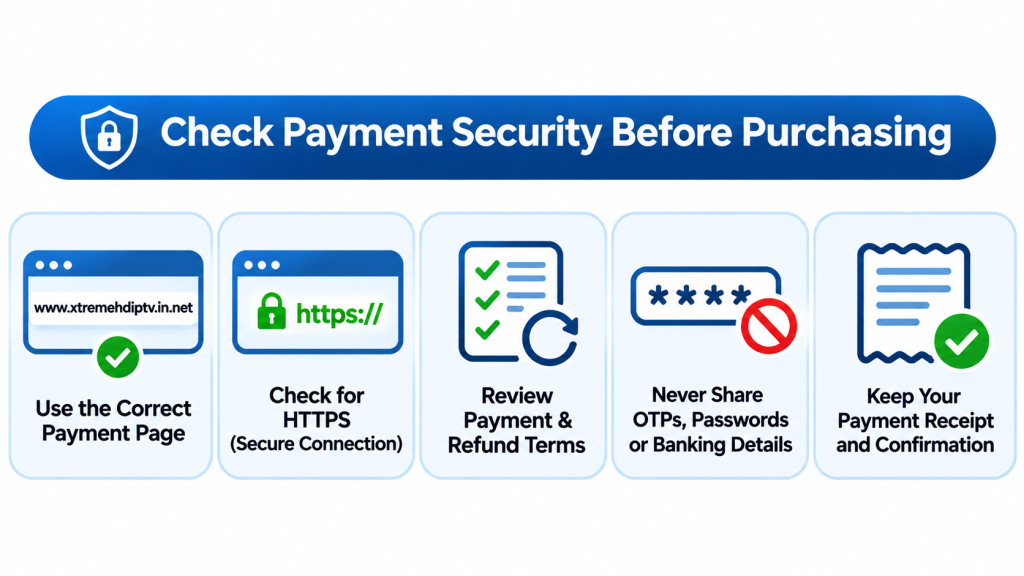
Payment security is one of the most important ways to distinguish trustworthy businesses from suspicious websites.
Fake clone websites may request payments through unusual methods or direct customers to unrelated payment pages.
Before completing a transaction:
- Confirm that the payment page belongs to the business you intend to purchase from.
- Check whether the connection uses HTTPS.
- Review the payment terms and refund conditions.
- Avoid sending OTPs, passwords or banking credentials to customer support representatives.
- Keep your transaction confirmation and payment receipt.
Be cautious when someone demands cryptocurrency, personal transfers or irreversible payments without providing clear business information.
An HTTPS connection protects information in transit, but it does not establish that a website is legitimate.
5. Compare Subscription Plans and Pricing Details
Extremely attractive promotional offers can sometimes be used to attract unsuspecting customers.
Clone websites may advertise unusually cheap lifetime subscriptions, unlimited connections or guaranteed streaming performance without explaining the conditions.
Before selecting a package, compare:
- Subscription duration.
- Number of permitted connections.
- Supported devices.
- Available streaming resolutions.
- Renewal conditions.
- Refund and cancellation policies.
- Customer support availability.
The subscription page should explain exactly what is included in the selected package.
Avoid purchasing simply because a countdown timer or limited-time discount encourages you to act quickly.
6. Verify Applications and Download Links
Another common problem involves fake IPTV applications and modified APK files.
Some fraudulent websites distribute applications that imitate popular IPTV players. These downloads may contain unwanted software or request unnecessary permissions.
Follow these precautions:
- Download applications from trusted sources whenever possible.
- Verify the publisher and application name.
- Avoid unknown APK download links shared through random messages.
- Review requested permissions before installation.
- Never disable device security features just because an unfamiliar website instructs you to do so.
- Scan downloaded files using reputable security software.
If an application requests access to contacts, SMS messages or other unrelated information, reconsider installing it.
7. Read Independent Reviews Instead of Trusting Website Testimonials
Customer testimonials can help you understand a service, but reviews displayed directly on a website should not be your only source of information.
Look for independent feedback across multiple platforms.
Pay attention to recurring complaints involving:
- Failed subscription activation.
- Unresponsive customer support.
- Unexpected additional charges.
- Difficulties cancelling subscriptions.
- Application installation problems.
- Inconsistent streaming quality.
Be cautious of review pages containing identical comments, repetitive five-star ratings or no verifiable customer experiences.
Independent feedback provides additional context, although even third-party reviews should be evaluated critically.
8. Check Content Licensing and Service Transparency
One important detail many customers overlook is content authorization.
IPTV is a technology for delivering television over the internet. However, a provider must have appropriate rights or authorization to distribute copyrighted television channels, films and sports content.
Before purchasing, ask whether the provider has the necessary content distribution permissions in your country.
A website that provides clear information about its business, content rights, subscription conditions and privacy practices gives customers more information to evaluate.
Do not assume that a large channel list or low subscription price automatically indicates a legitimate service.
9. Look for Secure Account Activation and Clear Instructions
A transparent subscription process should explain what happens after payment.
Customers should understand:
- How account credentials are delivered.
- Which application or player is required.
- How to configure their devices.
- Where to find installation instructions.
- How to contact support if activation fails.
The website provides guides covering Firestick, Android devices, Smart TVs and other supported platforms.
Before purchasing, review the relevant setup instructions to make sure the installation process matches your device.
You can also visit the website’s guide section to understand the available setup and troubleshooting resources.
10. What Should You Do If You Find a Fake Clone Website?
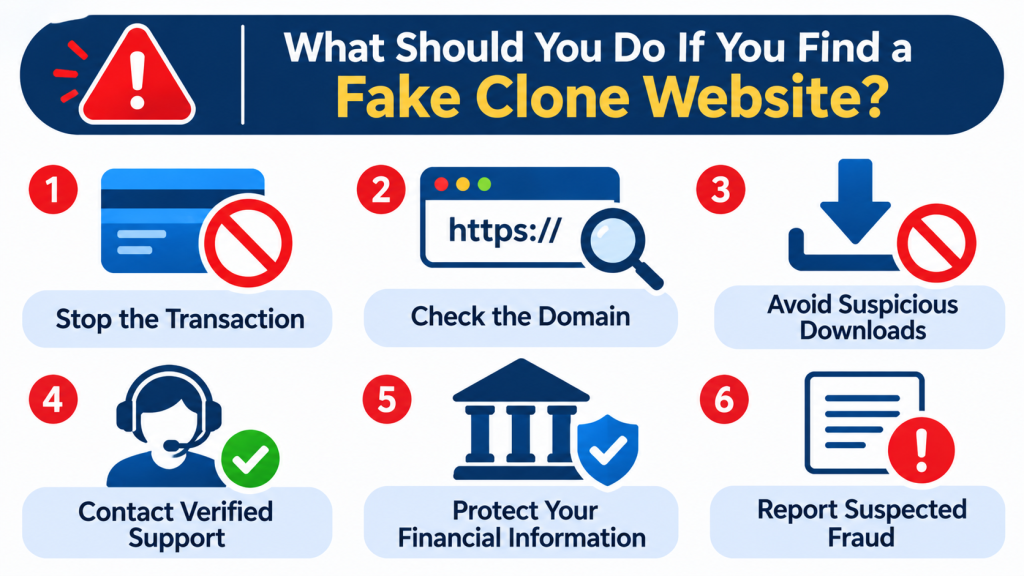
If you suspect that a website is impersonating an IPTV provider, avoid interacting with it until its authenticity can be established.
Follow these steps:
Step 1: Stop the transaction.
Do not enter payment details or share personal information.
Step 2: Check the domain.
Compare its complete address with independently verified business information.
Step 3: Avoid suspicious downloads.
Do not install applications or files from untrusted sources.
Step 4: Contact verified support.
Ask the business to confirm whether the website or payment page is associated with it.
Step 5: Protect your financial information.
If you have already paid through a suspicious website, contact your bank or payment provider immediately.
Step 6: Report suspected fraud.
Use the appropriate cybercrime reporting service in your country.
Taking these precautions can help protect your money, personal information and streaming devices.
Why Website Verification Matters in 2026
Online scams are becoming more sophisticated. Modern clone websites can reproduce complete website layouts, generate convincing promotional content and imitate customer service conversations.
This makes independent verification more important than ever.
Customers should prioritize transparent business information, secure payment processes, legitimate content distribution rights and accessible customer support.
For anyone considering Xtreme HD IPTV, the best approach is to verify the website address, review the available subscription information and understand the service conditions before completing a purchase.
Final Thoughts
Identifying real IPTV websites versus fake clone websites requires more than checking a logo or looking for an HTTPS connection. Customers should examine domain names, business information, payment security, customer reviews, application downloads and content authorization.
In 2026, taking a few minutes to verify a website can prevent financial losses and protect personal information.
Always use independently verified website addresses, avoid unrealistic promotional promises and make informed decisions before purchasing any online streaming subscription.
Frequently Asked Questions
1. How can I identify a real IPTV website in 2026?
Check the complete domain name, business contact details, payment security, subscription terms and independent customer reviews. Also verify the website through the provider’s independently confirmed communication channels.
2. Why do fake IPTV clone websites exist?
Fake websites may imitate established IPTV brands to collect payments, steal personal information, distribute unsafe applications or mislead customers into purchasing services that are never delivered.
3. Is HTTPS enough to confirm that an IPTV website is genuine?
No. HTTPS encrypts the connection between your browser and the website, but scammers can also obtain HTTPS certificates. Always perform additional authenticity checks.
4. How can I verify an IPTV subscription before purchasing?
Review the package duration, supported devices, connection limits, payment conditions, refund policy and content licensing information. Contact verified customer support if anything is unclear.
5. Are IPTV APK files from unknown websites safe?
Not necessarily. Unknown APK files may contain malware or request unnecessary permissions. Prefer trusted application sources and check the publisher before installing anything.
6. What should I do if I accidentally paid a fake IPTV website?
Contact your bank or payment provider immediately, explain the suspected fraudulent transaction, secure your accounts and report the incident to the appropriate cybercrime authority.
7. Can fake websites copy an entire IPTV homepage?
Yes. Scammers can reproduce logos, page layouts, images, subscription information and customer testimonials. Therefore, website appearance alone cannot establish authenticity.
8. Does IPTV technology itself mean a service is legal?
No. IPTV is a delivery technology. The legality of a particular service depends on whether it has the necessary authorization to distribute the content it offers.

Have you ever used a Bitcoin so far? If not then don’t worry, we have a solution for you to Read more

Internet-based television has transformed how users access live channels, movies, and on-demand content. Among the many IPTV services available today, Read more

The Xtreme HD IPTV Channel list offers one of the most extensive collections of live TV channels, premium sports, movies, Read more

Staying current in the ever-evolving realm of television and entertainment is vital. Gone are the days when only limited options Read more