
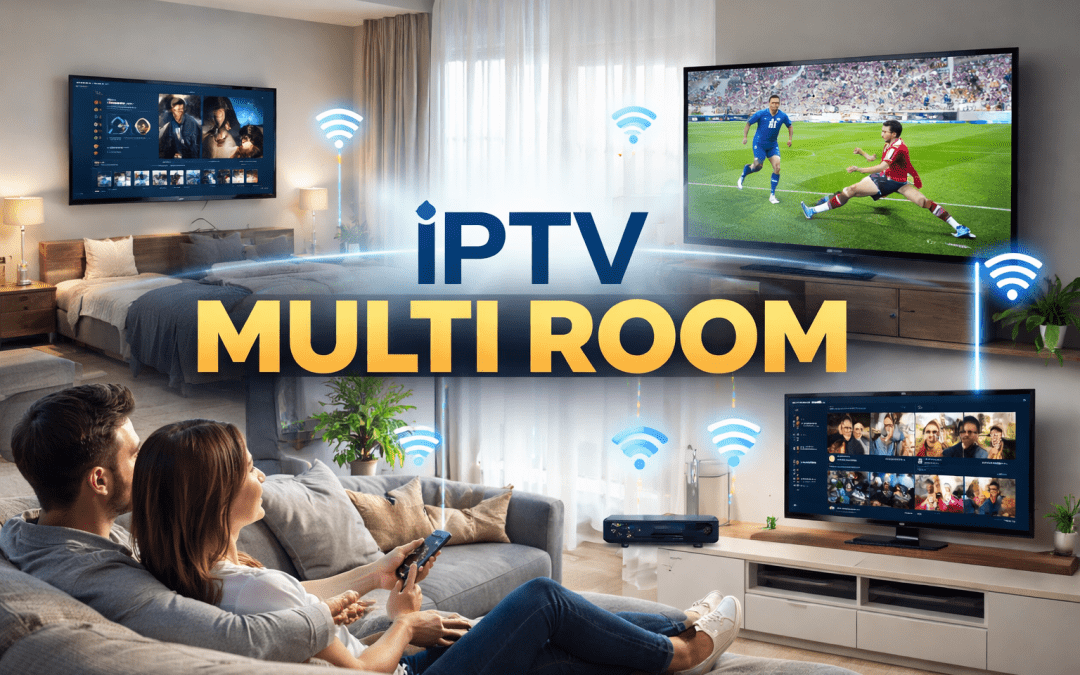
The way we consume television content has fundamentally changed over the past decade. Gone are the days when families gathered around a single television set in the living room. Today’s households have multiple screens—smart TVs in bedrooms, tablets in the kitchen, smartphones everywhere—and everyone wants to watch their preferred content simultaneously. This shift has made IPTV multi room setups increasingly popular among cord-cutters and streaming enthusiasts.
Understanding how to properly configure an IPTV multi room system can seem daunting at first. However, with the right knowledge and approach, you can create a seamless streaming experience throughout your entire home. This comprehensive guide will walk you through everything you need to know about setting up, optimizing, and troubleshooting multi-device IPTV streaming.
Understanding IPTV Multi Room Technology
Before diving into the technical aspects of setting up an IPTV multi room system, it’s essential to understand what this technology actually means and how it differs from traditional television distribution methods.
What Makes IPTV Different from Traditional TV
Internet Protocol Television (IPTV) delivers television content over internet networks rather than through traditional terrestrial, satellite, or cable television formats. This fundamental difference allows for much greater flexibility in how and where you access your content.
Traditional cable or satellite systems typically require separate set-top boxes for each television in your home, each with its own subscription fee. In contrast, IPTV multi room configurations can deliver the same content to multiple devices simultaneously using your existing internet infrastructure, often without requiring dedicated hardware for every screen.
The protocol-based nature of IPTV means that any device capable of connecting to your network and running compatible software can potentially become a viewing screen. This includes smart TVs, streaming boxes, tablets, smartphones, and computers—giving you unprecedented flexibility in how you consume content throughout your home.
How Multi Room Streaming Actually Works
When you implement an IPTV multi room setup, your content is delivered through your home network as data packets. Your IPTV service provider sends streams to your router, which then distributes them to various devices throughout your home based on which ones are requesting content.
The beauty of this system lies in its efficiency. Unlike traditional broadcast methods that transmit all channels simultaneously whether you’re watching them or not, IPTV only delivers the specific stream you’ve requested. This means your network only needs to handle the bandwidth for the channels actually being watched at any given moment.
Modern IPTV systems use adaptive streaming technologies that automatically adjust video quality based on your available bandwidth. When multiple devices are streaming simultaneously in an IPTV multi room configuration, the system can intelligently manage bandwidth allocation to ensure everyone gets the best possible viewing experience without interruptions.
Essential Requirements for IPTV Multi Room Setup
Successfully implementing an IPTV multi room system requires careful consideration of several key components. Each element plays a crucial role in ensuring smooth, reliable streaming across all your devices.
Internet Connection Specifications
Your internet connection serves as the foundation for any IPTV multi room setup. Unlike traditional television that doesn’t rely on your internet bandwidth, IPTV streaming demands a robust and stable connection.
For a single standard definition stream, you typically need around 3-5 Mbps of download speed. High definition streams require 5-8 Mbps, while 4K content can demand 25 Mbps or more per stream. When planning an IPTV multi room configuration, you need to multiply these requirements by the number of simultaneous streams you expect to run.
For example, if you anticipate three family members watching different HD channels simultaneously, you’ll need at least 15-24 Mbps just for IPTV, plus additional bandwidth for other internet activities. Most experts recommend having at least 50-100 Mbps for a comfortable IPTV multi room experience in a typical household.
Connection stability matters just as much as raw speed. A connection that frequently drops or experiences significant jitter will cause buffering and interruptions across all your streams. Consider upgrading to a higher-tier internet plan with guaranteed minimum speeds if you experience reliability issues.
Network Infrastructure Considerations
Your home network infrastructure determines how effectively you can distribute IPTV streams to multiple devices. A poorly configured network can become a bottleneck that undermines even the fastest internet connection.
The router serves as the central hub of your IPTV multi room system. Consumer-grade routers that came free with your internet service often lack the processing power to handle multiple simultaneous IPTV streams efficiently. Investing in a quality router with advanced features like Quality of Service (QoS) settings can dramatically improve your streaming experience.
For larger homes, a single router may not provide adequate wireless coverage to all rooms. Dead zones or areas with weak signals will result in buffering and poor quality streams. A mesh network system or strategically placed wireless access points can extend coverage throughout your entire home, ensuring consistent performance for your IPTV multi room setup.
Wired connections via Ethernet cables provide the most reliable performance for IPTV streaming. While wireless is more convenient, wired connections eliminate interference issues and provide consistent bandwidth. If possible, connect your primary streaming devices—particularly those that will regularly stream 4K content—via Ethernet.
Compatible Devices and Platforms
One of the major advantages of an IPTV multi room system is the wide variety of devices that can serve as viewing platforms. Understanding which devices work best for your needs helps you make informed decisions about your setup.
Smart TVs with built-in IPTV applications offer the most streamlined experience. Many modern smart TVs support popular IPTV apps directly, eliminating the need for additional hardware. However, built-in TV apps sometimes lag behind dedicated streaming devices in terms of features and performance.
Streaming devices like Amazon Fire TV Stick, Roku, Apple TV, and Android TV boxes are excellent options for an IPTV multi room setup. These devices offer powerful processing, regular software updates, and wide app compatibility. They can transform any television with an HDMI port into an IPTV-capable display.
Tablets and smartphones extend your IPTV multi room capabilities beyond fixed television locations. Modern IPTV services typically offer apps for iOS and Android devices, allowing you to watch content in bed, in the kitchen while cooking, or even in the backyard during pleasant weather.
Computers running Windows, macOS, or Linux can also serve as IPTV viewing devices, either through dedicated applications or web-based players. This flexibility means virtually any screen in your home can become part of your IPTV multi room ecosystem.
Step-by-Step Guide to Setting Up IPTV Multi Room
Implementing an IPTV multi room system involves several sequential steps. Following this methodical approach ensures you build a reliable foundation before adding complexity.
Assessing Your Home Network
Begin by evaluating your current internet connection and network infrastructure. Run speed tests from multiple locations throughout your home at different times of day to understand your baseline performance and identify potential problem areas.
Use tools like Ookla Speedtest or Fast.com to measure both download and upload speeds, as well as ping times and jitter. Document these measurements for each room where you plan to have an IPTV device as part of your IPTV multi room setup. Significant variations between locations indicate network coverage issues that need addressing.
Check your router’s specifications and capabilities. Log into your router’s administrative interface and review settings related to bandwidth management, wireless standards supported, and the number of devices currently connected. If your router is more than three years old or doesn’t support modern standards like Wi-Fi 5 (802.11ac) or Wi-Fi 6 (802.11ax), consider upgrading before implementing your IPTV multi room system.
Map out your network topology. Identify where your router is located, how devices currently connect (wired versus wireless), and where you might need to add access points or network switches. This planning phase helps you anticipate challenges and budget for any necessary hardware upgrades.
Choosing the Right IPTV Service Provider
Not all IPTV services are created equal, especially when it comes to IPTV multi room functionality. Some providers explicitly support multiple simultaneous connections, while others may restrict concurrent streams or charge extra for this capability.
Research providers that specifically advertise multi-device or multi-connection support. Read user reviews and forums to understand real-world experiences with simultaneous streaming. Pay attention to reports about buffering, channel availability, and customer service responsiveness.
Consider the number of simultaneous connections allowed in different subscription tiers. Some services offer packages specifically designed for IPTV multi room use, allowing 2, 3, 5, or even unlimited concurrent connections. Match the tier to your household’s typical viewing patterns—there’s no need to pay for five connections if you rarely have more than two people watching simultaneously.
Evaluate the service’s device compatibility. Confirm that your chosen provider offers applications or compatible playback methods for all the device types in your IPTV multi room setup. Some services work better on certain platforms than others, so thorough research prevents disappointment after subscribing.
Test before committing long-term. Many IPTV providers offer trial periods or short-term subscriptions. Use this opportunity to test multi-room functionality with your actual devices and network before committing to a yearly subscription.
Configuring Your Router for Optimal Performance
Proper router configuration can make the difference between a frustrating IPTV multi room experience and a seamless one. Most routers offer settings specifically designed to prioritize streaming traffic and manage multiple connections efficiently.
Enable Quality of Service (QoS) features in your router settings. QoS allows you to prioritize IPTV traffic over other network activities, ensuring streaming performance remains consistent even when other household members are gaming, video calling, or downloading large files. Configure QoS rules to give highest priority to your IPTV devices’ IP addresses or to video streaming traffic in general.
Optimize your wireless settings for your IPTV multi room setup. If your router supports both 2.4 GHz and 5 GHz bands, use the 5 GHz band for IPTV devices when possible. The 5 GHz band offers faster speeds and less interference, though it has shorter range. Reserve 2.4 GHz for devices farther from the router or those that don’t require high bandwidth.
Consider separating IoT devices onto a guest network. Smart home devices, security cameras, and other Internet of Things gadgets can consume bandwidth and create network congestion. By segmenting these devices onto a separate network, you ensure your IPTV multi room system has priority access to network resources.
Update your router’s firmware to the latest version. Router manufacturers regularly release updates that improve performance, security, and compatibility. Check for firmware updates and install them before finalizing your IPTV multi room configuration.
Installing and Configuring IPTV Applications
With your network optimized, the next step involves installing and properly configuring IPTV applications on each device in your IPTV multi room setup.
Download the appropriate IPTV application for each device type. Your service provider should offer clear instructions for each platform. For smart TVs, you’ll typically find apps in the TV’s app store. Streaming devices use their respective app stores (Amazon Appstore, Roku Channel Store, Apple App Store, Google Play Store).
When setting up each device in your IPTV multi room system, use the credentials provided by your IPTV service. Most services use either username/password authentication or playlist URL/EPG URL configurations. Keep these credentials secure and don’t share them, as unauthorized use could result in service suspension.
Configure playback settings appropriate for each device’s capabilities and network connection quality. If a device is connected via Ethernet with strong bandwidth, you can typically set playback quality to maximum. For wireless devices or those in areas with weaker signals, consider setting quality to automatic or limiting maximum resolution to prevent buffering in your IPTV multi room setup.
Test each device individually before attempting simultaneous streaming. Launch the IPTV application on each device and verify that channels load properly, playback is smooth, and navigation works as expected. Troubleshoot any issues on individual devices before moving to multi-device testing.
Testing Multi-Device Streaming
After configuring individual devices, it’s time to test your IPTV multi room system under realistic load conditions.
Begin with two devices streaming different channels simultaneously. Monitor both streams for several minutes, watching for buffering, quality drops, or interruptions. If both streams perform well, add a third device, then a fourth, gradually increasing the load on your network.
Pay attention to how your network handles the maximum expected load. If you have a five-connection IPTV multi room subscription, test all five streams running simultaneously. This stress test reveals whether your internet connection and network infrastructure can truly support your planned usage.
Watch for patterns in performance degradation. If issues only appear when specific devices stream simultaneously, you may have a local network issue rather than an internet bandwidth problem. If all streams struggle when reaching a certain number of concurrent connections, your internet connection may be the bottleneck.
Test during different times of day, especially during evening peak hours when internet congestion is typically highest. Your IPTV multi room system may perform flawlessly at noon but struggle at 8 PM when neighborhood internet usage spikes. This testing helps you understand real-world performance.
Advanced Configuration for Enhanced Performance
Once you have a functional IPTV multi room system, several advanced techniques can further improve performance and reliability.
Implementing VPN for IPTV Streaming
Virtual Private Networks (VPNs) can enhance privacy and sometimes improve streaming performance in an IPTV multi room setup, though they require careful configuration.
Some internet service providers engage in traffic shaping or throttling of streaming video, which can negatively impact your IPTV multi room experience. A VPN encrypts your traffic, preventing your ISP from identifying and potentially throttling IPTV streams. This can paradoxically improve streaming performance even though VPNs typically add slight overhead.
Choose a VPN provider with servers optimized for streaming and minimal performance impact. Not all VPN services perform equally—some add significant latency or reduce bandwidth substantially. Look for providers that specifically advertise streaming support and offer fast servers in locations near you.
Configure your VPN at the router level rather than on individual devices in your IPTV multi room setup. Router-level VPN implementation means all devices automatically benefit from VPN protection without requiring separate configuration. However, ensure your router has sufficient processing power to handle VPN encryption without becoming a bottleneck.
Test your system both with and without VPN to determine whether it provides actual benefits for your situation. Some users find VPNs essential for consistent performance, while others experience degraded performance with VPN enabled.
Setting Up Network Segmentation
Network segmentation creates separate virtual networks for different device categories, which can significantly improve performance in busy households.
Create a dedicated VLAN (Virtual Local Area Network) specifically for your IPTV devices. This logical separation ensures that traffic from other devices doesn’t interfere with your streaming traffic. Many modern routers support VLAN configuration through their administrative interfaces.
Assign your IPTV VLAN the highest priority in your router’s QoS settings. This guarantees that when network congestion occurs, your IPTV multi room streams receive bandwidth priority over less time-sensitive traffic like file downloads or system updates.
Consider implementing bandwidth reservations for your IPTV VLAN. Rather than simply prioritizing IPTV traffic during congestion, bandwidth reservations guarantee a minimum amount of bandwidth is always available for your IPTV multi room system regardless of other network activity.
Leveraging Multicast for Efficient Distribution
For advanced users with enterprise-grade network equipment, multicast streaming can dramatically improve IPTV multi room efficiency.
Traditional IPTV streaming uses unicast, where each device receives its own individual stream from the source. If three devices watch the same channel, three separate streams consume three times the bandwidth. Multicast allows a single stream to be efficiently distributed to multiple devices watching the same content.
Multicast requires router and switch support for Internet Group Management Protocol (IGMP). Consumer-grade equipment often lacks proper multicast support, but prosumer and enterprise equipment typically includes these features. If you’re building a large IPTV multi room system for a very large home or small business, multicast capability becomes worth the equipment investment.
Configure IGMP snooping on your switches to ensure multicast traffic only reaches ports where devices have requested it. Without proper IGMP snooping configuration, multicast traffic can flood your entire network, actually decreasing performance instead of improving it in your setup.
Troubleshooting Common IPTV Multi Room Issues
Addressing Buffering and Playback Issues
Buffering represents the most common complaint with IPTV multi room setups. When streams pause to load more content, it disrupts viewing and indicates underlying problems.
Insufficient bandwidth causes most buffering issues. If streams buffer only when multiple devices watch simultaneously, your internet connection can’t handle the aggregate bandwidth demand. Solutions include upgrading your internet plan, reducing the number of simultaneous streams, or lowering stream quality settings on some devices in your IPTV multi room configuration.
Network congestion from non-IPTV devices can also cause buffering. Large downloads, cloud backups, video game updates, or video calls consume bandwidth that your IPTV multi room system needs. Implement QoS rules to prioritize IPTV traffic, or schedule bandwidth-intensive activities for times when fewer people are streaming.
Weak wireless signals lead to buffering even when overall bandwidth is sufficient. If specific devices in your IPTV multi room setup consistently experience issues while others don’t, wireless signal strength is the likely culprit. Solutions include relocating the device closer to your router, adding wireless access points, or switching to a wired Ethernet connection.
Outdated applications or device firmware can cause playback problems that manifest as buffering. Ensure all devices in your IPTV multi room system run the latest version of their IPTV applications and system software. Developers regularly release updates that improve performance and fix bugs.
Resolving Connection Limit Errors
Connection limit errors occur when you attempt to stream on more devices than your subscription allows, a critical consideration for any IPTV multi room implementation.
Verify your subscription’s connection limits. Log into your account portal or contact your IPTV provider to confirm exactly how many simultaneous connections your plan includes. Connection limits often vary between subscription tiers.
Check for phantom connections using up your limit. Sometimes devices don’t properly disconnect after you stop watching, leaving them registered as active connections in your IPTV multi room system. Close IPTV applications completely rather than just returning to a home screen or switching inputs. Restart devices if connection errors persist despite no visible active streams.
Consider upgrading to a higher connection tier if your household genuinely needs more simultaneous streams. Most providers offer subscription options specifically designed for larger IPTV multi room deployments, sometimes at per-connection costs lower than the base package.
Implement a household streaming schedule if upgrading isn’t feasible. For larger families, coordinating who watches when can help stay within connection limits. Alternatively, use profile systems if your IPTV service offers them, allowing you to monitor which family members are streaming and manage usage.
Fixing Audio/Video Synchronization Problems
Audio and video desynchronization, where sound doesn’t match on-screen action, occurs occasionally in IPTV multi room systems and significantly degrades the viewing experience.
Network latency variations cause most synchronization issues. When audio and video data packets travel through congested networks, they can arrive at your device at inconsistent intervals, causing drift. Improving network stability through the techniques discussed earlier often resolves these problems in your IPTV multi room setup.
Device processing capabilities affect synchronization. Older or underpowered devices may struggle to decode and render streams properly, leading to gradual audio/video drift. If synchronization issues affect only specific devices in your IPTV multi room system, consider upgrading those devices to more powerful models.
Some IPTV applications offer audio delay settings that allow manual synchronization adjustment. If you experience consistent sync issues on particular channels or content types, experiment with these settings to compensate for the delay.
Restart the problematic device and stream. Often synchronization issues are temporary glitches that resolve with a fresh connection. This simple step should be your first troubleshooting action for sync problems in your IPTV multi room configuration.
Optimizing Content Management Across Multiple Rooms
Managing content preferences and viewing history across multiple devices in an IPTV multi room setup requires thoughtful organization.
Implementing User Profiles
Many modern IPTV services offer user profile functionality, which becomes invaluable in multi-user IPTV multi room environments.
Create separate profiles for each household member. Individual profiles allow each person to maintain their own favorites, continue watching lists, and viewing history without interference from others. This personalization significantly improves the user experience in your IPTV multi room system.
Configure age-appropriate content restrictions within profiles. Parental control features allow you to ensure children can only access suitable content regardless of which device they use in your IPTV multi room setup. Set up child profiles with appropriate restrictions before allowing young family members unsupervised access.
Take advantage of profile-specific recommendations if your service offers them. Machine learning algorithms analyze viewing patterns to suggest content you might enjoy. With separate profiles, these recommendations become much more accurate and useful across your IPTV multi room system.
Creating Room-Specific Configurations
Customizing settings for each room’s unique characteristics optimizes the experience across your IPTV multi room deployment.
Configure video quality settings appropriate to each room’s display and network connection. Your main living room with a 4K TV and wired connection can handle maximum quality, while a bedroom tablet might benefit from quality limits that prevent buffering over wireless in your IPTV multi room setup.
Customize audio settings for each room’s audio equipment. Rooms with surround sound systems should have multichannel audio enabled, while rooms using TV speakers might perform better with stereo audio selected. These room-specific optimizations enhance the overall IPTV multi room experience.
Save room-specific favorites and channel lists. The kitchen device might prioritize news and cooking channels, while bedroom devices focus on movies and series. This customization makes navigation faster and more intuitive in each location within your IPTV multi room configuration.
Security Considerations for IPTV Multi Room Systems
Security should never be overlooked when implementing an IPTV multi room system that connects multiple devices to internet services.
Protecting Your Network
Your home network forms the foundation of your IPTV multi room system, making network security essential for protecting both your streaming and personal data.
Change default router passwords immediately. Many people never change their router’s default administrative password, creating an easy entry point for unauthorized access. Use a strong, unique password for router administration to secure your IPTV multi room infrastructure.
Enable WPA3 wireless encryption if your router supports it, or at minimum WPA2. Older encryption standards like WEP offer virtually no security and allow easy unauthorized access to your network. Strong wireless encryption ensures only authorized devices connect to your IPTV multi room system.
Regularly audit connected devices. Periodically review the list of devices connected to your network through your router’s administrative interface. Unfamiliar devices could indicate unauthorized access. Remove unknown devices and change your wireless password if you discover suspicious connections to your IPTV multi room network.
Safeguarding IPTV Credentials
Your IPTV service credentials provide access to your subscription and should be protected as carefully as banking passwords.
Never share your IPTV account credentials publicly or with untrusted individuals. Shared credentials can lead to connection limit problems in your IPTV multi room system when unauthorized users consume your allowed connections. More seriously, credential sharing may violate terms of service and result in account termination.
Use strong, unique passwords for your IPTV account. Don’t reuse passwords from other services. If another service experiences a data breach, unique passwords ensure your IPTV multi room system remains secure.
Enable two-factor authentication if your IPTV provider offers it. Two-factor authentication adds an additional security layer beyond just passwords, significantly improving account security for your IPTV multi room subscription.
Monitor your account for unusual activity. Regularly check your viewing history and connected devices through your service provider’s portal. Unfamiliar content in your history or unknown connected devices may indicate unauthorized access to your IPTV multi room system.
Cost Considerations and Budgeting
Implementing an IPTV multi room system involves both initial setup costs and ongoing subscription expenses that vary significantly based on your choices.
Initial Hardware Investment
The upfront costs for an IPTV multi room setup depend primarily on your existing equipment and how many devices you plan to support.
Router upgrades represent the most significant potential expense. A quality router suitable for IPTV multi room streaming typically costs between $100 and $300, with mesh systems at the higher end. This investment pays dividends through improved performance across all your internet activities, not just IPTV streaming.
Streaming devices for each viewing location add up quickly. Budget streaming sticks start around $30, while premium devices can cost $150 or more. For a typical IPTV multi room setup covering three or four rooms, expect to spend $120 to $600 on streaming devices depending on your quality preferences.
Network infrastructure improvements like additional Ethernet cables, network switches, or wireless access points may be necessary. Budget another $50 to $200 for these components in a typical IPTV multi room installation. Running Ethernet to difficult locations might require professional installation, adding several hundred dollars.
Ongoing Subscription Costs
Monthly or annual subscription fees represent the primary recurring cost for your IPTV multi room system.
Multi-connection IPTV subscriptions typically cost more than single-connection plans. Expect to pay anywhere from $10 to $50 or more per month depending on channel selection, stream quality, and number of simultaneous connections allowed. Compare this to traditional cable subscriptions that often exceed $100 monthly for similar content.
Internet service costs may increase if you need to upgrade to a higher-speed plan to support your IPTV multi room system. An additional $20 to $50 monthly for a faster internet tier may be necessary, though this cost supports all your internet activities, not just IPTV.
Calculate total cost of ownership over time. While initial IPTV multi room setup may cost several hundred dollars, the monthly savings compared to traditional cable typically result in payback within a year or less.
Legal and Ethical Considerations
Understanding the legal landscape surrounding IPTV services is crucial before implementing an IPTV multi room system.
Legitimate IPTV Services
Many perfectly legal IPTV services exist, offering licensed content through internet delivery. These legitimate services operate transparently with proper content licensing.
Major providers like YouTube TV, Hulu + Live TV, Sling TV, and similar services are legitimate IPTV offerings. These services have proper licensing agreements with content providers and operate within legal frameworks. Using these services for your IPTV multi room system carries no legal risks.
Identify legitimate services by their transparency. Legal IPTV providers clearly identify their corporate information, have published terms of service, offer customer support through official channels, and process payments through established payment processors. They don’t promise unrealistic channel counts at extremely low prices.
Avoiding Questionable Services
Unfortunately, numerous illegal IPTV services operate in a grey area or blatantly violate copyright laws. Users of these services face potential legal consequences.
Be wary of services offering thousands of channels including premium content for unusually low prices. These services typically redistribute copyrighted content without licensing, making them illegal in most jurisdictions. Building your IPTV multi room system on an illegal service risks service disruption and potential legal issues.
Services that operate anonymously without clear corporate information or that accept only cryptocurrency payments often fall into questionable categories. While cryptocurrency isn’t inherently suspicious, its use combined with other red flags suggests a service operating outside legal boundaries.
Research any IPTV service thoroughly before subscribing. Look for user experiences, company information, and whether the service has faced legal challenges. Building your IPTV multi room infrastructure on a legitimate foundation ensures long-term reliability and peace of mind.
Future-Proofing Your IPTV Multi Room Setup
Technology evolves rapidly, and planning for future developments ensures your IPTV multi room system remains capable and relevant for years to come.
Anticipating Bandwidth Growth
Content quality continues improving, with 8K video already available and technologies like HDR and higher frame rates becoming standard. Future-proof your IPTV multi room system by planning for increased bandwidth demands.
If choosing between internet plans, opt for higher speeds when price differences are modest. The bandwidth requirements for 8K streaming far exceed current 4K demands. An IPTV multi room system that comfortably handles today’s content at higher speeds will adapt more easily to tomorrow’s higher-quality streams.
Ensure your network infrastructure supports multi-gigabit speeds. When upgrading routers or switches, choose equipment rated for speeds beyond your current needs. WiFi 6 and WiFi 6E technologies offer significantly higher throughput than WiFi 5, making them wise choices for a future-proof IPTV multi room setup.
Embracing Emerging Technologies
New technologies continuously reshape the IPTV landscape. Staying informed helps you make advantageous upgrades to your IPTV multi room system.
Cloud DVR functionality is becoming standard, allowing you to record and store content in the cloud rather than on local devices. When selecting an IPTV service for your IPTV multi room setup, consider whether cloud DVR features meet your needs for time-shifted viewing.
Artificial intelligence and machine learning increasingly power content recommendations, interface navigation, and even automatic quality adjustments. Choose devices and services that leverage these technologies to enhance your IPTV multi room experience.
Voice control integration with systems like Alexa, Google Assistant, or Siri makes controlling your IPTV multi room system more convenient. When selecting streaming devices, consider voice control compatibility if this feature appeals to your household.
Conclusion
Implementing an IPTV multi room system transforms how households consume television content, offering flexibility, convenience, and cost savings compared to traditional cable or satellite services. While the initial setup requires careful planning and some technical knowledge, the resulting system delivers personalized entertainment experiences to every room in your home.
Success with IPTV multi room streaming depends on three foundational elements: adequate internet bandwidth, robust network infrastructure, and appropriate device selection. By ensuring these elements are properly configured, you create a stable platform for reliable multi-device streaming.
The step-by-step approach outlined in this guide—assessing your network, choosing compatible services, optimizing router settings, and thoroughly testing—provides a systematic path to a functional IPTV multi room system. Advanced optimizations like VPN implementation, network segmentation, and proper security measures elevate performance and protect your investment.
Remember that IPTV multi room technology continues evolving. Staying informed about new developments, periodically reassessing your setup, and making strategic upgrades ensures your system remains capable and efficient. The flexibility of IPTV means you can start with a basic configuration and expand capabilities over time as needs change or budgets allow.
Whether you’re cutting the cord completely or supplementing traditional television services, a well-configured IPTV multi room system delivers modern entertainment distribution that matches how families actually consume content today—on multiple devices, in multiple locations, with personalized preferences for each viewer.

Have you ever used a Bitcoin so far? If not then don’t worry, we have a solution for you to Read more

Internet-based television has transformed how users access live channels, movies, and on-demand content. Among the many IPTV services available today, Read more

The Xtreme HD IPTV Channel list offers one of the most extensive collections of live TV channels, premium sports, movies, Read more

Staying current in the ever-evolving realm of television and entertainment is vital. Gone are the days when only limited options Read more