
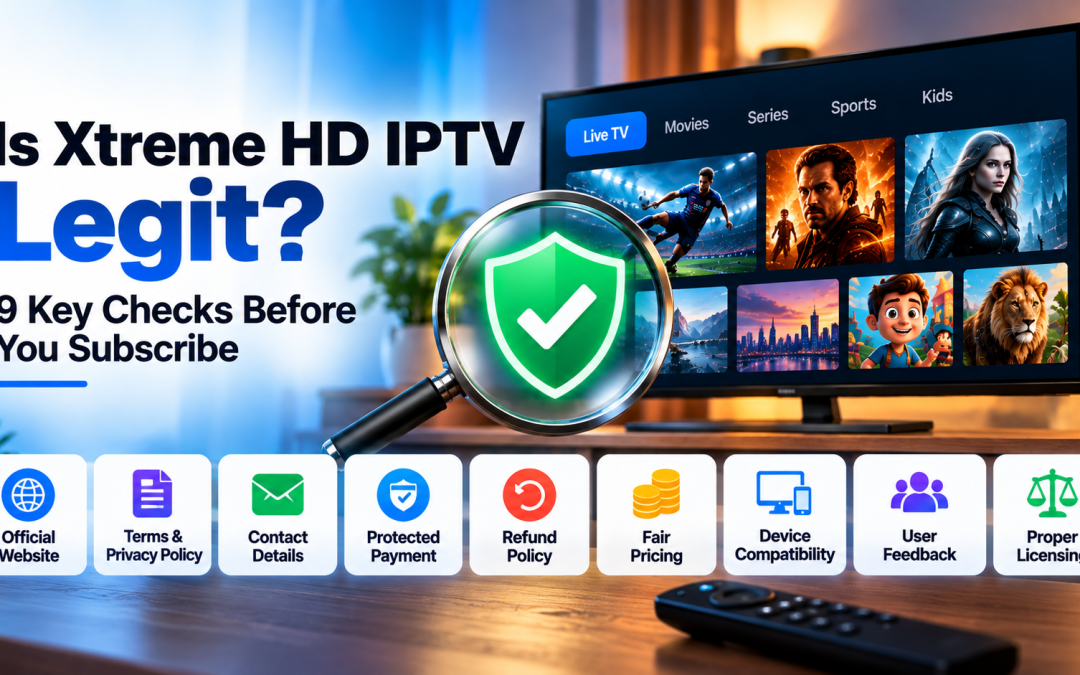
Quick Answer
You can judge whether any IPTV service is legit by checking nine things: the official website and domain, clear terms and privacy policy, real contact details, a protected payment method, a refund policy, honest pricing, device compatibility, genuine user feedback, and whether the content is properly licensed in your country. If a service fails several of these checks, do not subscribe. Use the checklist below on Xtreme HD IPTV, or on any provider, before you pay.
Why People Ask “Is Xtreme HD IPTV Legit?”
IPTV is a crowded market. Some providers run professional, transparent businesses. Others disappear after taking payment, copy a popular brand’s name, or sell access that stops working within weeks. Searches like “Xtreme HD IPTV legit“, “Xtreme HD IPTV review” and “Xtreme HD IPTV scam” are a sign that careful buyers want proof before paying.
No article can verify a service for you, and a quick search will not either. What you can do is run a short set of checks yourself. This guide walks through each one.
1. Check You Are on the Official Website
Many fake sites copy a brand’s name with small spelling changes. For this brand, people mix up Xtreme HD IPTV, “Xtream HD IPTV“, “Extreme HD IPTV” and “xtremehdiptv“.
- Read the full web address letter by letter before entering any details.
- Look for https and a padlock, but know that a padlock alone does not prove a site is trustworthy.
- Be wary of links sent through random messages, comments or forums.
- Search the brand name and compare the official site with imitation pages.
2. Look for Clear Terms and a Privacy Policy
A real business explains what you are buying and how your data is handled.
- Terms of service that describe the plan, billing and cancellation
- A privacy policy that explains what personal data is collected
- A refund or cancellation policy written in plain language
If these pages are missing, copied from another site, or full of broken links, treat that as a warning sign.
3. Confirm Real Contact Details
A trustworthy service gives you more than one way to reach it.
- A working contact page or email address
- A support channel such as live chat or messaging
- A reasonable response time
Before paying, send a simple question and see how quickly and clearly they reply. A service that ignores pre-sale questions is unlikely to help after you pay.
4. Pay With a Protected Method
How you pay matters as much as who you pay.
- A credit card or a payment service with buyer protection gives you a way to dispute a charge.
- Be cautious about gift cards, cryptocurrency-only payments or bank transfers to personal accounts.
- Keep your receipt and order confirmation.
A provider that refuses every protected payment method is a bigger risk.
5. Check the Refund and Cancellation Policy
Good providers explain what happens if the service does not work for you.
- Is there a trial or money-back period?
- Can you cancel without being locked in?
- Who decides whether a refund is approved?
Read this before you pay, not after a problem appears.
6. Be Honest About Pricing
Pricing tells you a lot.
- Extremely low prices for huge channel lists, premium sports and every streaming platform are a red flag.
- Pricing that changes without explanation is another one.
- Compare the offer with what licensed services charge for similar content.
If an offer sounds too good to be true, it usually is.
7. Confirm Device Compatibility
Before you subscribe, make sure the service works on the devices you own.
- Firestick and Fire TV
- Android phones, tablets and TV boxes
- Samsung and LG Smart TVs
- Windows and Mac computers
Ask which app or player you need and where to download it. Official downloads only. A fake APK is a common way to spread malware, so never install one from a random link.
8. Look for Genuine User Feedback
Reviews help, but they can be faked.
- Check independent sources, not only testimonials on the provider’s own site.
- Look for specific details in reviews, such as device names, dates and problems solved.
- Be careful when every review is five stars, uses the same wording, or was posted on the same day.
- Read the negative reviews. How the provider responded says a lot.
9. Understand the Licensing Question
This is the most important and most misunderstood check.
Live TV channels, sports leagues and movies are protected by copyright. A service is only fully legitimate if it has the rights to distribute that content in the countries where it sells. Some services are open about this. Others are not.
- Ask the provider how it licenses its content.
- Check the laws that apply where you live. Rules differ by country.
- Understand that unlicensed services can be shut down without warning, which means you can lose access and your money.
If you want zero licensing risk, choose a service from a well-known broadcaster or streaming company.
Warning Signs Summary
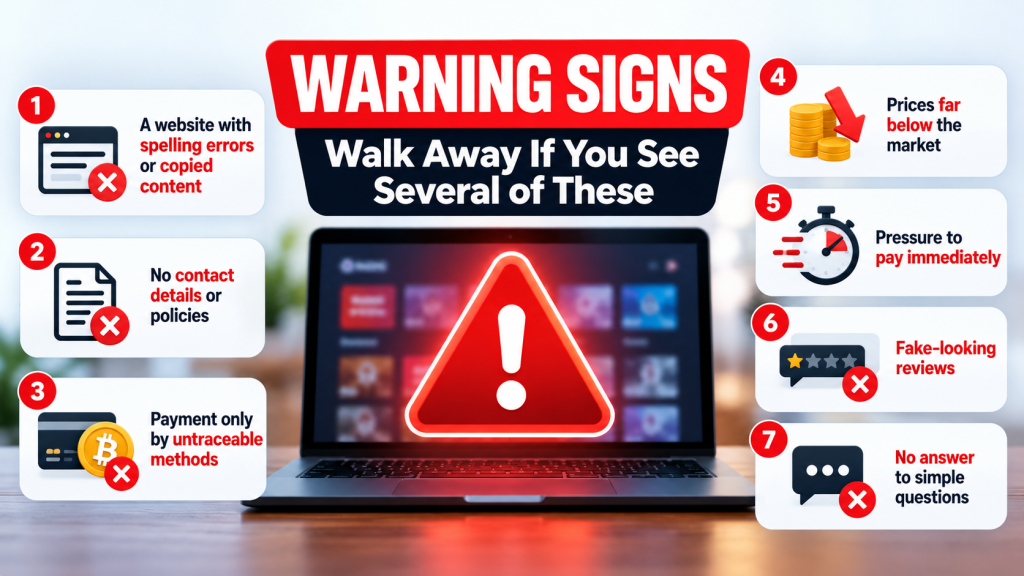
Walk away if you see several of these:
- A website with spelling errors or copied content
- No contact details or policies
- Payment only by untraceable methods
- Prices far below the market
- Pressure to pay immediately
- Fake-looking reviews
- No answer to simple questions
Protect Yourself After You Subscribe
- Use a strong, unique password for your account.
- Do not reuse your email password.
- Install apps only from the official website or an app store.
- Check your bank statement for unexpected charges.
- Keep screenshots of your order and any support conversations.
Final Thoughts
Is Xtreme HD IPTV legit? The honest answer is that you should decide for yourself using evidence, not a headline. Run the nine checks above, ask questions before paying, use a protected payment method, and keep records. If any answer is unclear, wait.
Ready to check for yourself? Visit the Xtreme HD IPTV website and run through the checklist before you subscribe.
Frequently Asked Questions
Is Xtreme HD IPTV legit?
No article can certify a service for you. Use the checklist in this guide to verify the website, terms, payment options, support and licensing before you subscribe.
How can I tell if an IPTV website is fake?
Look for spelling errors in the domain, missing policies, no real contact details, untraceable payment methods and prices that seem impossible.
Is Xtreme HD IPTV the same as Xtream HD IPTV?
People search with several spellings, but the official brand name is Xtreme HD IPTV. Always check the address before entering your details.
What is the safest way to pay for IPTV?
A credit card or payment service with buyer protection, because it gives you a way to dispute a charge.
Can IPTV services suddenly stop working?
Yes. Services that lack proper licensing or reliable infrastructure can go offline without warning.
Is IPTV legal?
IPTV technology itself is legal. Whether a particular service is legal depends on whether it has the rights to the content it offers in your country.
What should I do if I was scammed?
Contact your bank or payment provider right away, keep all records, change any shared passwords and report the site to your local consumer protection agency.
Setting up IPTV on your Firestick or Android device opens up a world of entertainment possibilities. By following a few Read more

The Xtreme HD IPTV Channel list offers one of the most extensive collections of live TV channels, premium sports, movies, Read more

The IPTV Reseller program is a great way for you to earn money by selling our services. We have partnered Read more

For many people, watching TV is the best way to relax and unwind after a long day. But now that Read more