

Quick Answer
Xtreme HD IPTV is an internet-based TV service that streams live channels, sports and on-demand content to your device over your internet connection, with no cable or satellite needed. You subscribe, receive login details, install a compatible app on a Firestick, Android device, Smart TV or computer, and start watching. You need a stable connection (10–15 Mbps for HD), a supported device and an active subscription.
What Is Xtreme HD IPTV?
IPTV stands for Internet Protocol Television. Instead of broadcasting through a cable or a satellite dish, an IPTV service sends channels to you as data over the internet.
Xtreme HD IPTV is a service built on this model, offering live TV, sports, and movies and series in HD quality. Many people search for it under different spellings, such as “xtremehdiptv”, “Xtream HD IPTV” or “hd extreme”. This guide covers what the service is, which devices work, how to set it up and how to avoid common problems.
How IPTV Works
Understanding the basics helps you fix most issues yourself:
- Your provider sends streams from its servers over the internet.
- Your device receives the stream through an app or player.
- A program guide (EPG) shows what is on now and next.
- Your internet speed and device power decide how smooth the picture is.
If any one of these is weak, you get buffering, freezing or low quality. Most “IPTV problems” are really internet or device problems.
Key Features of Xtreme HD IPTV
- HD streaming for a sharp picture on supported devices
- Live channel categories such as sports, news, entertainment and kids
- Electronic program guide to browse schedules and plan what to watch
- Multi-device use so you can watch on the devices you already own
- Customer support to help with login, setup and playback questions
Devices Compatible With Xtreme HD IPTV
| Device | Notes |
| Amazon Firestick / Fire TV | Installed through the Downloader app |
| Android phone or tablet | Install the APK from the official site only |
| Android TV and TV boxes | Works well with remote navigation |
| Samsung / LG Smart TV | Often needs a compatible IPTV player app |
| Windows / Mac | Use a supported player or emulator |
For device-specific steps, see our Firestick setup guide.
How to Set Up Xtreme HD IPTV on a Firestick
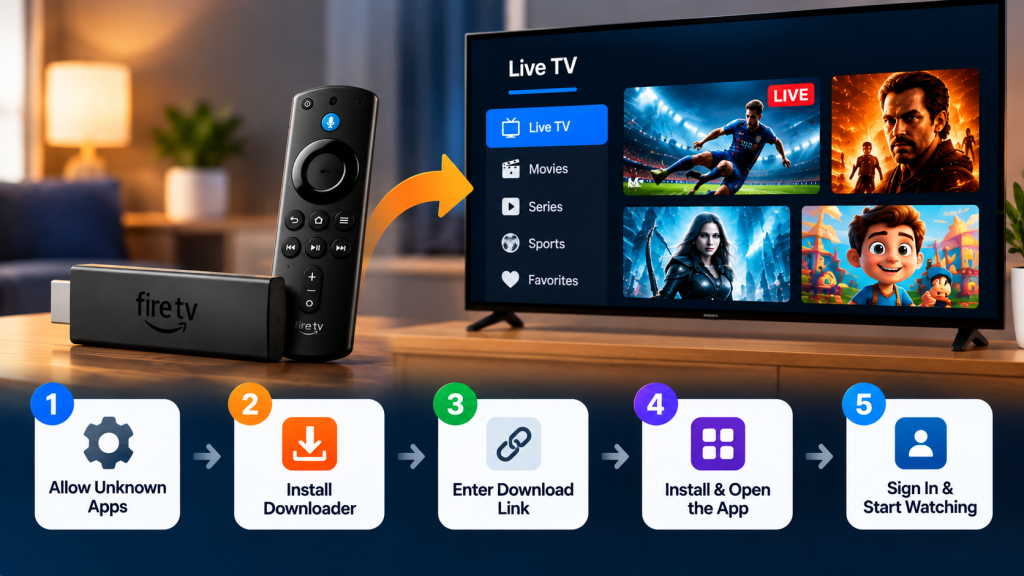
Firestick is one of the most searched devices for this service, so here are the general steps:
- Allow installs from a trusted app. Go to Settings → My Fire TV → Developer Options → Install Unknown Apps, and allow only the Downloader app.
- Install Downloader from the Amazon Appstore.
- Open Downloader and enter the official download link from the Xtreme HD IPTV website.
- Install the app and open it.
- Sign in with the username, password and portal URL you received.
- Wait for channels to load, which can take a minute the first time.
- Turn the unknown apps setting back off once you are done.
If your plan uses a separate IPTV player instead, install the player and enter your details there.
Xtreme HD IPTV APK: What to Know
An APK is the installation file for Android-based devices. Because it sits outside the Google Play Store, take extra care:
- Download only from the official website. Modified or fake APKs are a common way to spread malware.
- Check the spelling of the web address before downloading.
- Don’t install an APK sent through a random message or forum.
- Keep the app updated. Updates fix bugs and security problems. Check the official site for the latest version.
- Review permissions. An IPTV app has no reason to ask for your contacts or SMS messages.
Xtreme HD IPTV Login: Common Fixes
If you can’t sign in, work through this list:
- Check for typos. Copy and paste your details to avoid extra spaces and mixed-up letters like “l” and “I”.
- Confirm your subscription is active and hasn’t expired.
- Check the portal URL if one is required. Enter it exactly as provided.
- Test your internet connection with another app.
- Check the connection limit. If too many devices are signed in, the next one may be blocked.
- Restart the app and device, then try again.
- Contact support with your order details if nothing works.
Internet Speed You Need
| Quality | Recommended speed |
| SD | 5 Mbps |
| HD | 10–15 Mbps |
| Full HD or busy live sports | 25 Mbps |
| 4K | 40+ Mbps |
These are general guides, and your own results vary. If several people share your connection, you need more. A wired Ethernet connection is more stable than Wi-Fi, and 5 GHz Wi-Fi is better than 2.4 GHz.
Fixing Buffering and Freezing
Buffering is the most common complaint with any streaming service. Try these in order:
- Restart your router and device.
- Move closer to the router or switch to a wired connection.
- Close other apps and downloads using your bandwidth.
- Clear the app cache in your device settings.
- Free up storage. Full storage slows apps down, especially on Firestick.
- Lower the stream quality if your connection is slow.
- Try another time of day. Evening peaks can slow some networks.
What to Check Before You Subscribe
Choosing any IPTV service deserves care:
- Confirm you are on the official site. Look at the spelling and domain.
- Look for clear terms, a privacy policy, contact details and a refund policy.
- Check device compatibility before paying.
- Use a protected payment method and keep your receipt.
- Be careful with offers that seem too good to be true, especially any claiming free access to premium, licensed content.
- Check your local laws. The legality of IPTV depends on whether the content is licensed in your region.
Final Thoughts
Xtreme HD IPTV gives you a way to stream TV over the internet on devices you already own. A good experience depends on three things: a fast, stable connection, a compatible device and downloads from official sources only.
Ready to get started? Visit the Xtreme HD IPTV website.
Frequently Asked Questions
What is Xtreme HD IPTV?
It is an internet-based TV service that streams live channels and on-demand content to compatible devices over your internet connection.
Is Xtreme HD IPTV the same as Xtream HD IPTV?
People search with different spellings, but the official brand name is Xtreme HD IPTV. Always check the web address before entering your details.
Can I use Xtreme HD IPTV on a Firestick?
Yes. Most users install through the Downloader app on Fire TV devices.
Where do I download the Xtreme HD IPTV APK?
Only from the website. Third-party APK sites can carry modified files.
How do I log in?
Use the username and password you received after subscribing, plus the portal URL if your plan requires one.
Why does my stream buffer?
The usual causes are slow internet, weak Wi-Fi, full device storage or too many devices on one connection.
How do I contact support?
Use the contact page on the official website.
Setting up IPTV on your Firestick or Android device opens up a world of entertainment possibilities. By following a few Read more

The Xtreme HD IPTV Channel list offers one of the most extensive collections of live TV channels, premium sports, movies, Read more

The IPTV Reseller program is a great way for you to earn money by selling our services. We have partnered Read more

For many people, watching TV is the best way to relax and unwind after a long day. But now that Read more