
Quick Answer
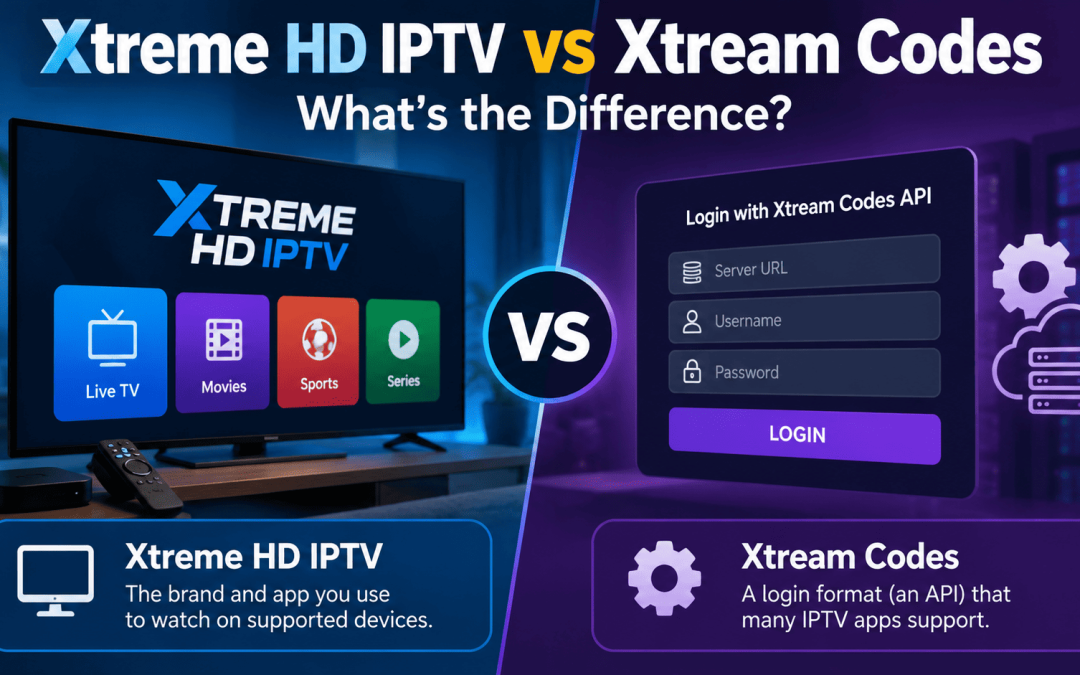
Xtreme HD IPTV is the brand and app you use to watch on supported devices. Xtream Codes is a login format (an API) that many IPTV apps support. They are not the same thing, and you do not need to “buy” Xtream Codes. It is simply one way to sign in, alongside an M3U link.
If you have searched for Xtreme HD IPTV, you have probably also seen “Xtream Codes” in setup guides, forum threads and app menus. Many people assume the two names mean the same thing. They do not, and mixing them up is one of the most common reasons beginners get stuck during setup.
This guide explains what each term means, how they work together, how the login process works, and what to do when it fails.
What Are Xtream Codes?
Xtream Codes began as a management platform that IPTV providers used to run their services. It handled tasks such as creating user accounts, organizing channel categories and limiting how many devices could connect at once. The original company was shut down in 2019, but its name stayed in everyday use because of one thing: the login method it introduced became a standard feature in many IPTV apps.
Today, when people say “Xtream Codes,” they almost always mean the Xtream Codes API login option inside an app, not the original company.
In most IPTV apps you will see a menu item like “Login with Xtream Codes API.” It asks for three details:
- Server URL: the address the app connects to
- Username: your account username
- Password: your account password
Once you enter them correctly, the app loads your channel list and categories, and often the TV guide (EPG) as well.
Xtreme HD IPTV vs Xtream Codes at a Glance
| Features | Xtreme HD IPTV | Xtream Codes |
| What it is | The brand and app you watch with | A login/API method used inside apps |
| Where you see it | Official website, app and plans | The login screen of IPTV apps |
| Its role | What you use to stream | One way to sign in |
| Do you buy it? | You choose a plan on the official site | No, it is not a product for viewers |
| Required? | You need an app and an account | Optional, since M3U also works |
The last row matters most. You need an account and an app to watch anything, but you do not need Xtream Codes specifically.
Why People Get Confused
There are three main reasons these names get mixed up.
1. App login screens. Many apps list “Xtream Codes” as a menu option. Beginners assume it is a service to purchase, when it is only a sign-in method.
2. Similar spellings. Xtreme, Xtream, Extreme and Xtremehdiptv all look alike, so searches and guides blur together. “Xtream Codes” looks almost identical to “Xtream HD IPTV” even though it refers to something different.
3. Setup guides use both terms together. A line like “enter your Xtream Codes details” sounds like a product name to a newcomer. It simply means “enter the server URL, username and password from your account.”
Once you know this, most setup guides become much easier to follow.
How Xtream Codes Login Works With Xtreme HD IPTV
Here is the process from start to finish.
Step 1: Choose a plan.
Visit the official Xtreme HD IPTV website and review the available plans.
Step 2: Receive your account details.
After signing up, you will receive either a server URL, username and password, or an M3U link.
Step 3: Install the app.
Download the app for your device. For Android and Firestick, follow the Xtreme HD IPTV APK download guide.
Step 4: Choose the login method.
Open the app, select Xtream Codes API (or the equivalent option) and enter your details exactly as provided.
Step 5: Wait for the channels to load.
The first load can take a short while, especially on slower connections.
For device-specific steps, see the Firestick and Android TV setup guide and the iOS setup and playlist import guide.
M3U vs Xtream Codes: Which Login Method Is Better?
Most apps support both methods, and either can work with the same account.
- M3U link: a single long playlist URL that you paste into the app. It is quick, but the link is easy to mistype, and some apps need a separate URL for the TV guide.
- Xtream Codes login: three short fields (server URL, username and password). It is usually easier to enter correctly, and many apps load the guide and categories automatically.
| Feature | M3U link | Xtream Codes login |
| Input | One long URL | Server URL, username, password |
| Ease of typing | Harder | Easier |
| TV guide (EPG) | Often a separate URL | Often loads automatically |
| Best for | Quick or simple setups | Everyday use |
If your app supports both, Xtream Codes login is usually the smoother choice. If you only received an M3U link, that works well too.
Common Login Problems and How to Fix Them

If your login fails, the cause is usually small. Check these in order.
- Typo in the server URL. One wrong letter or a missing http:// can stop the connection. Copy and paste instead of typing.
- Extra spaces. A space at the start or end of the username or password is a very common cause.
- Wrong credentials. Passwords are case-sensitive. Compare your entry with the details you received.
- Expired plan. If your subscription period has ended, the login will fail. Check your account dates.
- Device limit reached. Some plans limit simultaneous connections. Log out on other devices and try again.
- Weak connection. A slow or unstable connection can cause “failed to load” errors. Restart your router and retry.
- Outdated app. Update the app, or reinstall it if the problem continues.
If none of these work, follow our Xtreme HD IPTV not working guide or contact support through the official website.
Which One Should You Use?
You do not have to choose between them, because they do different jobs.
- New user: start with the Xtreme HD IPTV app and use the login method your account details support.
- You received a server URL, username and password: use the Xtream Codes option.
- You received only an M3U link: paste it into the playlist option of your app.
- Login keeps failing: work through the fix list above before assuming a bigger problem.
Before You Subscribe: A Quick Checklist
Whichever IPTV option you consider, check these first:
- Legality and licensing. IPTV rules vary by country. Use only content you have the right to access, and make sure you understand the rules where you live.
- Supported devices. Confirm the app works on the device you plan to use.
- Support options. Check how you can reach support and how quickly they reply.
- Plan details. Read what each plan includes, including how many devices are allowed.
- Honest reviews. Read our Xtreme HD IPTV pros and cons review and the beginner’s guide before you decide.
Final Thoughts
The difference comes down to this: Xtreme HD IPTV is the brand and app you watch with, and Xtream Codes is one login method that works inside apps like it. One is what you use, and the other is how you sign in.
When you set things up, follow your account details, pick the login option your app offers, and double-check every field before tapping Login. Most problems come from a small typo, and the fix list above covers the usual causes. For more help, explore the other guides on the Xtreme HD IPTV blog.
FAQ’s
No. Xtreme HD IPTV is the brand and app you watch with. Xtream Codes is a login method that many apps support.
No. Viewers do not buy Xtream Codes. The details you need come with your account.
A server URL, a username and a password, exactly as provided with your account.
Both load your channels. M3U uses one long playlist link. Xtream Codes uses three separate fields and often loads the TV guide automatically.
People often type “Xtream HD IPTV” when searching, but the official spelling is Xtreme HD IPTV.
The most common causes are a typo in the URL, wrong credentials, extra spaces, an expired plan or a device limit.

In the digital age, the way we consume television and media has undergone a significant transformation, and Internet Protocol Television Read more

The landscape of the streaming industry has changed dramatically in recent years, with several players vying for dominance. Typhoon IPTV Read more

How to jailbreak a Chromebook? Chromebooks have gained popularity as lightweight, efficient, and affordable devices that provide seamless integration with Read more

Kemo IPTV is a popular IPTV service provider that delivers television programs and other video content to your device. The Read more