
Search for Xtreme HD IPTV and the results are crowded: subscription sites, app-store listings, and look-alike pages all use the same name. Before you install anything or pay for anything, it helps to know what is worth your time and what to avoid.
This review covers the strengths and weaknesses of the Xtreme HD IPTV player app, how it compares with other options, and the safety checks to run before you commit.
Looking for installation help? See our setup guide for the full walkthrough.
Quick Verdict
| Category | Rating |
| Interface | Good: clean, dark, easy to browse |
| Playback engine | Good: built on ExoPlayer (Android) |
| Value | Depends on the content source you use |
| Safety | Safe from official stores; risky from unofficial downloads |
| Best for | People who already have a legitimate playlist and want a tidy player |
These notes are based on the official store listings and general player behavior. Results vary by device and playlist quality.
Who Is This App Best For?
The Xtreme HD IPTV player suits you if you:
- already subscribe to a licensed IPTV or streaming service that provides an M3U link
- want one organized place for playlists instead of juggling several apps
- prefer a simple, modern interface over heavy customization
- watch mainly on Android devices or a Windows PC
It is probably not the right fit if you want a service that includes channels, since the player itself does not supply content.
What We Like
1. A clean, easy interface. The dark Material-style design is easy on the eyes, especially for evening viewing, and categories and search keep large playlists manageable.
2. A reliable playback engine. The Android version uses ExoPlayer, which is widely used and handles common streaming formats well.
3. Official store availability. Listings on Google Play and the Microsoft Store mean updates, reviews, and a safer download path than random APK sites.
4. Low learning curve. Even first-time users can get a playlist running without technical knowledge.
Where It Falls Short
1. No content included. This surprises many people. The app plays what you give it. If your playlist is broken or expired, the app cannot fix that.
2. Platform gaps. Availability on Firestick, Smart TVs, and Apple devices depends on each platform’s store, so check before you plan around it.
3. Limited extras. Compared with the most feature-rich players, advanced options such as multi-view, detailed parental controls, or deep customization may be limited.
4. Name confusion. Several unrelated websites use “Xtreme HD IPTV” in their branding. A store app and a subscription website are not necessarily connected, which leads to wrong expectations and sometimes scams.
Player App vs. Subscription Website: Don’t Mix Them Up
This is the most important section of the review.
| Feature | Player app | Subscription website |
| What it does | Plays playlists you provide | Sells access to streams |
| Where you get it | Google Play, Microsoft Store | A website or reseller |
| Content included? | No | Claims to |
| Main risk | Low from official stores | Licensing, reliability, payment safety |
If a page uses the same name but asks for payment, treat it as a separate business and research it independently. A shared name does not mean a shared owner or the same quality.
How to Judge Any IPTV Source Before You Pay
Whichever provider you consider, run through this checklist:
- Are the rights clear? Legitimate providers explain which channels and events they are licensed to carry.
- Does the price make sense? Tens of thousands of channels, huge movie libraries, and all premium sports for a few dollars is a warning sign.
- Is there a real company behind it? Look for a business name, contact details, a refund policy, and terms of service.
- What do independent reviews say? Check forums and review sites, not only testimonials on the seller’s own page.
- Is checkout secure? Use payment methods with buyer protection, and avoid sites that only accept untraceable payments.
- Is there a trial? A short trial or money-back window lets you test before committing.
Unlicensed services can disappear overnight, leave you without a refund, and expose your device or payment details to security risks.
Performance Checklist: What to Test in the First Week
Rather than judging on first impressions, test these:
- Start-up time: how quickly does the playlist load?
- Channel switching: does it respond quickly or lag?
- Stability at busy times: evenings and weekends reveal weak sources.
- Resolution: does HD stay HD, or drop often?
- Audio sync: is sound aligned with video?
- Crash frequency: note how often the app closes unexpectedly.
If problems appear in more than one player, the source is usually the cause rather than the app.
Alternatives Worth Considering
If Xtreme HD IPTV doesn’t fit your setup, these are well-known options (check availability and features on your platform):
- VLC Media Player: free, open-source, plays almost any stream and playlist on nearly every platform.
- Kodi: a powerful media center with extensive add-on support, though it takes more setup.
- Jellyfin / Plex: better if your goal is organizing your own media library and streaming it around your home.
- Official apps from licensed TV services: often the simplest, most stable choice if you want live channels without managing playlists.
Common Mistakes to Avoid
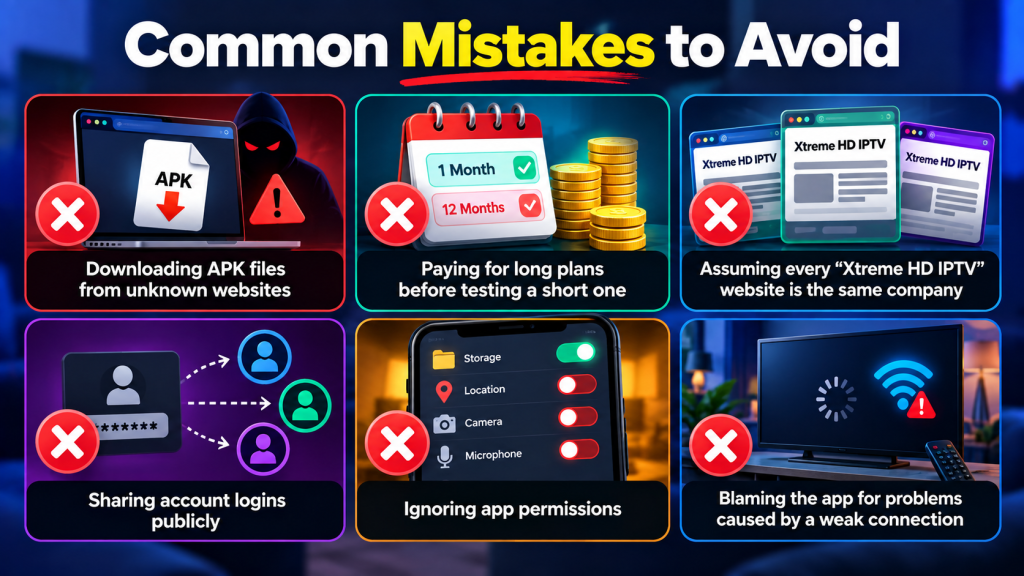
- Downloading APK files from unknown websites
- Paying for long plans before testing a short one
- Assuming every “Xtreme HD IPTV” website is the same company
- Sharing account logins publicly
- Ignoring app permissions
- Blaming the app for problems caused by a weak connection
Final thoughts
Xtreme HD IPTV works well as a tidy, modern player for content you are entitled to watch. Its limits are clear: no included content, uneven platform support, and name confusion that can lead people to unreliable sellers. Download only from official stores, verify any provider before paying, and test on a short plan first. Do that, and you’ll avoid most of the problems people run into.
Need help getting started? Read our step-by-step setup guide or explore our service page.
FAQ‘s
As a free or low-cost player for playlists you already have, it can be a good fit. As a content source, the player itself offers nothing, so your experience depends on the provider you choose.
Official store versions are generally safe. Avoid third-party downloads and unofficial mirrors.
IPTV branding is often copied or reused. Verify any site’s identity, terms, and reviews before paying.
That depends on availability in each platform’s store. Check the listing for your device first
VLC and Kodi are popular, mature options, and licensed TV services offer the least hassle.
The software is legal. Legality depends on whether your content is properly licensed.

In the digital age, the way we consume television and media has undergone a significant transformation, and Internet Protocol Television Read more

The landscape of the streaming industry has changed dramatically in recent years, with several players vying for dominance. Typhoon IPTV Read more

How to jailbreak a Chromebook? Chromebooks have gained popularity as lightweight, efficient, and affordable devices that provide seamless integration with Read more

Kemo IPTV is a popular IPTV service provider that delivers television programs and other video content to your device. The Read more