
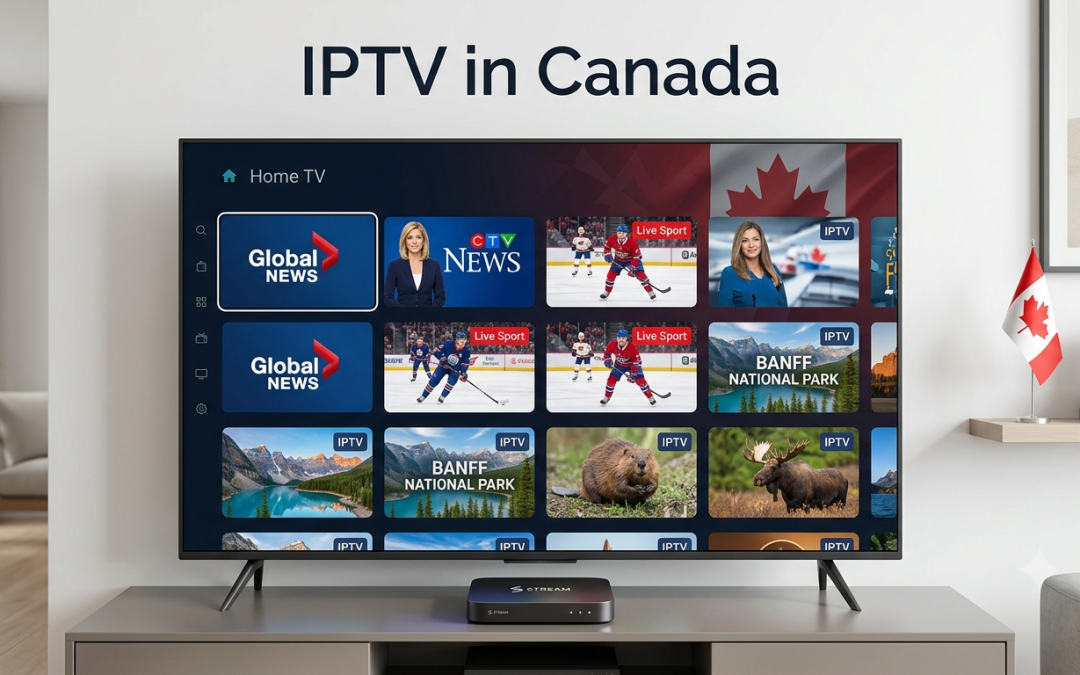
Plex is widely used to organise and stream personal media, but many people searching for IPTV on Plex want to know if they can also use an IPTV subscription through the platform.
The short answer is that Plex and IPTV work differently from a typical IPTV player. Plex has its own free, ad supported Live TV service and also supports live television through compatible tuners and antennas connected to a Plex Media Server. Plex’s official documentation does not present a general method for adding a third party IPTV subscription through an M3U or Xtream Codes login directly to Plex.
That distinction is important before you start changing settings or buying another subscription.
If your goal is to combine IPTV streaming with a Plex setup, you need to understand what Plex supports, what an IPTV player does, and where an external IPTV service such as Xtreme HD IPTV fits into the setup.
What Is IPTV on Plex?
IPTV on Plex can refer to several different things, so it is worth clearing up the terminology.
Plex currently offers its own free Live TV channels. It also allows users with a compatible tuner and antenna to watch over the air television through Plex Media Server. These are official Plex features and are different from connecting a third party IPTV subscription.
A separate IPTV service generally provides access through a compatible IPTV player using credentials or a playlist supplied by the provider.
That means there are three separate components to understand:
- Plex, which is a media platform
- An IPTV player, which loads compatible IPTV content
- An IPTV provider, which supplies the service or authorised content source
Keeping these separate makes IPTV setup much easier to understand.
Does Plex Support Third Party IPTV?
This is one of the most common questions around Plex IPTV.
Plex’s current Live TV documentation focuses on two main sources: Plex’s own free streaming channels and live television received through a compatible tuner and antenna. Plex’s DVR system requires a compatible tuner and antenna connected to Plex Media Server, while DVR recording requires Plex Pass.
Plex does not currently document a standard built in option for entering an IPTV provider’s Xtream Codes credentials and loading a third party IPTV subscription directly into Plex.
So if you already have an IPTV subscription, do not assume that you can simply paste its M3U URL into Plex and start watching.
Instead, check whether your IPTV provider supports Plex directly. If it does not, using a dedicated IPTV player is generally the more straightforward approach.
Plex Live TV vs IPTV Subscription
Understanding the difference between Plex’s Live TV and an IPTV subscription can save you a lot of confusion.
Plex Free Live TV
Plex provides free, ad supported live television channels through supported Plex apps. The service does not require a tuner, antenna, or Plex Pass. Channel availability can vary by location.
Plex DVR Live TV
Plex can also work with a compatible tuner and antenna to receive over the air broadcasts. Users can watch those channels through Plex, while recording requires Plex Pass.
Third Party IPTV
A separate IPTV provider may deliver live channels and other content through an IPTV player. The exact method depends on the provider and its supported applications.
These three options should not be treated as the same service.
What Is an IPTV Player?
An IPTV player is an application designed to load and play compatible IPTV streams or playlists.
Depending on the application, an IPTV player may support:
- M3U playlists
- Xtream Codes credentials
- Live TV
- Video on demand
- Series
- EPG
- Favourites
- Search
- Multiple playlists
The player does not necessarily provide the channels itself.
This is an important distinction when choosing an IPTV service. If a provider gives you an M3U URL or Xtream Codes login, you need an application that supports that particular format.
Xtreme HD IPTV’s current service information states that its platform can work with M3U8 playlists, web URLs, and local media, while its FAQ provides information about supported IPTV applications and setup options.
How to Use IPTV With Your Plex Setup
If you already use Plex and also want to watch IPTV, the practical approach is to keep the two services separate unless your particular IPTV provider offers a documented Plex integration.
For example, you can continue using Plex for your personal media library while using a compatible IPTV player for your IPTV subscription.
This setup gives each platform a clear role.
Plex can handle:
- Personal movies
- Personal TV shows
- Music
- Photos
- Plex’s own streaming services
- Compatible tuner based Live TV
An IPTV player can handle:
- IPTV live channels
- IPTV VOD
- Provider supplied playlists
- EPG data where supported
- Other content made available by the IPTV provider
This is often simpler than trying to force an IPTV playlist into Plex when the platform does not officially support that workflow.
How to Check if Your IPTV Provider Supports Plex
Before buying an IPTV subscription specifically for Plex, contact the provider and ask a few direct questions.
1. Does the service support Plex?
Do not rely on a generic statement such as “works on all devices.” Ask specifically about Plex.
2. Does it provide an official Plex application?
If there is an official app or integration, ask for the current setup instructions.
3. Does it support M3U or Xtream Codes?
These formats may work with dedicated IPTV players, but support in Plex itself should not be assumed.
4. Does it provide EPG information?
If an IPTV service advertises EPG support, ask how that guide data is delivered and which applications support it.
5. Which devices are officially supported?
A service may work well on Firestick or Android TV but have limited support for Plex or other platforms.
For Xtreme HD IPTV customers, the company’s FAQ lists IPTV Smarters and TiviMate among compatible player options and explains that supported applications can use Xtream Codes or M3U URLs.
Can You Use an M3U Playlist in Plex?
This question comes up frequently in IPTV Plex searches.
Plex does use playlist and guide related technologies in parts of its ecosystem, but its official documentation does not provide a general consumer workflow for taking a third party IPTV provider’s M3U playlist and adding it directly as an IPTV source.
Plex does document XMLTV support for guide data when configuring its Live TV and DVR functionality, but that process is connected to its tuner and DVR setup rather than functioning as a general third party IPTV subscription importer.
Therefore, if your provider gives you an M3U URL, check which IPTV players officially support it instead of assuming that Plex will accept it.
Can Plex Play IPTV Channels Through a Tuner?
Plex can work with compatible TV tuners and antennas for live over the air broadcasts.
The tuner receives the broadcast signal, and Plex Media Server manages the channels and guide data. Plex states that a compatible tuner and antenna are required for this setup.
This is different from internet based IPTV.
An antenna and tuner receive broadcast television signals, while an IPTV service delivers streams through an internet connection.
If your objective is specifically IPTV streaming from an online provider, a dedicated IPTV player is usually the more relevant solution.
How to Choose an IPTV Player for Plex Users
If you want to keep Plex for your personal media while using IPTV separately, choose a player based on your IPTV provider’s requirements.
Look for:
- Xtream Codes support if your provider uses it
- M3U playlist support
- EPG support
- VOD support
- Multiple device compatibility
- Favourites and search
- Simple navigation
- Regular updates
- Reliable customer support
The best player is not necessarily the one with the most features. It should support your provider’s format and work smoothly on the device you actually use.
If you primarily watch IPTV on a Firestick or Android TV device, you may have more IPTV player choices than you would on a more restricted platform.
IPTV Streaming Quality and Internet Connection
Your IPTV streaming experience depends on more than the player.
The quality of playback can also be affected by:
- Internet speed
- Wi Fi strength
- Network congestion
- Streaming device performance
- Provider infrastructure
- Video resolution
- The individual stream
If one channel buffers while other channels play normally, the problem may be specific to that stream. If every channel struggles, check your internet connection and device first.
For users who are new to IPTV, it is also useful to understand the difference between HD, Full HD, and 4K streaming. A 4K capable TV does not automatically make every IPTV stream 4K. The source stream must also be available in the appropriate resolution.
Can Xtreme HD IPTV Be Used With Plex?
Xtreme HD IPTV provides information about supported IPTV players and devices, but Plex should not be treated as a standard IPTV player for the service.
The company’s current information highlights support for platforms and applications such as Smart TVs, Firestick, Android TV, smartphones, tablets, Windows, macOS, and MAG devices. It also provides installation resources for supported setups.
If you are an Xtreme HD IPTV customer and specifically want to use Plex, the safest approach is to confirm the current compatibility with the provider before purchasing or attempting a custom configuration.
You can also review the Xtreme HD IPTV installation guide to see the supported setup options.
What If IPTV Is Not Working With Plex?
If you tried to add an IPTV source to Plex and it is not working, do not immediately assume your subscription is faulty.
First determine which part of the setup is responsible.
Check Your IPTV Account
Confirm that the subscription is active and your login details are correct.
Check Your IPTV Player
If you are using a separate player, test the same credentials there. If they work in the dedicated IPTV player but not Plex, the issue is likely related to platform compatibility.
Check the Playlist
If your provider supplied an M3U URL, confirm that the URL is current and correctly entered.
Contact Your Provider
Ask whether Plex is officially supported. This is much more useful than trying random configuration methods found in old forum posts.
Check Plex’s Current Documentation
Plex updates its applications and supported features regularly. Its current Live TV documentation is the best reference for officially supported Live TV and DVR functionality.
Is IPTV on Plex Legal?
The legality of IPTV depends on the content source and the rights associated with the programming.
Plex itself provides legitimate free Live TV and supports tuner based television through its documented features. Third party IPTV services operate separately, and users should make sure they are authorised to access the content they stream in their location.
An IPTV player does not determine whether a particular stream is authorised.
For this reason, choose a provider that clearly explains its service and terms, and use content you are legally permitted to access.
Plex or a Dedicated IPTV Player?
If you are deciding between the two, think about what you actually want to watch.
| Need | More suitable option |
| Personal movie library | Plex |
| Personal TV collection | Plex |
| Plex supported Live TV | Plex |
| OTA TV with tuner | Plex |
| Third party IPTV subscription | Compatible IPTV player |
| IPTV M3U playlist | Compatible IPTV player |
| Xtream Codes IPTV | Compatible IPTV player |
| Mixed personal media and IPTV | Plex plus a separate IPTV player |
This approach avoids expecting Plex to perform functions it does not currently document as supported.
Final Thoughts
Using IPTV on Plex can be confusing because Plex, IPTV providers, and IPTV players serve different purposes.
Plex provides its own free Live TV service and supports tuner based live television through Plex Media Server. A third party IPTV subscription is a separate service and should generally be used through a compatible IPTV player unless the provider specifically documents Plex support.
For Xtreme HD IPTV users, checking supported applications before setting up the service is the simplest way to avoid compatibility problems. If you want IPTV streaming on Firestick, Android TV, Smart TV, or another supported device, use the provider’s current installation instructions and choose a compatible player.
Ready to explore your IPTV options? Visit Xtreme HD IPTV to review the current service information, supported devices, and subscription options.
Frequently Asked Questions
Can Plex be used for IPTV?
Plex supports its own free Live TV service and tuner based Live TV. It does not currently document a general method for importing a third party IPTV subscription directly into Plex.
Can I add an M3U IPTV playlist to Plex?
Plex supports XMLTV guide data in its Live TV and DVR system, but it does not document a general consumer method for loading a third party IPTV M3U playlist directly as an IPTV source.
What is the difference between Plex and an IPTV player?
Plex is a media platform for personal libraries and Plex provided services. An IPTV player is designed to load and play compatible streams or playlists supplied by an IPTV provider.
Can I use Xtreme HD IPTV with Plex?
Xtreme HD IPTV provides support information for compatible IPTV players and devices. If you specifically want to use Plex, confirm current compatibility with Xtreme HD IPTV before setting up your subscription.
Why does my IPTV work in another player but not Plex?
The most likely explanation is platform compatibility. A playlist or Xtream Codes login can work with a dedicated IPTV player without being supported directly by Plex.

In the digital age, the way we consume television and media has undergone a significant transformation, and Internet Protocol Television Read more

The landscape of the streaming industry has changed dramatically in recent years, with several players vying for dominance. Typhoon IPTV Read more

How to jailbreak a Chromebook? Chromebooks have gained popularity as lightweight, efficient, and affordable devices that provide seamless integration with Read more

Kemo IPTV is a popular IPTV service provider that delivers television programs and other video content to your device. The Read more