
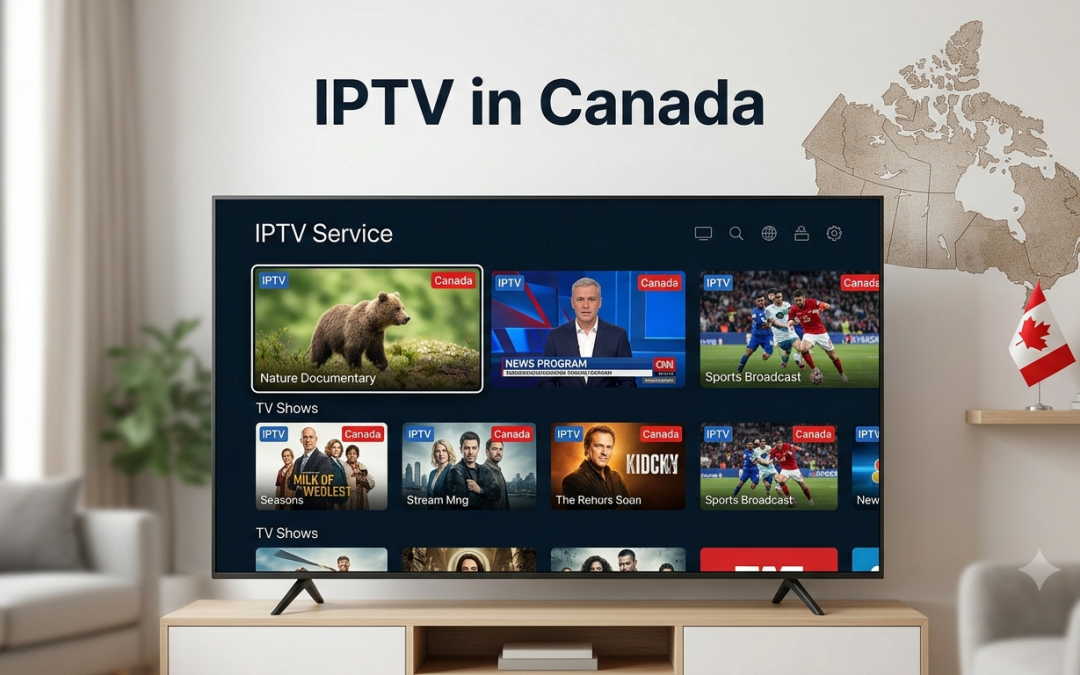
Sky Glass is designed as an all in one television, combining the display, speakers, and Sky TV experience in a single screen. That makes it an attractive option for viewers who want a clean setup without adding several external devices.
But if you are searching for IPTV on Sky Glass, the setup needs a little more attention. Sky Glass does not work like an Android TV where you can freely install different IPTV applications. Its operating system and app ecosystem determine which streaming services and applications you can use directly on the television.
That means the first step is not installing an IPTV player. It is checking compatibility.
This guide explains what you need to know about IPTV Sky Glass, the available ways to approach IPTV streaming, and when using an external streaming device may be the simpler option.
Can You Watch IPTV on Sky Glass?
The answer depends on how your IPTV provider delivers its service.
Sky Glass has its own operating system and supports applications through the Sky Glass platform. Sky’s official guidance explains that apps available on Sky Glass can be accessed through the Apps section, while supported apps can change over time. (sky.com)
This is different from Android TV, Fire TV, or other platforms where users can install a broad range of third party applications.
If your IPTV provider has a compatible application available for Sky Glass, you may be able to access the service directly. If it does not, you may need to use an external streaming device connected through HDMI.
This is why you should confirm Sky Glass compatibility with the IPTV provider before purchasing a subscription.
What Do You Need for IPTV on Sky Glass?
Before setting up IPTV, you should have:
- Sky Glass television
- Active internet connection
- Sky Glass connected to your network
- Compatible IPTV application or external streaming device
- Active IPTV subscription
- Login details supplied by your IPTV provider
Your IPTV provider may supply an M3U playlist URL, Xtream Codes credentials, or access through a dedicated application.
The format matters because not every IPTV player supports every login method.
If your preferred application is unavailable on Sky Glass, an external Fire TV, Android TV, or other compatible streaming device may provide more flexibility.
How Sky Glass Handles Apps
Sky Glass uses Sky’s own platform rather than Android TV or Fire OS.
This affects how you install applications.
You cannot assume that an IPTV player available for Android TV or Firestick will also be available for Sky Glass.
For example, if you normally use an IPTV player that requires an Android APK, you cannot simply download that APK onto Sky Glass.
Sky provides an Apps section where supported applications can be accessed, and the company regularly updates the available app experience. (sky.com)
So, before searching for an installation file, check whether your IPTV service provides an official Sky Glass compatible option.
How to Check IPTV Compatibility on Sky Glass
The easiest approach is to check the available applications directly on the television.
Step 1: Open the Apps Section
Use your Sky Glass remote to access the Apps area.
Step 2: Search for Your IPTV Application
Search for the name of the IPTV application recommended by your provider.
Step 3: Check Availability
If the application appears and can be installed or opened, check whether your IPTV subscription is supported.
Step 4: Confirm With Your Provider
If you cannot find the application, contact the IPTV provider before trying unofficial installation methods.
Ask:
- Is Sky Glass officially supported?
- Is there a dedicated Sky Glass application?
- Can the service be used through a web player?
- Does it support casting?
- Can an external streaming device be used?
- Which IPTV player should Sky Glass users choose?
This can save you from buying a subscription that does not work with your preferred setup.
IPTV Player Sky Glass: What Are Your Options?
Finding an IPTV player Sky Glass users can install directly is not always straightforward.
Unlike Android based televisions, Sky Glass has a controlled application environment. This means the number of IPTV applications available directly on the TV can be limited.
If your IPTV provider has a compatible application, that is the simplest option.
If not, there are several alternatives.
Use an External Streaming Device
A Firestick or compatible Android TV device can be connected to Sky Glass through HDMI where supported.
The external device then runs the IPTV application, while Sky Glass acts as the display.
This approach can be useful because Fire TV and Android TV generally offer a broader selection of IPTV players.
Xtreme HD IPTV provides installation information for Firestick and Android devices through its IPTV installation guide.
Use Screen Casting Where Supported
Depending on the phone, application, and TV configuration, you may be able to cast compatible content to your television.
However, casting support varies by application. It should not be treated as a universal IPTV solution.
Use a Compatible Web Player
Some IPTV providers offer browser based access. If your particular Sky Glass configuration provides access to a supported browser based service, this may be another option.
Again, confirm compatibility with the provider before subscribing.
Can You Use IPTV Smarters Pro on Sky Glass?
This is one of the most common questions surrounding IPTV Sky Glass.
IPTV Smarters Pro is designed for supported platforms, but availability depends on the operating system and app ecosystem.
You should not assume that an application available on Android TV, Firestick, Samsung Smart TV, or other platforms will automatically be available on Sky Glass.
If IPTV Smarters Pro is not listed in the Sky Glass Apps section, you cannot simply install the Android version manually.
If you specifically want to use IPTV Smarters Pro, using a compatible Firestick or Android TV device connected to your Sky Glass may be the more practical route.
Can You Use Xtreme HD IPTV on Sky Glass?
Xtreme HD IPTV provides support information for several Smart TV and streaming platforms, including Firestick, Android TV, smartphones, tablets, Windows, macOS, and MAG devices.
Its current FAQ also lists IPTV Smarters and TiviMate as compatible IPTV player options for supported setups. (xtremehdiptv.in.net)
However, Sky Glass should not automatically be treated as equivalent to a standard Android Smart TV.
If you own a Sky Glass and want to use Xtreme HD IPTV, confirm the current Sky Glass compatibility before subscribing. If direct application support is unavailable, you can ask about using a supported external streaming device.
This is the safest approach because IPTV application availability can change as platforms and applications are updated.
How to Use an External IPTV Device With Sky Glass
If direct IPTV streaming Sky Glass support is unavailable, an external streaming device can make the setup much simpler.
The general process is:
- Connect the streaming device to the television using HDMI.
- Connect the device to power.
- Switch Sky Glass to the appropriate HDMI input.
- Connect the streaming device to Wi Fi.
- Install a compatible IPTV player.
- Enter your IPTV subscription credentials.
- Load the available channels.
- Start watching through the external device.
The Sky Glass television remains the screen and audio system, while the external device handles the IPTV application.
This approach also makes it easier to replace or update the IPTV player later without changing the television itself.
What IPTV Features Should You Look For?
When choosing an IPTV service for Sky Glass or an external device, consider the features you actually plan to use.
Live TV
Check that the service provides the channels and regions you want.
Video on Demand
VOD can provide movies and TV shows that you can watch whenever you choose.
Electronic Program Guide
An EPG helps you navigate live channels and see current or upcoming programming.
Catch Up TV
Catch up can allow you to watch eligible programs after their original broadcast.
Multi Device Support
If your household watches IPTV on multiple devices, check how many simultaneous connections your subscription allows.
HD and 4K
Check whether the content you want is available in the resolution you expect. A 4K television does not make a standard definition stream 4K.
How to Fix IPTV Problems on Sky Glass
If IPTV is not working, start with the basics.
Check Your Internet
Open another streaming application on Sky Glass or your external device. If other services are also slow, the issue may be your internet connection.
Check the IPTV Account
Make sure your subscription is active and the login credentials are correct.
Check Application Compatibility
An application may stop working after a platform update or may no longer be supported on a particular device.
Test the External Device
If you are using a Firestick or Android TV box, test the IPTV player there. This can help determine whether the issue comes from Sky Glass or the IPTV service.
Contact Your Provider
If the subscription works on one supported device but not another, contact the provider and ask about compatibility.
Xtreme HD IPTV provides a dedicated FAQ section covering common setup, device, connection, and application questions.
Is IPTV Better on Firestick Than Sky Glass?
If IPTV application flexibility is your priority, Firestick can be easier to work with because it supports a wider range of compatible streaming applications.
Sky Glass has a more controlled app environment, which can make IPTV setup dependent on whether the specific service or application is supported.
The choice therefore depends on what you want from your television.
| Requirement | Sky Glass | External Fire TV or Android device |
| Built in television experience | Yes | No |
| Direct IPTV app options | More limited | Generally broader |
| Android APK support | No | More flexible |
| External IPTV player | Requires external device | Available on supported platforms |
| Simple everyday TV use | Strong | Depends on device |
| IPTV flexibility | Depends on provider | Generally higher |
If you already own Sky Glass, there is no need to replace the television. An external streaming device can add the application flexibility you need.
Is IPTV on Sky Glass Legal?
The Sky Glass television is simply a viewing device. The legality of the IPTV content depends on the service providing it and the rights it has to distribute that programming.
Use IPTV services and content that you are legally authorised to access in your location.
You should also avoid downloading applications from unknown websites simply because they claim to provide IPTV access. Unofficial software can create security and privacy risks.
Why Choose Xtreme HD IPTV?
Xtreme HD IPTV offers a range of IPTV subscription options designed for viewers using supported devices. The service currently provides live TV and VOD, multiple device plans, HD and 4K streaming, EPG, and customer support according to its published service information.
Its current pricing page provides different options based on the number of devices, while its installation resources explain how to configure supported platforms.
For Sky Glass owners, the key is to confirm the current compatibility before subscribing. If direct Sky Glass support is unavailable, Xtreme HD IPTV can be accessed through compatible external devices where supported.
Final Thoughts
Watching IPTV on Sky Glass is possible in some setups, but compatibility should always be checked first.
Sky Glass uses a controlled application environment, so you cannot assume that an IPTV player available on Android TV or Firestick will also work directly on the television.
If your IPTV provider has a compatible Sky Glass application, the setup can be straightforward. If not, connecting a supported Firestick or Android TV device through HDMI can provide access to a much wider range of IPTV players.
For viewers considering an IPTV subscription, Xtreme HD IPTV provides setup resources and support for several popular streaming platforms.
Want to explore your IPTV options? Visit Xtreme HD IPTV to review the current subscription plans, supported devices, and setup information before getting started.
Frequently Asked Questions
Can I watch IPTV directly on Sky Glass?
It depends on whether your IPTV provider has a compatible application or supported viewing method for Sky Glass. The TV does not support Android APK installation like some other Smart TV platforms.
Can I install IPTV Smarters Pro on Sky Glass?
You should only use IPTV Smarters Pro if the compatible application is officially available for your Sky Glass platform. If it is not available, an external Firestick or Android TV device may be a simpler option.
Can I use a Firestick with Sky Glass?
A compatible external streaming device can be connected to a television through HDMI. Check your specific Sky Glass model and available ports before setting up an external device.
Why does my IPTV work on another TV but not Sky Glass?
The IPTV service may support the operating system or application used by the other television but not Sky Glass. Check the provider’s current compatibility information.
What is the easiest way to use IPTV on Sky Glass?
First check whether your IPTV provider offers a supported Sky Glass application. If not, using a compatible external streaming device can provide more IPTV player options.
In the digital age, the way we consume television and media has undergone a significant transformation, and Internet Protocol Television Read more

The landscape of the streaming industry has changed dramatically in recent years, with several players vying for dominance. Typhoon IPTV Read more

How to jailbreak a Chromebook? Chromebooks have gained popularity as lightweight, efficient, and affordable devices that provide seamless integration with Read more

Kemo IPTV is a popular IPTV service provider that delivers television programs and other video content to your device. The Read more