
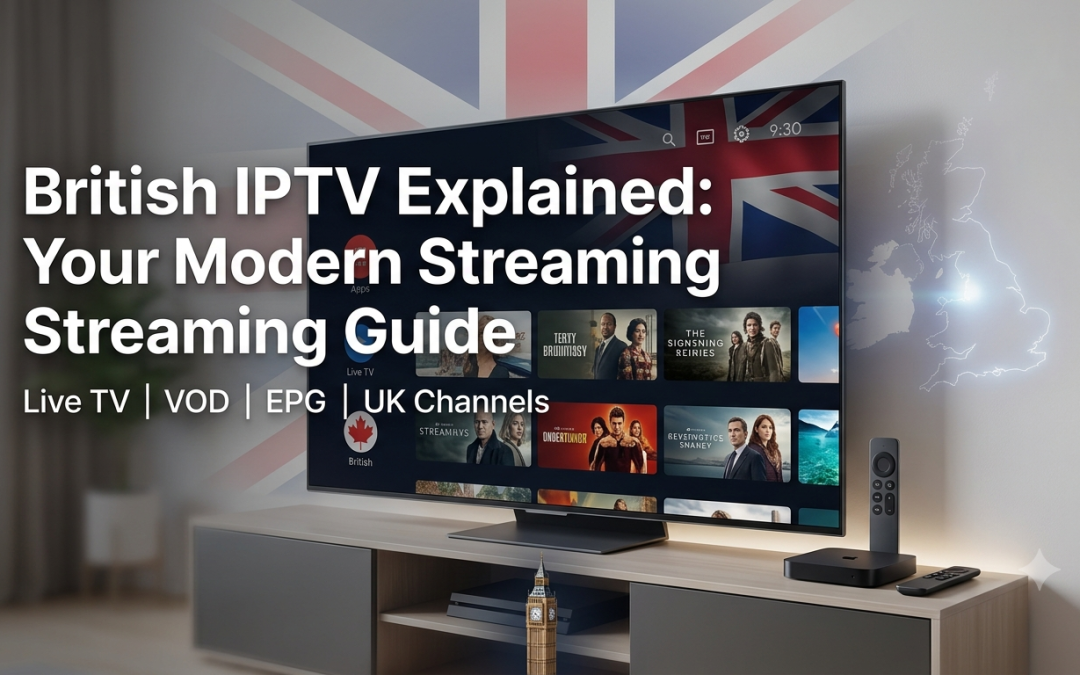
The way people watch television in the UK has changed significantly. Traditional broadcast television is still widely used, but viewers now have more ways to access live channels, films, series, sports and other programming through an internet connection.
This is where British IPTV comes into the picture.
IPTV stands for Internet Protocol Television. Instead of delivering television through only terrestrial, satellite or cable networks, IPTV uses an internet connection to deliver video content to a compatible device.
For viewers, the attraction is simple. IPTV can bring live TV, video on demand, programme guides and catch up features together in one setup. However, not every British IPTV service works in the same way, and the quality, features and content available can vary considerably.
This guide explains how IPTV works in the UK, what you should look for in a British IPTV service, and how to choose an option that fits your viewing habits.
What Is British IPTV?
British IPTV generally refers to IPTV services and setups intended for viewers in the United Kingdom.
The technology itself is not specifically British. IPTV can be used anywhere with a suitable internet connection and compatible service. The British element usually relates to the content, channels, audience, programme information or service being aimed at UK viewers.
Ofcom describes IPTV as television channels delivered through the internet. It notes that Smart TVs can provide access to internet delivered channels alongside traditional television services.
A typical IPTV setup may include:
- An IPTV subscription
- An internet connection
- A compatible Smart TV or streaming device
- An IPTV player or supported application
- Login or playlist information
- An Electronic Program Guide where available
Once the setup is complete, the viewer can access the features supported by the particular service.
How Does IPTV UK Work?
The basic principle behind IPTV UK services is straightforward.
Traditional television broadcasts send programmes through a scheduled broadcast system. IPTV sends video data through an internet connection.
When you select a live channel, your IPTV player connects to the relevant stream and receives the video data. The player then processes the stream so you can watch it on your television, phone, computer or another supported device.
The experience can include different types of content.
Live TV
Live television allows you to watch a channel as it is being broadcast.
Video on Demand
Video on demand lets you select available movies, series or other programmes when you want to watch them.
Catch Up
Catch up allows supported programmes to be watched after they have already aired.
Electronic Program Guide
An EPG provides programme information and schedules, making it easier to navigate a large channel library.
These features are often what make IPTV more flexible than simply watching a traditional live channel.
What Is a British IPTV Service?
A British IPTV service is essentially an IPTV offering aimed at viewers in the UK or providing substantial UK focused content.
However, the phrase can cover many different types of services. Some may focus mainly on UK channels, while others combine British programming with content from the US, Canada, Europe and other regions.
That is why you should not choose a service simply because it uses the term British IPTV.
Instead, check what is actually included.
Look at:
- UK channel availability
- Sports programming
- News channels
- Entertainment channels
- Movies and series
- International programming
- EPG support
- Catch up availability
- Video on demand
- Device compatibility
- Customer support
The right combination depends on what you normally watch.
Why Are People Choosing British TV Streaming?
One reason IPTV continues to attract attention is flexibility.
Viewers are no longer restricted to watching television only through a traditional television set. Internet connected TVs, streaming devices, smartphones, tablets and computers can all provide access to different forms of video content.
Ofcom’s Media Nations 2026 report says broadcaster content still accounts for most video watched in UK homes, while broadcaster video on demand viewing has continued to increase. Ofcom also reports that the UK commercial television and online video market exceeded £18 billion in 2025.
This wider shift towards connected viewing helps explain the growing interest in internet delivered television.
For IPTV users, the appeal is often the ability to bring different viewing options together through one compatible setup.
What Channels Can You Watch With IPTV Channels UK Services?
The answer depends entirely on the provider.
Some services focus on UK entertainment and news. Others include sports, movies, children’s programming and international channels.
When researching IPTV channels UK, do not focus only on the total number advertised.
A list of thousands of channels is less useful if the channels you actually want are missing.
Instead, check whether the provider offers categories relevant to you, such as:
- UK entertainment
- UK news
- Sports
- Movies
- Kids
- Documentary
- Lifestyle
- International
- Regional programming
Xtreme HD IPTV provides UK content alongside programming from other regions. Its published channel information includes categories covering the UK, USA, Canada, Europe and other markets. Xtreme HD IPTV channel list
Channel availability can change, so always check the provider’s current information before subscribing.
The Importance of an IPTV EPG
A large channel library can become difficult to navigate without a good programme guide.
An Electronic Program Guide, commonly called an EPG, provides information about channels and scheduled programmes.
Depending on the service, you may see:
- Current programmes
- Upcoming programmes
- Programme names
- Start and end times
- Programme descriptions
- Channel categories
- Previous programmes where catch up is supported
For British IPTV users, accurate UK programme times are particularly useful.
Xtreme HD IPTV states that its EPG guide supports the UK, USA and Canada. Its FAQ also explains that the service works with various IPTV applications that support compatible playlist formats. Xtreme HD IPTV FAQs
A reliable EPG can make the difference between a channel list that feels difficult to use and one that is simple to navigate.
British IPTV on Smart TVs and Streaming Devices
One of the biggest advantages of IPTV is the range of devices that can potentially support it.
Depending on the provider and application, IPTV may be available on:
- Smart TVs
- Firestick
- Android TV devices
- Smartphones
- Tablets
- Windows computers
- Mac computers
- MAG devices
Xtreme HD IPTV lists support for Smart TVs, Firestick, Android TV, smartphones, tablets, Windows, macOS and MAG devices among its compatible options.
Before buying a subscription, check the exact requirements for your device. Having an IPTV subscription does not automatically mean that every IPTV application will work on every television.
The player you use also matters because different applications offer different interfaces and features.
What Makes a Good British IPTV Service?
There is no single feature that makes an IPTV service suitable for everyone.
However, there are several practical areas worth checking before you subscribe.
1. UK Content
Check that the provider offers the British channels and categories you actually want.
2. Reliable EPG
A useful programme guide makes browsing and finding shows much easier.
3. Device Compatibility
Make sure your Smart TV, Firestick, Android TV device or other preferred platform is supported.
4. Streaming Quality
Look for suitable HD, Full HD or 4K options where available, but remember that your internet connection and device also affect playback.
5. Catch Up and VOD
These features give you more flexibility when you do not want to watch everything live.
6. Customer Support
Clear installation instructions and accessible support can save time when setting up your service.
7. Clear Subscription Information
Pricing, connection limits, activation and other terms should be easy to understand before payment.
Is IPTV UK Legal?
This is one of the most common questions people ask when researching IPTV UK.
IPTV is a technology used to deliver television and video over the internet. The technology itself is not what determines whether a particular service is lawful.
The important issue is the content being distributed and whether the provider has the appropriate rights or permissions.
Ofcom explains that internet delivered television channels can fall under different regulatory arrangements depending on how they are delivered and whether they appear on an Ofcom regulated EPG.
The UK also has specific rules for certain on demand programme services. Ofcom states that providers meeting the relevant criteria must notify Ofcom and comply with applicable requirements.
For consumers, the practical lesson is simple: research the provider before subscribing. Look at its service information, terms and content claims rather than assuming every service using the IPTV name operates in the same way.
How to Choose a British IPTV Subscription
Choosing an IPTV service becomes much easier when you start with your own viewing needs.
Ask yourself a few basic questions.
What do I watch most?
If you mainly watch UK entertainment and news, prioritise relevant UK channels. If sports are important, check the sports categories specifically.
What device will I use?
Make sure your preferred television or streaming device is supported.
Do I need VOD?
If you watch movies and series regularly, a useful VOD library may be important.
Do I need catch up?
Catch up can be useful if you often miss live programmes.
How many connections do I need?
If several people in your household plan to watch at the same time, check the connection rules carefully.
Xtreme HD IPTV currently publishes subscription options for different numbers of device connections. Its pricing page should be checked for the latest available plans and prices before purchasing. Xtreme HD IPTV pricing
British IPTV vs Traditional Television
IPTV and traditional television are not necessarily competing technologies in every household. Many viewers use connected TVs that provide access to several types of television and streaming services.
The main difference is how the content reaches you.
Traditional television can use terrestrial, satellite or cable delivery. IPTV uses internet protocol networks to deliver its streams.
This can provide greater flexibility in terms of device access and interactive features, but it also means your viewing experience depends partly on your internet connection and compatible equipment.
A stable home network is therefore an important part of any IPTV setup.
Why Consider Xtreme HD IPTV?
Xtreme HD IPTV offers a combination of live TV, movies, series, sports, VOD and other viewing features for supported devices.
The service provides setup resources, device information and subscription options, allowing users to review the available features before choosing a plan.
Its current service information also highlights HD, Full HD and 4K quality where available, alongside EPG and catch up features. Xtreme HD IPTV service
For UK viewers, the service provides access to UK focused content alongside international programming, making it worth considering if you want more than a UK only channel selection.
Final Thoughts
British IPTV is simply one part of the wider shift towards internet delivered television.
The technology allows viewers to access live TV, VOD, catch up and programme information through compatible internet connected devices. But the actual experience depends on the provider, application, device, internet connection and content available.
If you are comparing British IPTV services, look beyond the advertised channel count. Check UK channel availability, EPG, catch up, VOD, device compatibility, connection options, support and subscription terms.
For viewers looking for a flexible IPTV setup with UK and international programming, Xtreme HD IPTV provides several options to explore.
Visit the official Xtreme HD IPTV website to review the latest service information, subscription plans and supported devices before choosing your setup.
FAQs About British IPTV
1. What is British IPTV?
British IPTV refers to internet delivered television services aimed at UK viewers or services that provide UK focused television content.
2. Can I watch British IPTV on a Smart TV?
Yes, depending on the IPTV provider, Smart TV model and compatible IPTV application. Always check device support before subscribing.
3. Does British IPTV include UK channels?
Some services provide UK channels, while others combine UK programming with international content. Check the provider’s current channel list before purchasing.
4. Do I need an EPG for IPTV?
You do not necessarily need an EPG to stream IPTV, but it makes finding channels and programmes much easier.
5. Is IPTV UK the same as British IPTV?
The terms are commonly used to describe IPTV services aimed at UK viewers. The actual channels, features and content depend on the individual provider.
In the digital age, the way we consume television and media has undergone a significant transformation, and Internet Protocol Television Read more

The landscape of the streaming industry has changed dramatically in recent years, with several players vying for dominance. Typhoon IPTV Read more

How to jailbreak a Chromebook? Chromebooks have gained popularity as lightweight, efficient, and affordable devices that provide seamless integration with Read more

Kemo IPTV is a popular IPTV service provider that delivers television programs and other video content to your device. The Read more