

A lot of people subscribe to a 4K IPTV service expecting an instant upgrade in picture quality.
Sometimes that is exactly what happens. The channels look sharp and the colours stand out more. Sports and movies feel much closer to what people expect from modern Ultra HD content.
Other times the experience is very different.
The stream buffers every few minutes. The picture suddenly becomes blurry. A channel that claims to be 4K looks no better than standard HD.
When that happens, most people immediately assume the IPTV provider is responsible.
In reality, many 4K streaming problems start much closer to home.
The internet connection and streaming device as well as the network setup inside the house all play a role. The good news is that most issues can be identified fairly quickly once you know where to look.
Your Internet Speed Matters More Than Anything Else
The biggest reason behind poor 4K streaming is still internet speed.
People describe their connection as “fast” because it works well for browsing websites and social media. Streaming 4K video is a completely different type of activity.
This stream needs a steady flow of data every second. If that flow slows down the player starts struggling to keep up.
Most IPTV providers recommend at least 25 Mbps for a single highest quality stream. That is enough when the connection is stable and not being heavily used by other devices.
The situation changes when a household has several people online at once. One person might be streaming Netflix while another is downloading files or playing online games. All of that activity shares the same internet connection.
This is why IPTV works perfectly at certain times of the day but starts buffering in the evening when everyone is home.
Before changing devices or subscriptions, it is worth running a speed test and seeing what the connection is actually delivering.
Wi-Fi Can Create Problems Even With Fast Internet
Many people are surprised when they discover that the internet package is not the problem at all.
The issue is the Wi-Fi signal.
A router may be capable of delivering high speeds but distance and walls can weaken the signal before it reaches the television or streaming device.
This is especially common in larger homes.
The router sits in one room while the television is located on another floor. On paper, the connection speed looks excellent. In practice, the streaming device receives a much weaker signal.
A wired Ethernet connection is still one of the most reliable ways to stream 4K IPTV.
It is not the most exciting upgrade a person can make but it produces immediate improvements. Many buffering issues disappear once the device is connected directly to the router.
The Streaming Device Can Become The Weak Link
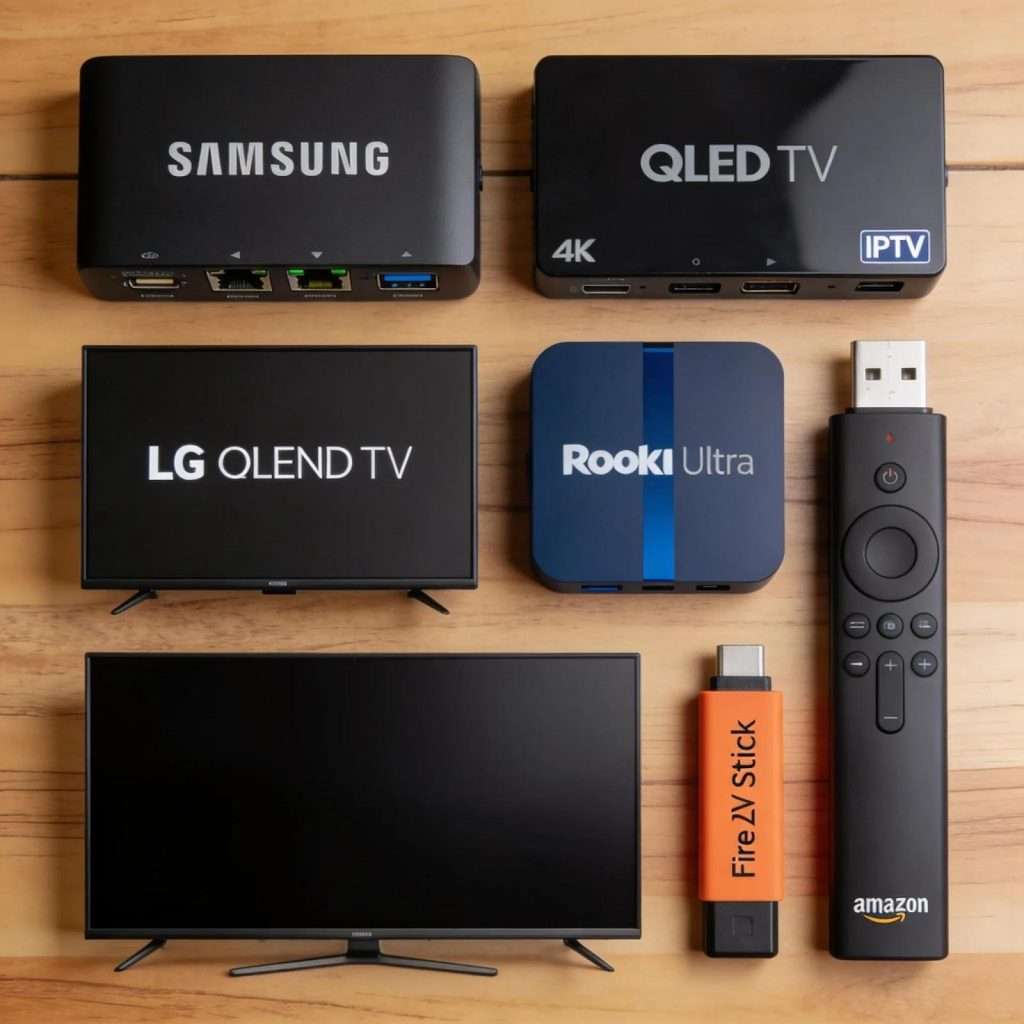
People spend a lot of time talking about internet speed.
The device itself gets overlooked.
An older streaming stick may technically support 4K video but still struggle with newer formats and higher bitrates. When that happens, the stream can become unstable even though the internet connection is perfectly capable of handling it.
Modern devices perform much better because they are designed to process large amounts of video data more efficiently.
Some popular options include:
- Amazon Fire TV Stick 4K
- Roku Ultra
- Nvidia Shield
- Samsung Smart TVs
- LG Smart TVs
The goal is not necessarily to buy the most expensive device available. What matters is having hardware that can comfortably handle modern 4K content without constantly working at its limits.
A good device creates a smoother viewing experience and reduces the chances of playback interruptions.
Small Settings Can Make A Big Difference
Not every streaming problem requires new equipment.
Sometimes the fix is surprisingly simple.
Devices and applications receive updates regularly. These updates improve performance and add support for newer video formats.
Before spending money on upgrades, it helps to check a few basic things.
Take a few minutes to look at:
- Device software updates
- IPTV application updates
- Output resolution settings
- Router firmware
- Available storage space
Many people skip these checks because they seem too obvious. Yet outdated software remains one of the most common reasons for unexpected streaming issues.
Making sure everything is current can solve problems that have been causing frustration for weeks.
Not Every 4K Channel Looks The Same
This confuses many viewers.
Two channels may both be advertised as 4K. One looks incredible while the other feels underwhelming.
The reason comes down to compression.
Every IPTV provider handles video differently. Some allocate more data to their streams while others compress content more heavily to reduce bandwidth usage.
That means a 4K label does not automatically guarantee the same visual quality across different services.
The source of the content matters. The encoding method matters. The infrastructure delivering the stream matters too.
Understanding this helps set more realistic expectations when comparing providers.
Why Problems Appear During The Evening
A common pattern among IPTV users is that everything works well during the afternoon but starts struggling later in the day.
There is a simple explanation.
Evening hours are when internet usage peaks. More households are online and more devices are competing for bandwidth.
This can affect both local networks and internet service providers.
If streaming quality consistently drops at the same time every evening, congestion may be playing a role.
Running speed tests at different times of day can reveal whether this is happening.
The Video Codec Matters Too
Most people never think about codecs. They simply want the channel to play properly. Behind the scenes, codecs determine how video is compressed and delivered.
HEVC also known as H.265, has become one of the most common formats used for 4K IPTV because it delivers good picture quality without requiring excessive bandwidth.
Newer technologies such as AV1 are becoming more common as well. They offer improved efficiency and may play a larger role in streaming over the coming years.
For viewers, the important thing is making sure their device supports modern codecs properly. Without that support, even a fast connection can struggle with certain streams.
Before Contacting Support, Try These Steps
When something stops working, it is natural to assume there is a major issue.
the solution is much simpler.
Before contacting your IPTV provider, try a few basic checks:
- Run a speed test
- Restart the router
- Restart the streaming device
- Check for software updates
- Test a wired connection if possible
- Try another 4K channel
These quick steps solve a surprising number of streaming problems and can save a lot of time.
A Good IPTV Service Still Matters
Even the best internet connection cannot fix every streaming issue.
The quality of the IPTV service itself still plays a big role. A provider needs reliable servers and properly optimized streams. Device compatibility matters too, especially for people watching 4K content across different screens.
This is one reason many viewers spend time researching a service before subscribing. A stable stream and good channel quality often make a bigger difference than simply having a large channel list.
At Xtreme HD IPTV, the service is designed to support modern streaming devices and 4K-compatible setups, helping viewers get the most from their internet connection and hardware. When the service and home network are working together properly, the viewing experience tends to be much smoother.
Final Thoughts
Good 4K IPTV streaming depends on several things working together.
The internet connection needs enough bandwidth. The streaming device needs enough processing power. The network inside the house needs to be stable.
When one part of that setup struggles, the viewing experience suffers as well.
The good news is that most problems are not complicated. In many cases, a simple speed check or a better connection method is enough to improve performance.
If your 4K IPTV service has not been delivering the experience you expected, start with the basics. More than not, that is where the answer is hiding.
Xtreme HD IPTV offers access to thousands of channels and on-demand content with support for today’s popular streaming devices.

In the digital age, the way we consume television and media has undergone a significant transformation, and Internet Protocol Television Read more

The landscape of the streaming industry has changed dramatically in recent years, with several players vying for dominance. Typhoon IPTV Read more

How to jailbreak a Chromebook? Chromebooks have gained popularity as lightweight, efficient, and affordable devices that provide seamless integration with Read more

Kemo IPTV is a popular IPTV service provider that delivers television programs and other video content to your device. The Read more