
Strng IPTV 8K: a clear, user-friendly look at Ultra HD streaming and how 8K IPTV fits into high-resolution home entertainment.

As home entertainment moves forward, 8K IPTV (Internet Protocol Television) is emerging as the next step in Ultra HD streaming. This guide explains what 8K IPTV can do, the technology behind it, and the practical choices you’ll need to make for the best viewing setup. If you want crisper images and more detail on large screens, knowing how 8K works will help you get the most from your system.
Read on to learn the technical specs for 8K, which devices support it, realistic bandwidth expectations, and tips for setting up and troubleshooting so you can enjoy smooth, high-resolution playback.
Key takeaways
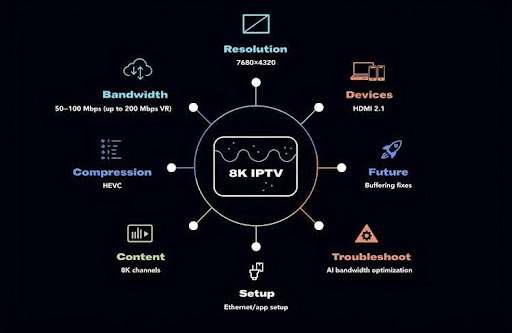
● 8K IPTV delivers ultra-high-definition video at 7680 × 4320 pixels — about four times the detail of 4K.
● IPTV streams 8K efficiently using protocols such as HLS and RTSP over broadband networks.
● Devices that handle 8K include modern smart TVs and set-top boxes with HDMI 2.1 and strong processors.
● Expect to need at least 50 Mbps for basic 8K playback; 100 Mbps or more is safer for stable performance and multiple devices.
● HEVC and similar codecs cut bandwidth needs while keeping image quality high.
● Compare providers by content library, price, and customer support when choosing an 8K IPTV service.
● Correct setup means compatible hardware, a steady internet connection, and the right app installed.
● Typical problems — buffering and drops in quality — are often fixed by improving your network or checking device compatibility.
● Future trends point to AI bandwidth optimization and a growing selection of native 8K channels.
What is 8K IPTV and how does Ultra HD streaming work?
8K IPTV refers to delivering television content at 8K resolution over IP networks. This Ultra HD standard offers four times the pixel count of 4K and sixteen times that of 1080p, producing much finer detail and clarity. IPTV’s packet-based delivery and adaptive streaming make it possible to bring very high-resolution video into the living room when the network and hardware are up to the task.
Defining 8K resolution and its advantages over 4K and HD
8K resolution is 7680 × 4320 pixels — more than 33 million pixels on screen. By comparison, 4K has roughly 8.3 million pixels and HD sits around 2 million. The higher pixel density in 8K yields sharper images, smoother edges, and better perceived depth, which is most noticeable on very large screens or when you sit close to the display.
How IPTV delivers TV content using IP networks: protocols and streaming methods
IPTV sends video over broadband using streaming protocols such as HTTP Live Streaming (HLS) and Real-Time Streaming Protocol (RTSP). These methods break video into packets and adapt to changing network conditions to reduce interruptions. IPTV adds benefits like on-demand playback and flexible channel options, which together make high-resolution streaming more practical for everyday viewers.
Which devices support 8K IPTV streaming and Ultra HD TV channels?
To view true 8K IPTV you need devices built to handle the higher resolution and bitrate. That means an 8K-capable smart TV, a modern streaming box, or a set-top box that supports the necessary video standards.
Top 8K streaming devices and smart TVs compatible with IPTV 8K content
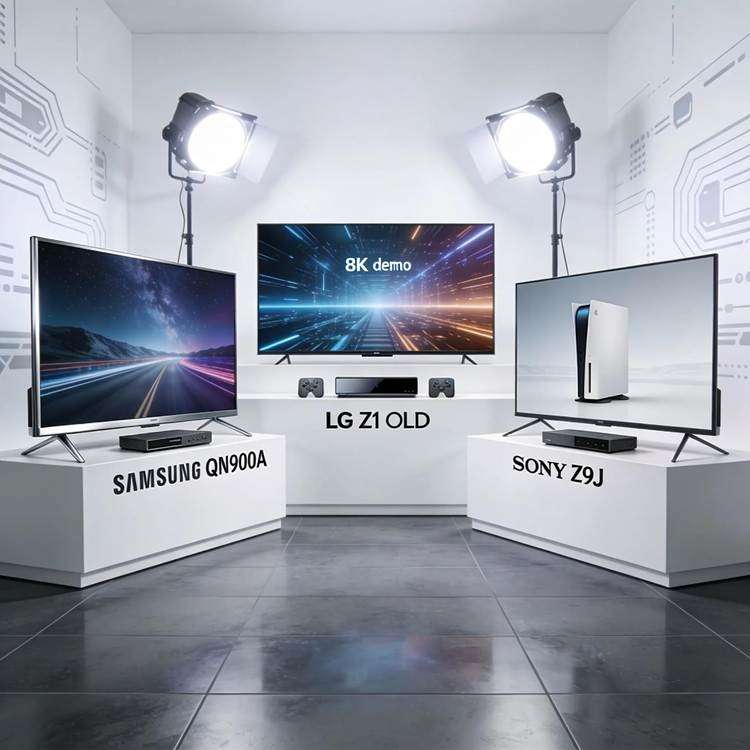
Popular devices that support 8K IPTV include:
● Samsung QN900A Neo QLED 8K TV: Known for bright highlights and rich color thanks to quantum dot technology.
● LG Z1 OLED 8K TV: Delivers deep blacks and excellent contrast for cinematic images.
● Sony Z9J 8K LED TV: Uses the Cognitive Processor XR™ to improve detail and overall realism.
Each model brings different strengths, but all are good choices if you want a true 8K viewing experience.
Required specifications for set-top boxes and streaming media players for 8K IPTV
Set-top boxes and players need to meet several hardware and software criteria for smooth 8K playback. Key specs include:
● 4K HDR support: HDR capability improves contrast and color depth, which benefits upscaled and native 8K content.
● Fast processors: Powerful CPUs/SoCs are essential to decode high-resolution streams without lag.
● HDMI 2.1 ports: Required to pass 8K resolutions and higher refresh rates to your TV.
Choosing devices that match these specs reduces compatibility problems and improves the final picture.
What bandwidth and network conditions are necessary for reliable 8K IPTV streaming?
Because 8K files are much larger than lower resolutions, the strain on your network increases significantly. Planning your bandwidth and network setup is crucial to avoid interruptions and maintain quality.
In practice, 8K content can demand roughly four times the bandwidth of 4K, which means home networks and ISPs must provide robust throughput for steady playback.
8K UHD TV Broadcast System: Challenges and Bandwidth Requirements
The size of the Audio and Video (AV) content of the 8K has increased by four times compared to 4K, bringing great challenges to the bandwidth requirements of the network, and further putting forward the high robustness requirements of 8K broadcast services. 8K Ultra HD TV broadcast system: Challenge, architecture and implementation, 2025
Internet speed and latency requirements for smooth 8K Ultra HD streaming
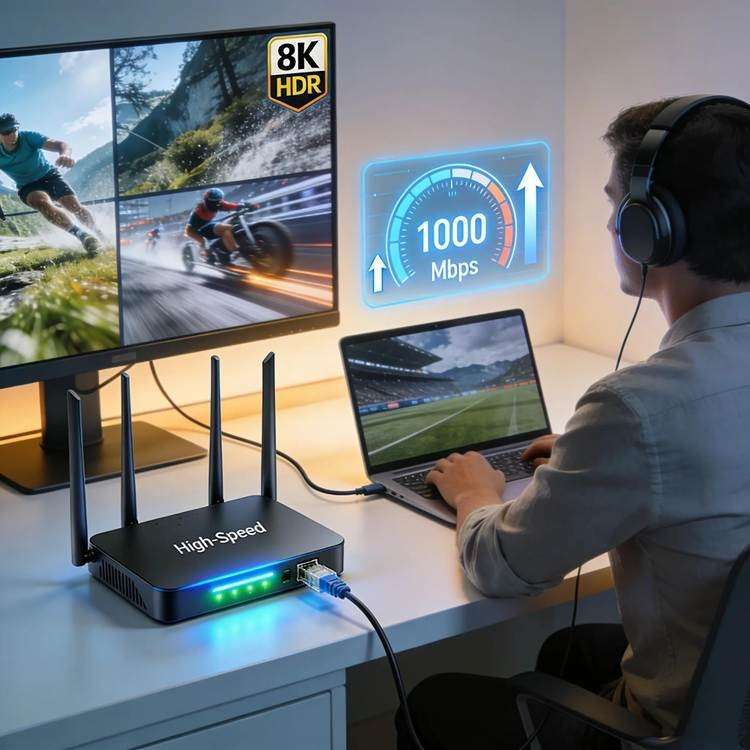
A practical baseline for 8K streaming is around 50 Mbps, though 100 Mbps or higher is recommended for consistent quality and to support other devices on the same network. Low latency (ideally under ~20 ms) helps avoid stutters and keeps live content in sync. For some VR or specialized 8K applications, single-stream requirements can be much higher — in the ballpark of 200 Mbps.
As networks and home internet services continue to improve, 8K streaming becomes more achievable for a broader audience.
5G Network Requirements for 4K and 8K UHD Streaming
The NGMN Alliance defines the requirements for 5G networks as at least 50 Mbps (up to 100 Mbps) user experienced data rate to be ubiquitous in any scenario. Coupled with the continued growth of bandwidth, 4K or 8K UHD streaming has become plausible. Delivering High‐Definition IPTV Services over IP‐Based Networks, 2018
For demanding uses like VR, bandwidth needs rise quickly: one 8K stream or an 8K VR field-of-view (FOV) video can require up to 200 Mbps.
8K VR and IPTV: Network Bandwidth Demands
Compared with the resolution of 4K, 8K resolution has a fourfold increase and puts forward higher requirements for network bandwidth and processing capacity, resulting in the bandwidth of one 8K stream reaching 200M/s. Thus, the network bandwidth consumed by one 8K stream and one 8K VR FOV video reaches 200M/s. A new architecture of 8k vr fov video end-to-end technology, 2022
Role of video compression codecs like HEVC in efficient 8K streaming
Compression codecs such as HEVC (High Efficiency Video Coding) are essential for making 8K streaming practical. HEVC reduces file sizes substantially while preserving image quality, lowering the bandwidth required and minimizing buffering on typical internet connections.
How do 8K IPTV services compare: selecting the best providers for Ultra HD content?
Not all IPTV providers are the same when it comes to 8K. Review the service lineup, pricing, and support to find a provider that fits your needs and viewing habits.
Criteria for evaluating leading 8K IPTV providers
When choosing an 8K IPTV service, weigh these factors:
● Content variety: Look for a broad selection of 8K films, documentaries, and sports.
● Pricing structures: Compare monthly costs, bundles, and any extra fees for premium 8K channels.
● Customer support: Fast, helpful support matters when you need setup help or troubleshooting.
Differences between 4K and 8K IPTV service offerings
4K services already improve picture quality over HD; 8K goes further by delivering much higher pixel counts and, in some cases, exclusive native 8K programming. Providers that invest in 8K content and distribution are typically positioning themselves for future growth in Ultra HD viewing.
Match a provider’s library and pricing to how you watch — live events, movies, or documentaries — to get the best value.
How to set up and troubleshoot Strng IPTV 8K streaming at home?
Get your home ready for 8K by choosing the right hardware and following a few setup steps. Proper setup reduces headaches and improves picture quality.
Step-by-step setup guide for 8K IPTV streaming devices and networks
● Choose the right equipment: Pick an 8K-capable TV or streaming box that explicitly supports 8K output.
● Connect to a stable internet source: Prefer wired Ethernet for the best stability; use high-quality Wi‑Fi if wiring isn’t possible.
● Install necessary applications: Download the IPTV app your provider uses and sign in with your subscription details.
Follow these steps and you’ll be ready to stream 8K content with fewer setup issues.
Common issues with 8K IPTV streaming and how to resolve them
● Buffering or lag: Usually caused by insufficient bandwidth or network congestion — try a faster plan or a wired connection.
● Loss of picture quality: Confirm all devices support 8K and that cables (HDMI 2.1) are rated for the resolution.
● Application crashes: Update the app and firmware; restart the app or device to clear temporary glitches.
Address these areas first to eliminate the most common playback problems.
What are the future trends and consumer benefits of Ultra HD 8K IPTV streaming?
8K IPTV is still maturing, but the direction is clear: more native 8K content, smarter delivery, and better viewer experiences as networks and devices improve.
Emerging AI-driven bandwidth optimization and 8K content growth projections
AI and adaptive algorithms will increasingly optimize bandwidth in real time, keeping picture quality high even when network conditions change. That means more reliable streaming and a better fit for a wider range of home networks. Expect production and distribution of 8K content to grow as demand rises.
User experience enhancements and expanded availability of native 8K IPTV channels
More platforms will add native 8K channels and titles, widening choices for viewers. Device makers will continue improving upscaling, processing, and display tech, so the overall user experience will keep getting better.
In short: as infrastructure, codecs, and content catch up, 8K IPTV will become an increasingly practical choice for serious home theater fans.
Frequently Asked Questions
1. What are the minimum hardware requirements for 8K IPTV streaming?
To stream 8K, you need an 8K-capable smart TV or streaming device with HDMI 2.1 and a processor able to decode high-resolution streams. Devices that support 4K HDR are a good baseline, since HDR support improves overall image quality and compatibility.
2. How does 8K IPTV impact data usage compared to lower resolutions?
8K uses significantly more data than 4K or HD. A single 8K stream can require up to 200 Mbps in some scenarios, while 4K commonly uses around 25 Mbps. That means heavier data consumption and a greater chance of hitting ISP caps — plan accordingly.
3. Are there specific internet service providers better suited for 8K IPTV?
Fiber and other high-speed ISPs are the best bet for 8K due to their higher sustained speeds and lower latency. Providers that reliably deliver 100 Mbps or more — and that have a track record of stable service — will give the best 8K experience.
4. Can 8K IPTV content be watched on a 4K TV?
Yes. A 4K TV will downscale 8K content to 4K, so you won’t get full 8K detail but you will usually see an improvement over standard HD. Good upscaling and processing on the TV help preserve as much detail as possible.
5. What types of content can I find in 8K resolution on IPTV services?
8K offerings commonly include nature films, documentaries, cinematic content, and some live sports captured with 8K cameras. As production and distribution grow, expect more originals and channels available in native 8K.
6. How does video compression technology affect 8K streaming?
Compression codecs like HEVC are critical: they shrink file sizes while keeping picture quality high. Efficient codecs make 8K streaming usable on real-world networks by lowering bandwidth needs and reducing buffering.
7. What troubleshooting steps should I take for 8K IPTV streaming issues?
Start by checking your internet speed and switching to a wired connection if possible. Verify device firmware and app versions, check HDMI cables for compatibility, and restart devices to clear temporary errors. If problems persist, contact your provider for further help.
Conclusion
8K IPTV brings the next level of clarity and immersion to home viewing, but it needs the right hardware and a strong network. With compatible devices, proper setup, and a reliable internet connection, you can unlock stunning Ultra HD content. Compare providers, check specs, and prepare your network to start enjoying 8K streaming today.
Xtreme HD IPTV offers reliable performance, high-quality entertainment, and broad device compatibility, making it easy to enjoy your favorite content whenever and wherever you want. Explore Xtreme HD IPTV today and discover a smarter way to stream.

In the digital age, the way we consume television and media has undergone a significant transformation, and Internet Protocol Television Read more

The landscape of the streaming industry has changed dramatically in recent years, with several players vying for dominance. Typhoon IPTV Read more

How to jailbreak a Chromebook? Chromebooks have gained popularity as lightweight, efficient, and affordable devices that provide seamless integration with Read more

Kemo IPTV is a popular IPTV service provider that delivers television programs and other video content to your device. The Read more