
Televizo IPTV Player: Comprehensive Features and Step-by-Step Setup Guide

Televizo is a robust IPTV player built to make streaming your favorite channels and playlists simple and reliable. It combines flexible playlist management with practical playback features and useful customization, so you can watch the way you want. This guide walks through the core features, setup steps, supported devices, troubleshooting tips, and best practices to get the most from Televizo.
Key Takeaways
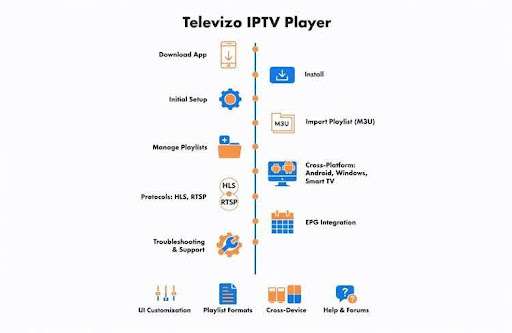
● Supports multiple playlist formats for easy import, export, and organization of IPTV channels.
● Offers UI customization—themes and layouts let you tailor the viewing experience.
● Compatible with Android, Windows, and many Smart TVs for cross-platform access.
● Installation is straightforward: download, install, and complete the setup wizard.
● Supports HLS and RTSP for adaptive bitrate and efficient streaming.
● EPG integration supplies program schedules for easier content planning.
● Optimal performance generally requires devices with 2GB+ RAM, Android 5.0 or Windows 10+, and a stable connection.
● Common fixes include checking playlist formats, updating the app, and verifying network stability.
● Official forums, help articles, and direct support channels are available for assistance.
What Are the Key Features of Televizo IPTV Player?
Televizo packs features that balance power and simplicity. You get playlist flexibility, playback support for standard streaming protocols, and interface tweaks that make navigation fast and personal. Together, these elements deliver a dependable viewing experience without a steep learning curve.
How Does Televizo Support IPTV Playback and Playlist Management?
Televizo handles IPTV playback and playlist management by supporting common playlist formats and offering clear tools to import, organize, and export content. Channel navigation and playlist editing are designed to be intuitive so users can quickly find and manage their streams.
Which User Interface Customization Options Does Televizo Provide?
The player offers several UI customization options, from themes to layout choices, so you can arrange menus and channel lists to suit your habits. Those choices make daily use more comfortable and help you focus on content rather than configuration.
How to Set Up and Configure Televizo IPTV Player Effectively?
Getting Televizo up and running is straightforward. Follow the basic installation steps, complete the initial configuration, and import your playlists. With a quick setup, you’ll be ready to stream.
What Are the Step-by-Step Installation and Initial Configuration Procedures?
To install the Televizo IPTV Player, users should:
● Download the Application: Get the Televizo installer from the official source.
● Install: Run the installer and follow the on-screen prompts to add the app to your device.
● Initial Setup: Launch the app and use the setup wizard to choose preferences and complete basic configuration.
These steps are designed for users with minimal technical experience and aim to make first-time setup painless.
How to Import and Manage IPTV Playlists in Televizo?
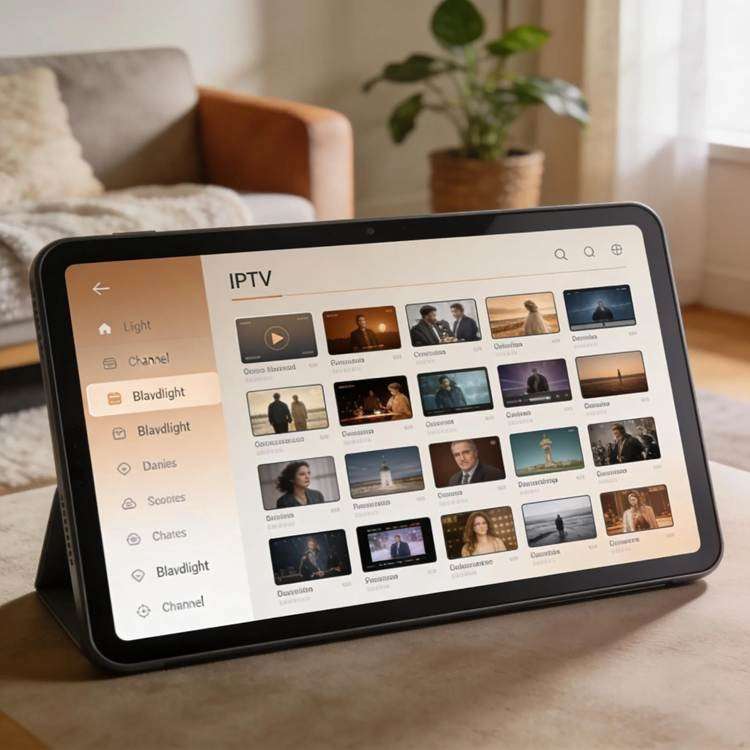
To import playlists into Televizo, follow these steps:
● Access Settings: Open the app settings or playlist section.
● Import Playlist: Choose Import and select the supported file (for example, M3U).
● Manage Playlists: Use the built-in tools to sort, rename, delete, or rearrange entries.
These tools make it easy to consolidate streams from different providers and keep your channel list tidy.
Which Devices Are Compatible with Televizo IPTV Player?
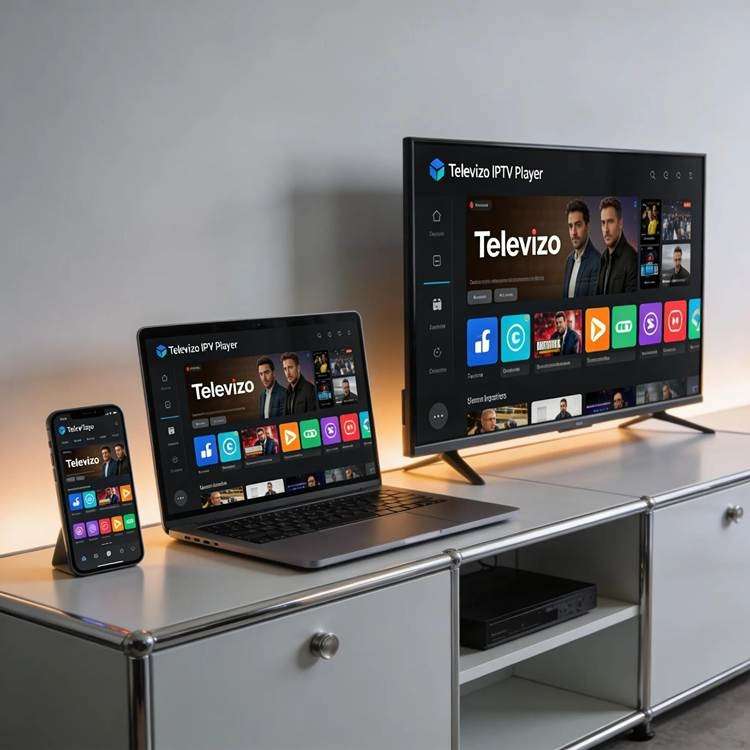
Televizo runs on a broad range of devices so you can watch on whichever screen you prefer. Its cross-platform support covers the most common operating systems used for streaming today.
Does Televizo Run on Android, Windows, and Smart TVs?
Yes. Televizo is available for Android devices, Windows PCs, and many Smart TV platforms, giving you flexibility to switch between devices without losing settings or playlists.
What Are the System Requirements for Optimal Performance?
Recommended minimums for a smooth experience include:
● Operating System: Android 5.0 or later; Windows 10 or later.
● RAM: At least 2GB of RAM for reliable playback.
● Storage: Enough free space for the app and temporary cache files.
Meeting these guidelines reduces buffering and improves responsiveness.
What Are Common Troubleshooting Steps and FAQs for Televizo IPTV Player?
Problems are usually easy to track down. The checklist below covers the common issues users encounter and practical fixes to get you back to watching quickly.
How to Resolve Playlist Import and Streaming Issues?
If you run into problems importing playlists or streaming, try these steps:
● Check Playlist Format: Confirm the playlist file is in a supported format (for example, M3U).
● Update Application: Install the latest app version to ensure compatibility and bug fixes.
● Verify Network Connection: Make sure your internet is stable and has sufficient bandwidth for streaming.
These checks resolve the majority of playback issues.
Where to Find Help and Support Resources for Televizo?
For further assistance, you can access:
● Official Forums: Community discussions and user-shared solutions.
● Help Center: Official FAQs, setup guides, and troubleshooting articles.
● Contact Support: Direct help from support staff for account- or device-specific issues.
Those resources help resolve most questions and provide guidance for edge cases.
What IPTV Streaming Technologies and Protocols Does Televizo Support?
Televizo supports widely used streaming technologies so it can handle different content sources and network conditions, delivering reliable playback across devices.
Which Streaming Protocols Are Compatible with Televizo IPTV Player?
The player is compatible with common streaming protocols, including:
● HLS (HTTP Live Streaming): Adaptive bitrate streaming to match network conditions.
● RTSP (Real-Time Streaming Protocol): Efficient delivery for real-time streams.
These protocols help maintain quality and reduce interruptions during playback.
How Does Televizo Integrate Electronic Program Guide Data?
Televizo integrates Electronic Program Guide (EPG) data to show program schedules and metadata inside the player. EPG support helps you find upcoming shows, set reminders, and navigate a large channel lineup more effectively.
For a deeper dive into how EPG and IPTV systems interact, consider the following research.
IPTV Implementation for Television Broadcasting & EPG
This thesis examines upgrading television broadcasting from satellite to IPTV. The project—carried out with a major Italian broadcaster—focused on middleware integration to implement an EPG application and the broadcaster’s content management workflows. Training on the middleware framework (WWAF) helped the team extend existing systems and implement IPTV features for the EPG, minimizing changes to current infrastructure. IPTV implementation for television broadcasters, 2015
| Feature | Description |
| User Interface Customization | Selectable themes and layout options |
| Playlist Management | Support for common formats with simple import/export |
| EPG Integration | Real-time program schedules and metadata |
Frequently Asked Questions
1. What are the benefits of using Televizo IPTV Player for streaming?
Televizo simplifies streaming with an accessible interface and flexible playlist support. It makes channel navigation and content discovery easier through EPG integration and works across multiple devices so you can pick up where you left off on another screen.
2. How can I optimize the performance of the Televizo IPTV Player?
To improve performance, ensure your device meets the recommended specs (2GB+ RAM, current OS), keep the app updated, and use a stable internet connection. Clearing the app cache or reinstalling the app can also fix persistent lag.
3. Is there a mobile app available for Televizo IPTV Player?
Yes. Televizo offers an Android app that mirrors the desktop features, letting you manage playlists, view EPG data, and stream on the go.
4. Can I use Televizo IPTV Player without a subscription?
The Televizo app itself is free to use, but most IPTV content requires a subscription from a content provider. Import playlists from your subscribed services to access channels and on-demand streams.
5. How does Televizo handle regional content restrictions?
Televizo does not enforce region locks, but channel access depends on provider licensing and regional restrictions. Some users use VPN services to access content from other regions—check local laws and service terms before doing so.
6. What support options are available for Televizo users?
Support channels include the official help center for documentation, community forums for peer advice, and direct support for account- or device-specific issues.
7. How does Televizo IPTV Player keep its features updated?
Televizo releases updates that include performance improvements, bug fixes, and new features informed by user feedback and industry changes. Enable auto-updates or check periodically to stay on the latest version.
Conclusion
Whether you’re new to IPTV or looking for a more dependable streaming experience, Xtreme HD IPTV offers a simple way to enjoy your favorite content with smooth performance and user-friendly access. Explore Xtreme HD IPTV today and find a streaming solution designed to fit your entertainment needs.

In the digital age, the way we consume television and media has undergone a significant transformation, and Internet Protocol Television Read more

The landscape of the streaming industry has changed dramatically in recent years, with several players vying for dominance. Typhoon IPTV Read more

How to jailbreak a Chromebook? Chromebooks have gained popularity as lightweight, efficient, and affordable devices that provide seamless integration with Read more

Kemo IPTV is a popular IPTV service provider that delivers television programs and other video content to your device. The Read more