
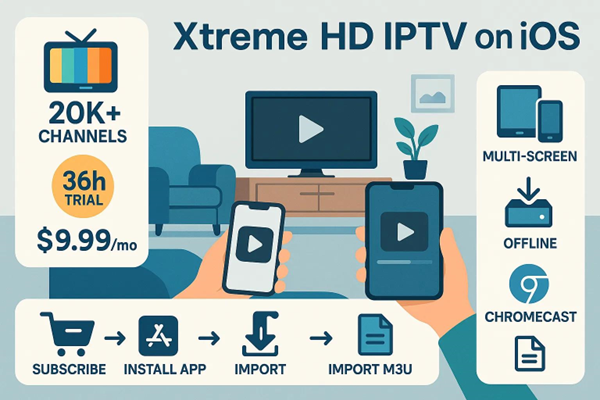
Get Xtreme HD IPTV on your iPhone or iPad with a few simple steps. This guide shows how to install the app, import M3U playlists, and fine-tune settings so you can stream live TV and on-demand shows without hassle. We’ll also cover troubleshooting, subscription options, and tips to keep playback smooth on iOS devices.
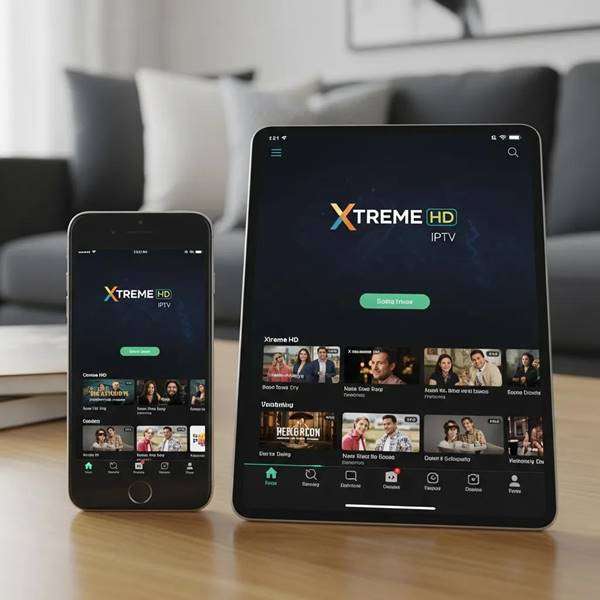
Setting up Xtreme HD IPTV on your iOS device can transform your streaming experience, providing access to a vast array of live TV channels and on-demand content. This guide will walk you through the essential steps to install and configure Xtreme HD IPTV on your iPhone or iPad, ensuring you can enjoy seamless streaming. Many users face challenges when trying to import playlists or optimize their streaming settings, but with the right instructions, these issues can be easily resolved. In this article, we will cover the setup steps, additional features, troubleshooting tips, subscription benefits, and how to optimize your live TV streaming performance on iOS devices.
Key Takeaways
- Xtreme HD IPTV provides a native iOS app for iPhone and iPad with straightforward setup and playlist import.
- The app supports M3U playlist imports to access 20,000+ live channels and a large on-demand library.
- New users can try a 36-hour free trial before choosing the monthly plan, which costs $9.99.
- Features like multi-screen streaming, offline downloads, and Chromecast broadens how and where you watch.
- A stable internet connection and up-to-date iOS are essential for reliable playback.
- Common fixes include restarting the app or device and confirming playlist URLs if imports fail.
- Xtreme HD IPTV works across iOS, Android, smart TVs, and popular streaming sticks like Fire Stick and Roku.
- Create favorites after importing playlists to build a personalized channel lineup.
- There are no built-in parental controls; manage access via curated playlists or third-party tools.
Key Takeaways xtreme IPTV on Apple ios Devices:
Quick Notes for Apple Devices
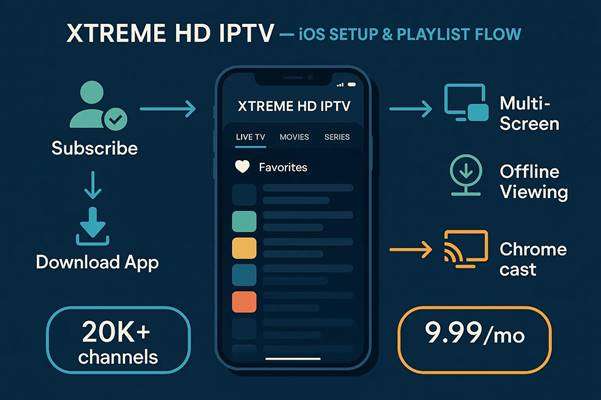
Essential points to remember when using Xtreme HD IPTV on iPhone or iPad:
- Easy to set up on iPhone and iPad with M3U playlist support.
- Start with a 36-hour trial to test the service before subscribing for $9.99/month.
- Supports multi-screen viewing, offline playback, and Chromecast casting.
- Import M3U playlists to unlock 20,000+ live channels plus on-demand content.
- Keep your device updated and use a stable network for best results.
- If a playlist won’t import, check the URL and try restarting the app or device.
- Works on iOS, Android, smart TVs, and devices like Fire Stick and Roku.
- Create favorites lists after importing to quickly access preferred channels.
- Use playlist curation or third-party parental-control apps to limit content for kids.
Setup Steps for Xtreme HD IPTV on iPhone/iPad
Getting Started
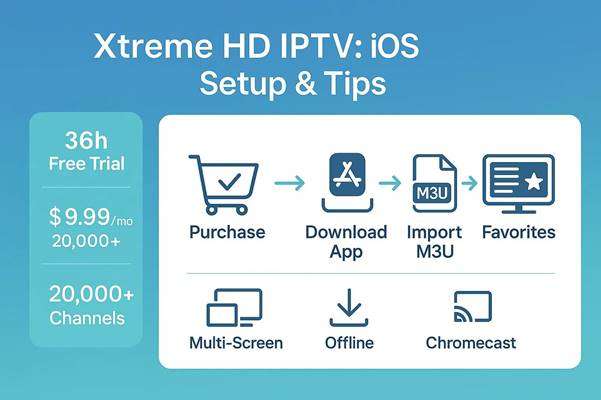
To get started with Xtreme HD IPTV on your iOS device, follow these straightforward steps:
- Purchase a Subscription: Choose a plan that fits your needs. New users can use the 36-hour free trial to confirm the service works for them.
- Download the App: Open the App Store, search for “Xtreme HD IPTV,” and install the app on your iPhone or iPad.
- Import Your Playlist: In the app’s settings, enter your M3U playlist URL to load channels and on-demand content.
After these steps you’ll be ready to browse channels, build favorites, and adjust playback settings for the best experience.
Additional Features

Xtreme HD IPTV offers more than live TV—here are a few features that enhance viewing:
- Multi-Screen Streaming: Watch different channels on multiple devices at the same time.
- Offline Viewing: Download select content to watch when you’re offline or traveling.
- Chromecast Support: Cast streams from your device to a TV for a big-screen experience.
These extras make the app flexible for home, travel, and shared households.
Troubleshooting Tips
If you run into issues, try these quick fixes:
- Stable Internet Connection: Use a reliable Wi‑Fi connection—poor bandwidth causes buffering.
- Restart the App: Close and reopen the app to refresh streams and settings.
- Device Troubleshooting: Restart your iPhone or iPad if problems persist, and ensure iOS is up to date.
Following these steps resolves most common playback problems.
What Are the Subscription Benefits and Channel Offerings of Xtreme HD IPTV?
Xtreme HD IPTV combines a broad channel lineup with on-demand options. Key benefits include:
- Extensive Channel Lineup: Access 20,000+ live channels across many regions and genres.
- On-Demand Content: Stream movies and shows from a large on-demand library.
- Affordable Pricing: The regular monthly plan is $9.99, offering value for heavy viewers.
| Subscription Plan | Channels Offered | Price |
| Monthly Plan | 20,000+ channels | $9.99 |
| 36-Hour Trial | Limited channels | Free |
This table shows the main subscription choices so you can decide which option fits your needs.
How to Optimize Live TV Streaming Performance on iPhone and iPad
Follow these tips to keep streams smooth and reduce interruptions:
- Adjust Device Settings: Keep iOS updated and close unused apps to free memory for playback.
- Check Network Requirements: Aim for at least 10 Mbps for reliable HD streaming; higher speeds improve stability.
- Use Quality Streaming Options: Select a stream quality that matches your connection to avoid buffering.
Small adjustments can make a big difference in streaming performance.
Conclusion
Installing Xtreme HD IPTV on your iPhone or iPad opens up thousands of live channels and a large on-demand library. Follow the setup and optimization steps in this guide to get the most from your streaming experience. Try the 36-hour trial, explore features like multi-screen and offline viewing, and customize playlists to match your preferences. If you need assistance with setup or subscriptions, contact us.
Frequently Asked Questions
What devices are compatible with Xtreme HD IPTV?
Xtreme HD IPTV is built for iOS (iPhone and iPad) but also supports Android, many smart TVs, and streaming sticks like Amazon Fire Stick and Roku. Always check device-specific app requirements for the best experience.
Can I use Xtreme HD IPTV outside of my home network?
Yes—you can stream over Wi‑Fi or mobile data. Keep an eye on mobile data usage, as live streams can use significant bandwidth when you’re away from Wi‑Fi.
Is there a way to customize my channel lineup in Xtreme HD IPTV?
Yes. After importing your M3U playlist, add channels to a favorites list to create a personalized lineup that’s quick to access.
What should I do if my playlist fails to import?
First, check that the M3U URL is correct and reachable. Confirm your internet connection, and try restarting the app or device. If issues persist, contact support for help with playlist access.
Are there parental controls available in Xtreme HD IPTV?
The app doesn’t include built-in parental controls. To restrict content, create a child-friendly playlist or use third-party parental-control software to limit app access on the device.
How can I cancel my Xtreme HD IPTV subscription?
Cancel via the platform where you signed up—App Store subscriptions are managed through your Apple account settings. Cancel before the next billing cycle to avoid charges, and review any specific cancellation terms on the provider’s site.

In the digital age, the way we consume television and media has undergone a significant transformation, and Internet Protocol Television Read more

The landscape of the streaming industry has changed dramatically in recent years, with several players vying for dominance. Typhoon IPTV Read more

How to jailbreak a Chromebook? Chromebooks have gained popularity as lightweight, efficient, and affordable devices that provide seamless integration with Read more

Kemo IPTV is a popular IPTV service provider that delivers television programs and other video content to your device. The Read more