
A clear, practical guide to bitrate and resolution for evaluating IPTV video quality

In IPTV streaming, bitrate and resolution are the two technical levers that most directly shape what you see on screen. Bitrate describes how much data is delivered per second, while resolution defines the pixel dimensions of the image. Together they determine clarity, detail, and how resilient a stream is to network changes.
Many viewers struggle to get consistently good video because internet speeds and device capabilities vary widely. This guide breaks down how bitrate and resolution interact, explains common standards, and gives practical examples so you can match your expectations to your setup and bandwidth.
Key Takeaways
- Bitrate is the data sent per second and has a direct effect on IPTV picture quality and smooth playback.
- Resolution is the pixel size of the video and determines image sharpness and visible detail.
- Higher resolutions such as 4K need much higher bitrates—often 25 Mbps or more—for reliable quality.
- Adaptive bitrate streaming automatically shifts quality to match current internet speed and reduce buffering.
- Common IPTV resolutions include 720p, 1080p, and 4K; each works best within specific bitrate ranges.
- Your available network bandwidth and the device’s capabilities limit which resolution/bitrate combos you can use.
- Frame rate affects perceived smoothness—higher fps delivers smoother motion, especially in fast scenes.
- Balancing bitrate and resolution helps you get the best visual results without overwhelming your connection.
- Compression methods, encoder settings, and audio quality also influence the final streaming experience.
Bitrate and Resolution in IPTV Streaming: A Comprehensive Guide
Bitrate and resolution are the foundation of video streaming quality. Bitrate, usually measured in kilobits per second (kbps) or megabits per second (Mbps), indicates how much data is transmitted each second. Higher bitrates allow for more image detail and fewer compression artifacts. Resolution specifies the pixel dimensions of the picture—commonly noted as width × height (for example, 1920×1080 for Full HD). Knowing both lets you set realistic quality targets for your IPTV setup.
What Is Video Bitrate and How Does It Impact Streaming Quality?
Video bitrate is the amount of data used to encode a video stream per second. Higher bitratVideo bitrate is the amount of data used to encode a video stream per second. Higher bitrates generally produce clearer images and fewer visible compression defects, especially during complex or fast-moving scenes. Lower bitrates canes generally produce clearer images and fewer visible compression defects, especially during complex or fast-moving scenes. Lower bitrates can cause pixelation and reduced detail. For example, standard-definition streams may work at a few Mbps, while reliable HD viewing typically needs higher bitrates in the 5–15 Mbps range depending on content and encoding.
Defining Bitrate: Units and Measurement in Video Streaming
Bitrate is expressed in units like kilobits per second (kbps) and megabits per second (Mbps). A bitrate of 1,000 kbps means 1,000 kilobits of data are processed every second. These measurements are useful for comparing streams and planning what your internet connection needs to support different resolutions and content types.
How Bitrate Influences IPTV Video Quality and Playback Smoothness
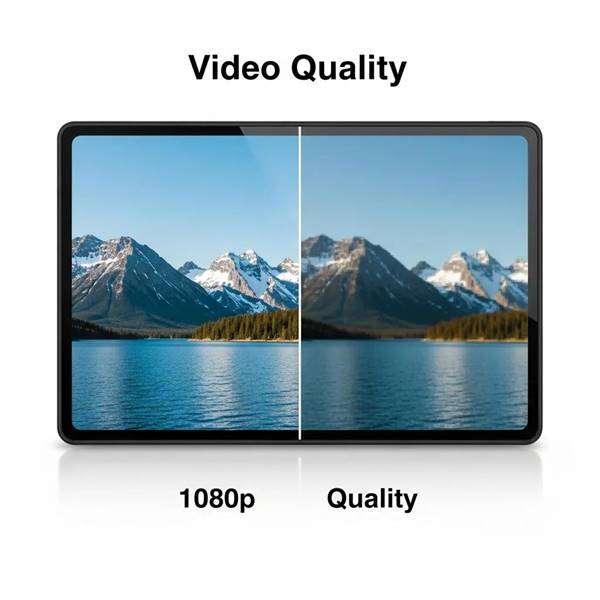
Bitrate is a major factor in both image quality and playback stability. Higher bitrates reduce the chance of buffering and preserve detail, while lower bitrates can make motion-heavy scenes look blocky or cause stuttering. For example, a sustained 10–15 Mbps is commonly recommended for reliable 1080p playback; lower rates may still work but can produce visible artifacts under demanding conditions.
Which HD Video Resolution Standards Affect Visual Clarity?
Resolution standards define how many pixels make up the image and thereby affect clarity. Typical standards you’ll see in IPTV are 720p, 1080p, and 4K. The higher the resolution, the more detail the image can show—assuming the bitrate and encoding are sufficient to support it.
Common Resolution Formats: 720p, 1080p, and 4K Explained
The most common IPTV resolutions are:
- 720p: 1280×720 pixels — good for smaller screens or limited bandwidth.
- 1080p: 1920×1080 pixels — Full HD, suitable for most modern TVs and common streaming setups.
- 4K: 3840×2160 pixels — four times the pixel count of 1080p; best for large screens and high-detail viewing.
Each format requires different bitrate ranges: the higher the resolution, the higher the bitrate needed to preserve detail.
How Resolution Determines Pixel Density and Viewing Experience
Resolution affects pixel density—the number of pixels per inch on a screen—which determines how crisp an image appears at a given viewing distance. Higher resolutions like 4K increase pixel density, delivering sharper detail on larger displays. Choosing the right resolution means matching screen size, viewing distance, and available bandwidth to avoid visible pixelation.
Research supports the clear link between pixel density, resolution, and perceived streaming quality.
Pixel Density & Resolution Impact on IPTV Quality
Studies show that mobile device pixel density and chosen encoding resolution both influence the quality of services such as voice/video calling, IPTV and gaming. Encoder resolution (codRes) and device pixel density are key variables in perceived video quality.
Devices pixel density and video quality, A Elmnsi, 2017
How Do Bitrate and Resolution Together Determine IPTV Video Quality?
Bitrate and resolution work together: higher resolutions need higher bitrates to maintain image fidelity. For example, streaming 4K content reliably usually requires at least 25 Mbps of available bandwidth. If the bitrate is too low for the chosen resolution, the stream will suffer from artifacts, reduced detail, or frequent quality shifts. Balancing both factors gets you the best practical result for your connection.
Trade-offs Between Bitrate and Resolution for Optimal Streaming
There’s a trade-off between visual quality and bandwidth usage. Higher resolutions improve detail but increase bandwidth demands. If your connection can only sustain around 10 Mbps, 1080p may be workable, but 4K will likely cause buffering. Prioritize the combination that fits your network, device, and tolerance for occasional quality drops.
Examples of Bitrate-Resolution Combinations in IPTV Services
Common bitrate ranges for typical IPTV resolutions are:
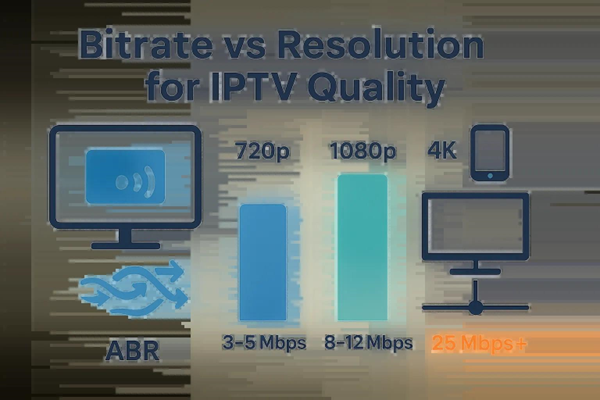
- 720p: about 3–5 Mbps.
- 1080p: typically 8–12 Mbps.
- 4K: often 25 Mbps or higher.
These ranges are guidelines; actual needs depend on the codec, frame rate, and scene complexity.
What Are the Key IPTV Video Quality Factors Beyond Bitrate and Resolution?
Other important factors include frame rate, compression method, encoder settings, and audio quality. Frame rate (measured in fps) affects motion smoothness—60 fps looks smoother than 30 fps for fast action. Compression and encoder efficiency determine how much quality you get at a given bitrate. Audio quality also matters: poor sound can undermine even the best video.
Role of Network Bandwidth and Device Compatibility in Streaming Quality
Your network bandwidth and the device you use set practical limits. Insufficient bandwidth causes buffering and forced downscaling; incompatible devices may not support certain resolutions or codecs. For 4K streaming you need both a fast connection and hardware that can decode and display 4K content properly.
Adaptive Bitrate Streaming: Enhancing IPTV Viewing Experience
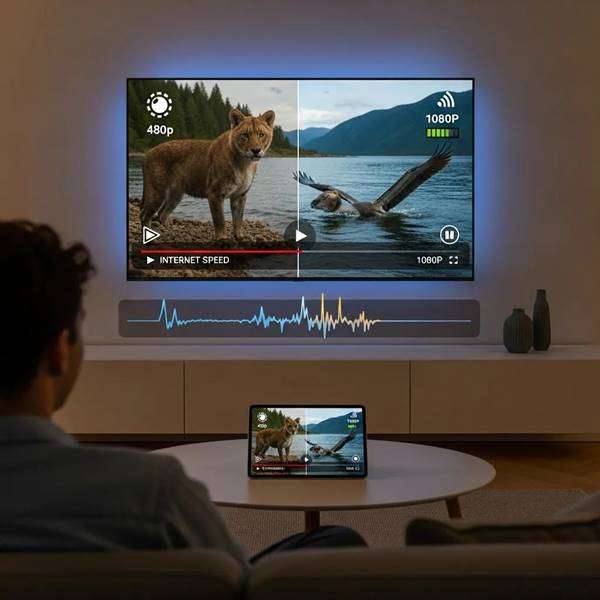
Adaptive bitrate streaming adjusts the stream quality in real time to fit the viewer’s current internet conditions. If bandwidth drops, the player switches to a lower bitrate/resolution to avoid buffering; when bandwidth improves, it ramps quality back up. This approach preserves playback continuity and provides the best possible picture under changing network conditions.
Studies highlight adaptive bitrate’s value in keeping IPTV quality consistent across varying connection speeds.
Adaptive Bitrate Streaming for IPTV Quality
Adaptive-bitrate systems help maintain consistent media-session quality on TV screens by switching stream variants to match available bandwidth and preserve visual quality.
Parametric quality-estimation model for adaptive-bitrate-streaming services, 2017
Frequently Asked Questions
What is the difference between bitrate and resolution in video streaming?
Bitrate is the amount of data sent per second (kbps or Mbps) and influences how much detail the encoder can preserve. Resolution is the pixel count of the image (e.g., 720p, 1080p). Higher resolution needs higher bitrate to maintain that detail; both factors together determine perceived picture quality.
How does internet speed affect video quality in IPTV streaming?
Internet speed limits the maximum bitrate you can sustain. Faster connections let you stream at higher bitrates and resolutions without buffering. For example, 4K video typically needs a sustained connection around 25 Mbps. If your speed is lower, the player may reduce quality to keep playback smooth.
What are the benefits of adaptive bitrate streaming?
Adaptive bitrate streaming minimizes buffering by switching between quality levels based on current bandwidth. It ensures continuous playback, improves resilience to network fluctuations, and provides the best possible image at any given moment without manual intervention.
How do frame rates impact video quality in IPTV streaming?
Frame rate, measured in frames per second (fps), affects motion clarity. Higher frame rates like 60 fps deliver smoother motion for sports and fast action. Lower frame rates can make motion appear choppy. Matching frame rate to content type improves the viewing experience.
What role does device compatibility play in video streaming quality?
Device compatibility determines whether your hardware can decode certain codecs, handle higher resolutions, or display the full bitrate. For example, a device that doesn’t support 4K or a specific codec may downscale or fail to play higher-quality streams correctly. Therefore, using compatible hardware helps ensure better playback and the best viewing results.
Can I improve my IPTV streaming quality without upgrading my internet plan?
Yes. Update your streaming device software, use a wired Ethernet connection, reduce the number of devices competing for bandwidth, and adjust app quality settings. These steps can improve stability and often raise perceived quality without changing your plan.
Conclusion
Bitrate and resolution are the core variables that shape IPTV video quality. By understanding how they interact—and by accounting for frame rate, encoding, device limits, and bandwidth—you can choose the best settings for a smoother, clearer viewing experience. Explore our resources to fine-tune your setup and get the most from your IPTV service. For assistance choosing the right setup, contact us.

In the digital age, the way we consume television and media has undergone a significant transformation, and Internet Protocol Television Read more

The landscape of the streaming industry has changed dramatically in recent years, with several players vying for dominance. Typhoon IPTV Read more

How to jailbreak a Chromebook? Chromebooks have gained popularity as lightweight, efficient, and affordable devices that provide seamless integration with Read more

Kemo IPTV is a popular IPTV service provider that delivers television programs and other video content to your device. The Read more