
Best IPTV Devices: Device Performance and Price Comparison Guide
Picking the right IPTV device can transform how you watch TV. This guide breaks down 2026’s top streaming hardware, explains which specs matter most for smooth playback, and shows how to compare prices so you get the best value. You’ll find device recommendations, notes on compatibility with services like Xtreme HD IPTV, and tips for evaluating subscription costs so you can choose a setup that fits your budget and viewing habits.
Key Takeaways
- NVIDIA Shield TV, Amazon Fire TV Stick 4K, and Roku Ultra are among the standout devices for streaming in 2026.
- Hardware such as RAM, CPU speed, and storage has a direct impact on buffering, app performance, and multitasking.
- Benchmarks frequently rate Apple TV 4K, Google Chromecast with Google TV, and Xiaomi Mi Box S highly for real-world streaming.
- Price tiers run from budget ($30–$70) to mid-range ($70–$150) and high-end (above $150), each offering different trade-offs.
- Subscription fees and package levels significantly affect the total cost of an IPTV setup over time.
- Xtreme HD IPTV works with many Android TV boxes, smart TVs, and popular streaming sticks like Amazon Fire TV.
- For best results, use a stable connection, install the official IPTV app, and fine-tune video settings for your bandwidth.
- Choose a box by matching device capabilities to your streaming needs and reading up-to-date reviews for longevity.
- Using a VPN can improve privacy and help bypass geo-restrictions, though it may affect speed depending on the provider.
Which IPTV Devices Offer the Best Streaming Performance in 2026?
In 2026, a few devices consistently deliver the smoothest playback and best feature sets. Their strengths come from faster processors, better memory, and software tuned for streaming. Those hardware and software advantages translate into fewer dropped frames, quicker app launches, and improved upscaling for higher-resolution TVs.
- NVIDIA Shield TV: High-end hardware with 4K HDR and gaming-ready performance—great if you want top-quality streaming and extra features.
- Amazon Fire TV Stick 4K: Offers strong value with an intuitive interface and broad app support, including compatibility with Xtreme HD IPTV.
- Roku Ultra: Known for a wide channel selection and stable 4K HDR playback with Dolby Vision support.
These units are praised for reliability and consistent performance, and choosing one often depends on your ecosystem preference and desired extras like gaming or advanced upscaling.
4K TV Compatibility & Upscaling Performance for IPTV
Compatible with most 4K TVs. For reference, Nvidia GTX 1080 can perform SD-to-HD upscaling at about 2.5 frames/sec (comparable to PDR), with additional considerations for HD-to-4K upscaling.
Optimizing UHD Production with Super Resolution Techniques, 2022
How Do Device Hardware Specs Impact IPTV Streaming Quality?
Hardware specs are central to streaming performance. RAM, CPU speed, and storage determine how well a device handles high-bitrate video, multiple apps, and background tasks without hiccups.
As streaming resolutions rise, especially toward 4K and beyond, device capability becomes increasingly important for smooth playback and best visual quality.
IPTV Video Quality: 4K/8K Streaming Performance
Scaling video inputs improves quality prediction performance significantly. When streaming 8K alongside 4K, the demands increase notably, affecting processing requirements and quality assessment.
Assessing video quality differences for 8K/UHD-2 and 4K/UHD-1 — HDR
videos depending on viewing distance, D Keller, 2024
- RAM: More RAM reduces app reloads and buffering when switching channels or running multiple services.
- Processor Speed: Faster CPUs load menus and decode streams quicker, which improves responsiveness and reduces stutter.
- Storage Capacity: Extra storage helps for apps and downloaded content, though streaming itself relies more on network and CPU/GPU performance.
Knowing these specs makes it easier to pick a device that matches your resolution goals and streaming habits.
Dedicated GPUs and modern encoding/decoding hardware are increasingly important for reliable UHD streaming and live-encoding scenarios.
4K/8K IPTV Performance: GPU Hardware & Encoding Speed
At higher resolutions like 4K/8K UHD, hardware encoders make a measurable difference. Evaluations of encoding speed and dynamic range at 1080p and 4K show the role of modern GPUs in live streaming performance.
Evaluation of hardware-based video encoders on modern GPUs for UHD live-streaming, K Arunruangsirilert, 2024
What Are the Top-Rated IPTV Devices Based on Performance Benchmarks?
Benchmark tests and user feedback highlight a few devices that consistently perform well under real-world conditions. These are solid choices for most IPTV viewers.
- Apple TV 4K: Smooth, integrated experience powered by the A12 Bionic chip—fast app launches and reliable playback.
- Google Chromecast with Google TV: Cost-effective and capable of 4K streaming with a straightforward interface and wide app support.
- Xiaomi Mi Box S: Budget-friendly with 4K HDR support; a good option when cost matters but you still want decent performance.
These devices are evaluated on speed, stability, and overall user satisfaction.
How to Compare Prices of Affordable IPTV Players and Boxes?
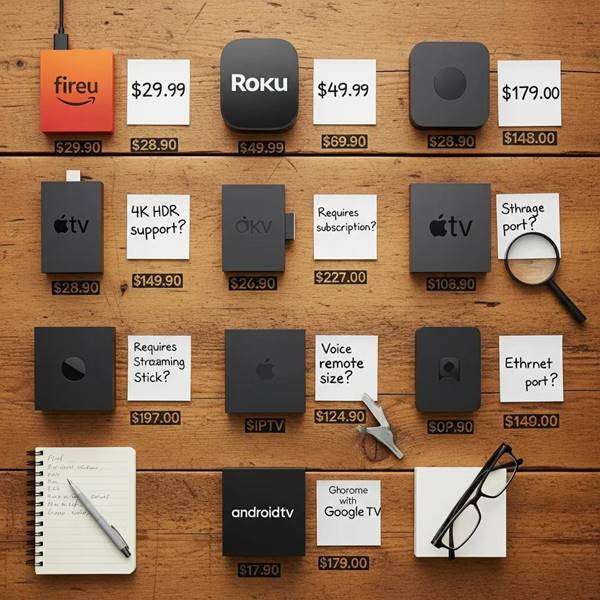
Finding a good deal means comparing features, not just the sticker price. Use these steps to evaluate budget-friendly devices:
- Research Online: Compare specs and prices across trusted retailers and tech review sites.
- Check for Discounts: Watch for seasonal sales, bundles, and manufacturer promotions that lower total cost.
- Read Reviews: User and expert reviews reveal real-world performance and long-term reliability beyond the spec sheet.
These strategies help you balance cost and capability without sacrificing the streaming experience.
| Device | Price | Performance |
| NVIDIA Shield TV | $199 | Excellent |
| Amazon Fire TV Stick 4K | $49.99 | Very Good |
| Roku Ultra | $99.99 | Good |
This quick table summarizes price and performance to help you compare options at a glance.
What Are the Price Ranges for Popular IPTV Devices?
Knowing typical price bands makes budgeting easier. Here are practical categories to guide your search:
- Budget Devices: $30–$70 — Basic streaming capabilities suitable for casual viewing.
- Mid-Range Devices: $70–$150 — Better processing, more features, and improved app support.
- High-End Devices: Above $150 — Premium features such as advanced upscaling, stronger processors, and broader platform support.
Match the category to your viewing needs to avoid overpaying for unused features.
How Does Subscription Cost Affect Overall IPTV Service Affordability?
Subscription fees are a major part of the ongoing cost of IPTV. For example, Xtreme HD IPTV lists a monthly plan at $9.99 for access to live channels and VOD, which factors into long-term affordability.
- Monthly Subscription Costs: Small monthly fees add up—plan for yearly totals when budgeting.
- Package Tiers: Choose tiers that align with what you actually watch to avoid paying for unused channels.
- Potential Hidden Costs: Be aware of extras like equipment fees, premium channel add-ons, or pay-per-view events.
Careful review of pricing and packages will ensure you get a service that fits your viewing habits and wallet.
Which Devices Are Compatible with Xtreme HD IPTV Service?
Many mainstream streaming platforms support Xtreme HD IPTV. Common compatible devices include:
- Android TV Boxes: Flexible app support and frequent compatibility with IPTV players.
- Smart TVs: Many modern smart TVs run apps natively—great when you want a simple setup.
- Streaming Sticks: Popular sticks like Amazon Fire TV and Roku offer an easy, affordable way to run IPTV apps.
Confirm compatibility for your chosen device before purchasing to avoid surprise limitations.
What Streaming Devices Support Xtreme HD IPTV Subscriptions?
Xtreme HD IPTV can be used on a range of devices to match different user preferences. Notable compatible choices include:
- NVIDIA Shield TV: Powerful hardware and broad app compatibility.
- Amazon Fire TV Stick: Simple setup and a large app library make it a popular pick.
- Roku Devices: User-friendly interface and wide channel access, often used for IPTV services.
These options provide a reliable way to access your subscription on the screen you prefer.
How to Set Up Your Device for Optimal IPTV Streaming Experience?
The right setup improves reliability and video quality. Follow these steps:
- Connect to the Internet: Use a stable connection—Ethernet is preferred if available for consistent bandwidth.
- Install the IPTV App: Download the official Xtreme HD IPTV app or a recommended third-party player from your device’s app store.
- Configure Settings: Adjust video quality, buffering, and network settings based on your connection and device capabilities.
Proper setup helps prevent buffering and makes sure you get the best possible picture.
What Are Common User Questions About IPTV Device Selection and Performance?
People often ask similar questions when choosing hardware. Here are concise answers that address common concerns:
- What specifications should I look for?: Prioritize RAM, processor speed, and codec support to handle high-bitrate streams smoothly.
- Are all devices compatible with IPTV services?: No—check app availability and platform compatibility before buying.
- How can I improve streaming quality?: Use a wired connection where possible, keep apps updated, and choose a device with hardware decoding for your target resolution.
These steps clear up the main decision points for most users.
Which IPTV Device Offers the Best Value for Money?
Value depends on how you watch. For many users, the Amazon Fire TV Stick 4K strikes a strong balance of price and performance, but the ideal pick depends on your needs and ecosystem preferences.
- Performance vs. Price: Compare features that matter to you—like 4K support or quick app switching—against the cost.
- User Reviews: Real-world feedback reveals stability and long-term satisfaction more reliably than specs alone.
- Long-Term Use: Consider firmware support and update history to avoid early obsolescence.
Weigh these factors to identify the best value for your setup.
How to Choose the Best IPTV Box for Your Viewing Needs?
Choosing the right box comes down to your habits and priorities. Follow these tips:
- Assess Your Streaming Needs: Decide whether you need 4K, gaming features, or specific app access.
- Research Device Reviews: Look for recent reviews that test performance with IPTV services specifically.
- Consider Future-Proofing: Pick a device that will get updates and can handle higher-resolution streams down the line.
These guidelines will help you pick a device that stays useful as streaming evolves.
Frequently Asked Questions
What factors should I consider when choosing an IPTV device?
Focus on processing power, RAM, and storage since they influence playback smoothness. Also check compatibility with your TV and chosen IPTV service, and evaluate the user interface for ease of navigation. Finally, think about future updates and whether the device can adapt to new streaming standards.
Can I use my existing smart TV for IPTV streaming?
Yes—many smart TVs support IPTV apps natively, so you may not need extra hardware. If your TV lacks the necessary apps, a streaming stick or box is an affordable way to add IPTV functionality.
How can I troubleshoot common IPTV streaming issues?
Start by checking your internet speed and rebooting your router and device. Make sure the IPTV app and device firmware are up to date. If problems persist, try a wired connection, lower the streaming bitrate in the app, or contact your IPTV provider for support.
Are there any hidden costs associated with IPTV services?
Potential extras include equipment rentals, premium channel add-ons, and pay-per-view events. Read service terms carefully and confirm what’s included in any plan before subscribing.
What is the difference between IPTV and traditional cable TV?
IPTV delivers TV over the internet, offering on-demand content and multi-device access, while cable relies on physical infrastructure and typically offers fixed channel lineups. IPTV provides more flexibility but needs a stable internet connection.
How do I ensure my IPTV device is secure?
Use strong, unique passwords, keep firmware and apps current, and avoid installing unverified applications. A reputable VPN can add encryption and privacy when streaming, but choose a fast provider to minimize speed loss.
What are the benefits of using a VPN with IPTV services?
A VPN improves privacy by encrypting traffic and can help access region-locked content. It may also reduce ISP throttling in some cases, though it can introduce latency depending on the VPN provider and server chosen.
Conclusion
Choosing the right IPTV device makes a noticeable difference in picture quality, responsiveness, and long-term satisfaction. By focusing on the key specs, comparing prices, and matching a device to your viewing habits, you’ll find a setup that fits both your budget and expectations. Use this guide to narrow your options and start enjoying better streaming with the device that suits you best.

In the digital age, the way we consume television and media has undergone a significant transformation, and Internet Protocol Television Read more

The landscape of the streaming industry has changed dramatically in recent years, with several players vying for dominance. Typhoon IPTV Read more

How to jailbreak a Chromebook? Chromebooks have gained popularity as lightweight, efficient, and affordable devices that provide seamless integration with Read more

Kemo IPTV is a popular IPTV service provider that delivers television programs and other video content to your device. The Read more