
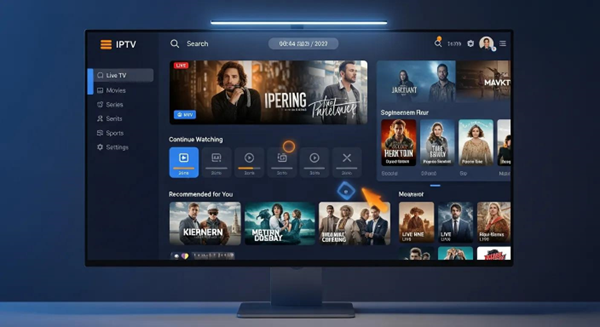
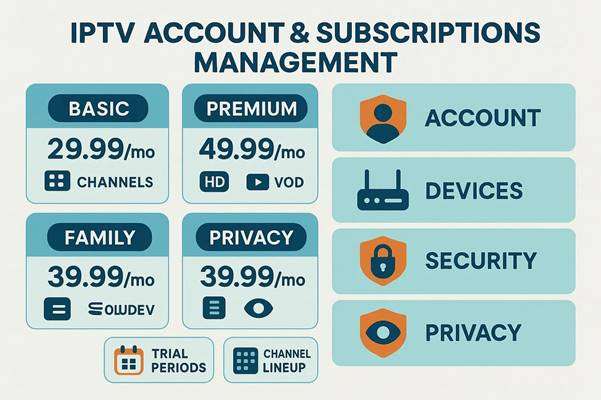
Manage your IPTV account, devices, and subscriptions — simply, securely, and without interruptions.
Keeping your IPTV setup organized makes watching stress-free. As more content moves online, knowing how to manage accounts, ensure device compatibility, and handle subscriptions pays off in better streams and fewer headaches. This guide gives clear, practical steps to manage your account, optimize devices and network settings, handle subscriptions, and protect your privacy and security. Follow these guidelines to reduce buffering, avoid billing surprises, and enjoy a smoother viewing experience.
Key Takeaways
- Lock down profiles, keep settings up to date, and set viewing preferences to suit your household.
- Choose compatible devices and optimize your home network to reduce buffering and improve stream quality.
- Use trial periods to evaluate features and content before committing to a plan.
- Compare plans by price, channel lineup, and included features to find the best fit.
- Create favorites and reminders to make content easier to find and follow.
- Protect accounts with strong passwords and two-factor authentication to prevent unauthorized access.
- Read providers’ privacy policies so you know what data is collected and how it’s used.
- Manage authorized devices and respect device limits to keep performance stable and avoid service issues.
- Learn your IPTV dashboard — it’s where you update accounts, change plans, and manage content quickly.
Account Management
Good account management keeps your IPTV service secure and tailored to your needs. Regularly review profiles, update settings, and monitor activity to keep access in control and preferences current. These simple habits improve personalization and reduce the chance of unauthorized use.
Personalized services depend on robust authentication — not just a single shared device ID — so managing who has access and how they’re identified matters.
Personalized IPTV Services & User Authentication
Internet Protocol Television (IPTV) is shifting how we consume entertainment, offering interactive features and tailored experiences. Many providers identify viewers at the set-top box (STB) level using a hardware identifier, which often gives every household member the same access. That approach makes true personalization difficult because it can’t distinguish individual users. A robust NFC-based personalized IPTV service system can help provide per-user identification and better tailored services.
C-based personalized IPTV service system, KH Yeh, 2018
Device Optimization

Pick devices that match your IPTV service’s requirements and keep their firmware up to date. Check codec support for set-top boxes, use wired Ethernet for the most stable connection when possible, and optimize Wi‑Fi placement to cut down on dropouts. Small changes to device settings and your home network can dramatically reduce buffering and improve picture quality.
Subscription Handling
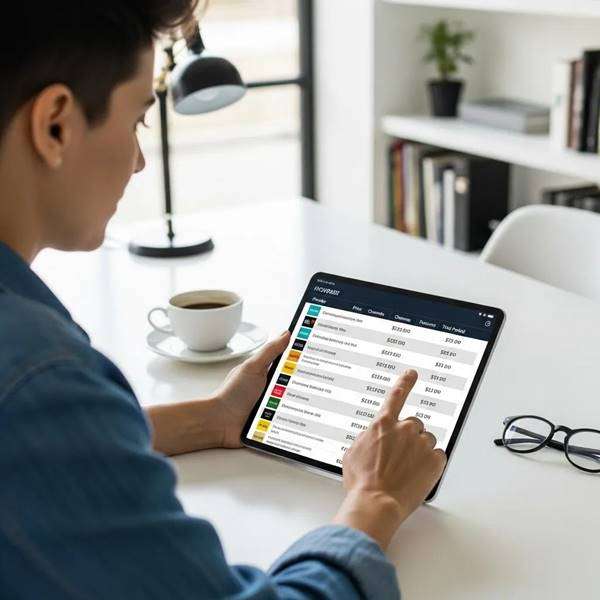
Handle subscriptions deliberately: test services, evaluate the channel mix, check pricing and features, and confirm customer support quality. Planning ahead helps you avoid paying for channels you don’t watch and ensures the service meets your expectations.
Trial Periods
Use trial periods to test the interface, stream quality, channel lineup, and device compatibility. A short test run lets you confirm the service fits your viewing habits before you commit.
Channel Lineup Evaluation
Compare channel lists against your must-haves. Look for the genres and specific channels you regularly watch and consider whether international, sports, or VOD options matter to you.
Pricing Comparison
Check what’s included in each price tier and watch for add-on fees or equipment charges. Transparent plans with clear billing terms usually deliver the best value.
| Subscription Plan | Monthly Price | Key Features |
| Basic Plan | $29.99 | 100+ channels, HD quality |
| Premium Plan | $49.99 | 200+ channels, VOD access |
| Family Plan | $39.99 | 150+ channels, multiple devices |
This table summarizes common plan options so you can match price and features to your viewing needs.
Customization Options
Personalize your service with favorites, watchlists, and reminders. These features make it faster to find what you watch most and prevent missing live events or new episodes.
Customer Support
Reliable support matters. Check provider reviews for response times and resolution rates — a fast support channel saves time when technical or billing issues arise.
Security Practices
Protect your IPTV account: use a unique, strong password, enable two-factor authentication when possible, and monitor account activity regularly. These steps lower the risk of unauthorized access and keep your viewing data safe.
Privacy Awareness
Read privacy policies to understand what data your provider collects and how it’s used. Opt for services that limit data sharing and give clear options for managing your privacy settings.
How do I access and navigate the IPTV dashboard?
Most providers offer a web or in-app dashboard where you can update settings, view billing, and manage subscriptions. Spend a few minutes exploring the menu — once you know where key controls live, routine tasks are quick and simple.
What features are available in the IPTV account dashboard?
Dashboards commonly include profile settings, subscription details, device management, and content recommendations based on viewing history. Use these tools to fine-tune your service and preferences.
How can I update my personal and billing information?
Update personal and billing details directly in your account settings. Keep this information current to avoid service interruptions and to receive billing notices and important updates.
What are IPTV device limits and how can I manage authorized devices?
Providers often limit simultaneous streams or the number of registered devices. Review your account’s authorized devices list and remove old or unused devices to stay within limits and preserve performance.
How do I upgrade or change my IPTV subscription?
Most plans can be upgraded or changed from the dashboard. Choose a new plan, confirm any pro-rated charges or billing changes, and follow the provider’s prompts for a smooth transition.
Frequently Asked Questions
What should I do if I experience buffering during IPTV streaming?
First, check your internet speed — aim for at least 10 Mbps for HD. Reduce bandwidth use on other devices, reposition your router, try a wired Ethernet connection, or restart your router. If buffering continues, contact your provider for help.
How can I ensure my IPTV service is compatible with my devices?
Compare your device specs to the provider’s compatibility list and keep your device OS updated. For set-top boxes, confirm codec and format support so streams play smoothly.
What are the benefits of using a VPN with IPTV services?
A VPN can add privacy and help with geo-restrictions, but it needs to be fast enough for streaming. Choose a high-performance VPN to avoid added buffering or quality loss.
How can I cancel my IPTV subscription?
Cancel via your account dashboard where providers usually offer a clear cancellation option. Review cancellation policies and any notice periods. If you can’t find the option, contact customer support for assistance.
What should I do if I forget my IPTV account password?
Use the “Forgot Password?” link on the login page to reset via email or SMS. Pick a strong, unique password afterward and consider enabling two-factor authentication.
Are there any hidden fees associated with IPTV subscriptions?
Read the terms and billing details to spot potential extra fees like equipment rentals, premium channel add-ons, or early termination charges. Ask support for clarification if anything is unclear.
How can I improve the security of my IPTV account?
Use a strong, unique password, enable two-factor authentication, monitor account activity, and keep your devices updated and malware-free. These steps significantly reduce security risks.
Conclusion
Managing your IPTV account, devices, and subscriptions doesn’t have to be complicated. With secure account practices, the right device setup, and thoughtful subscription choices, you’ll enjoy smoother streaming and better personalization. Start by auditing your settings and devices, try available trials, and use the dashboard tools to keep everything up to date. Enjoy your viewing experience.

In the digital age, the way we consume television and media has undergone a significant transformation, and Internet Protocol Television Read more

The landscape of the streaming industry has changed dramatically in recent years, with several players vying for dominance. Typhoon IPTV Read more

How to jailbreak a Chromebook? Chromebooks have gained popularity as lightweight, efficient, and affordable devices that provide seamless integration with Read more

Kemo IPTV is a popular IPTV service provider that delivers television programs and other video content to your device. The Read more