
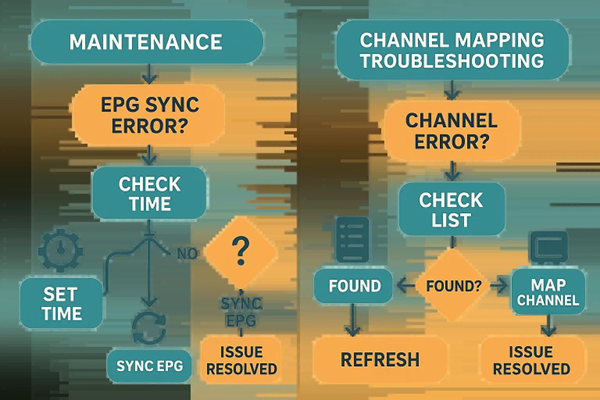
Quick troubleshooting steps to fix EPG synchronization and channel mapping problems.
EPG (Electronic Program Guide) synchronization and accurate channel mapping are key to a smooth IPTV experience. Problems like wrong program listings or missing channels can interrupt viewing and cause frustration. This guide explains what causes those issues, how to fix them, and how to maintain a healthy EPG setup so you get reliable listings and uninterrupted playback. We cover the essentials of EPG sync, why correct channel mapping matters, and practical troubleshooting steps you can use right away.
Academic research also highlights how central the EPG is when broadcasters move from traditional transmission to IPTV platforms.
EPG Application & Middleware for IPTV Broadcasting
This thesis examines upgrading television broadcasting from satellite to IPTV. Commissioned by a leading Italian broadcaster, the study focuses on two main requirements: analyzing middleware architecture to support an EPG application, and integrating the broadcaster’s content-management systems. The implementation plan emphasizes middleware design and EPG application development for IPTV deployment.
IPTV implementation for television broadcaster, 2015
Key Takeaways
- EPG sync aligns program-guide data with live streams so listings stay accurate.
- Common EPG failures stem from wrong URLs, outdated XMLTV formats, or playlist misconfigurations.
- Fixes include validating EPG URLs, forcing manual updates, and clearing the app cache.
- Correct channel mapping depends on matching channel IDs and refreshing playlists regularly.
- Keeping your IPTV app updated and monitoring EPG health prevents most sync issues.
- Xtreme HD IPTV provides real-time updates and an easy interface to improve EPG reliability.
- Manual EPG refreshes and playlist updates often resolve errors like epg-sync-0050 and channel-mapping-0050.
- Reliable EPG data improves navigation, delivers live updates, and enables useful reminders.
Common Causes of EPG Issues:
Knowing the usual culprits helps you troubleshoot faster. Typical causes include:
- Incorrect EPG URL: A bad or outdated EPG URL prevents proper syncing, causing missing or wrong program info.
- Expired XMLTV Format: Old or unsupported XMLTV feeds can break data parsing and refresh routines.
- Misconfigured Playlist Settings: Playlist errors or mismatches between playlist IDs and EPG data lead to incorrect listings.
Effective Solutions:
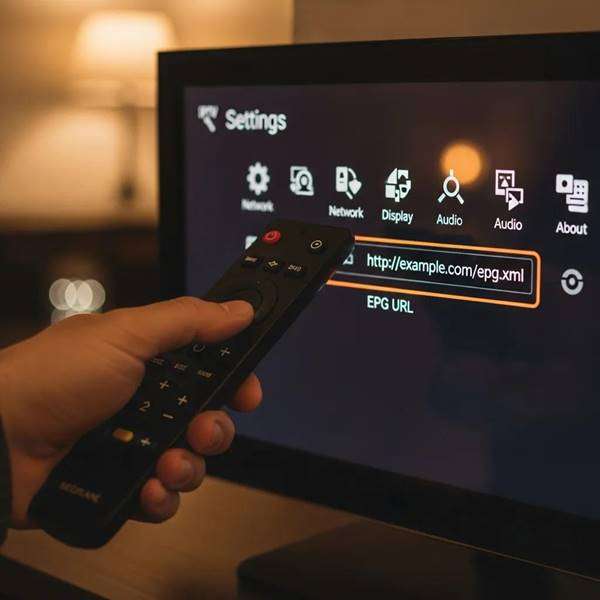
Try these steps to restore correct EPG data:
- Verify the EPG URL: Confirm the URL is correct and reachable—this fixes many sync failures.
- Perform a Manual EPG Update: Triggering a manual refresh forces the latest guide data to download.
- Clear Cache and App Data: Removing stored app data can eliminate corrupted files that block proper syncing.
Xtreme HD IPTV includes a straightforward EPG settings interface so subscribers can check and update guide sources quickly.
Channel Mapping Issues:
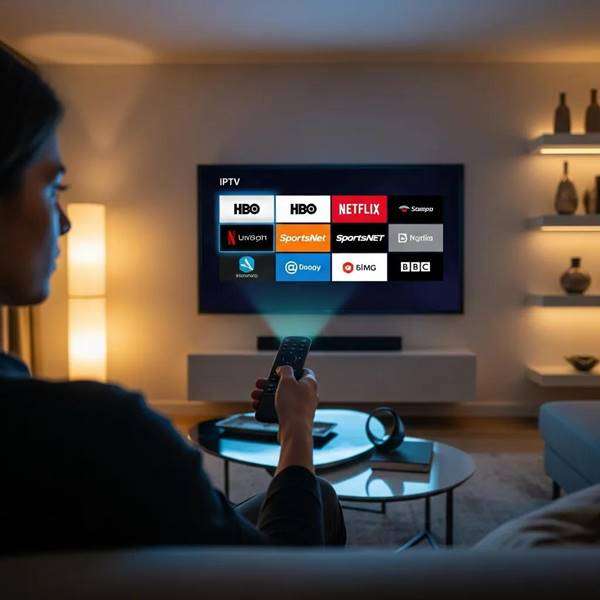
Channel mapping ensures each channel shows the correct program data. Common mapping problems include:
- Mismatched Channel IDs: If channel IDs in the playlist don’t match the EPG IDs, listings will appear under the wrong channels.
- Outdated Playlist: Failing to refresh playlists can leave old mappings in place and show incorrect or missing channels.
- Renamed Channels: Manually renaming channels in a playlist can break mapping and lead to confusion.
Maintenance Tips:
Simple maintenance keeps the EPG and channel list reliable. Try these:
- Keep the IPTV App Updated: App updates often include fixes for EPG parsing and playlist handling.
- Monitor EPG Performance: Regularly check that guides refresh correctly and that listings match broadcast times.
What Is EPG Sync and Why Is It Essential for IPTV Services?
EPG sync is the process of matching electronic program guide data with live broadcast streams. It’s essential because accurate guides let users find shows quickly, set reminders, and trust the channel lineup. Without proper sync, listings become unreliable and the viewing experience suffers.
How Does EPG Synchronization Improve IPTV Viewing Experience?
Good EPG sync improves IPTV in three practical ways:
- User-Friendly Navigation: Clear program labels make channel surfing and discovery fast and painless.
- Real-Time Updates: The guide reflects schedule changes so viewers see current programming.
- Schedule Reminders: Accurate guides let users set reminders and never miss favorite shows.
What Are Common Causes of EPG Data Refresh Issues?
Typical refresh problems include:
- Incorrect EPG URL: A mistaken or broken URL prevents updates.
- Refresh Timing Problems: If refresh intervals are wrong, you won’t get the latest data when you need it.
- Format Incompatibilities: Unsupported feed formats can’t be parsed correctly by the app.
How to Fix Common EPG Sync Errors and IPTV EPG Troubleshooting Steps
Follow these troubleshooting steps:
- EPG Not Displaying: Re-check the EPG URL and its accessibility.
- Playlist/Channels Not Loading: Refresh the playlist so channels and guide data re-map correctly.
- Mismatched EPG and Time Synchronization: Make sure your device clock and time zone are correct.
What Are the Step-by-Step Solutions for epg-sync-0050 and epg-fix-0050 Errors?
For errors like epg-sync-0050 and epg-fix-0050, try these targeted fixes:
- Validate the EPG URL: Ensure the URL responds and serves the expected XML or JSON feed.
- Check Channel IDs: Confirm that channel IDs in the playlist match the IDs referenced by the EPG feed.
- Force an EPG Refresh: Manually trigger the EPG update from your IPTV app.
How to Perform an IPTV EPG Update to Resolve Sync Problems?
To update the EPG manually:
- Open the IPTV Player App: Launch the app on your device.
- Confirm the EPG URL: Verify the guide URL in settings is correct and reachable.
- Force a Refresh: Use the app’s refresh option to download the latest guide data.
What Is Channel Mapping and How to Resolve Channel List Mapping Errors?
Channel mapping links channels in your playlist to entries in the EPG. To resolve mapping errors:
- Match Channel IDs: Ensure the playlist’s channel IDs align with the EPG feed IDs.
- Validate the EPG URL: Make sure the guide source is accessible and correct.
- Refresh Manually: Update the channel list so mappings refresh and errors clear.
How Does Channel Mapping Affect IPTV Channel List Accuracy?
Channel mapping affects accuracy through:
- Channel ID Matching: Wrong IDs show programs on the wrong channels.
- EPG URL Validation: A bad guide URL breaks the mapping process.
- Regular Updates: Frequent updates keep listings aligned with current broadcasts.
What Are Effective Troubleshooting Techniques for channel-mapping-0050 Errors?
To troubleshoot channel-mapping-0050:
- Validate the EPG URL: Confirm the guide feed is live and accessible.
- Verify Channel IDs: Cross-check playlist IDs against the EPG source.
- Force an EPG Refresh: Trigger a manual update so mappings re-evaluate.
How Can Xtreme HD IPTV Subscription Benefits Enhance EPG Sync and Channel Mapping Reliability?
Subscribing to Xtreme HD IPTV gives practical benefits for guide reliability:
- User-Friendly EPG Interface: Easier settings and clearer guide controls reduce setup errors.
- Real-Time Updates: Frequent feed updates keep program info current.
- 24/7 Support: Access to around-the-clock help if a sync or mapping issue persists.
What Features Does Xtreme HD IPTV Offer for Seamless EPG and Channel Management?
Xtreme HD IPTV includes features that simplify guide and channel management:
- Intuitive EPG Interface: Clear navigation and simple controls for guide settings.
- Real-Time Feed Updates: Program information updates frequently to stay accurate.
- Catch-Up Options: Access to recently aired content for easier viewing control.
How to Subscribe and Access Support for IPTV EPG and Channel Mapping Issues?
To subscribe and get support:
- Visit the Website: Go to the Xtreme HD IPTV site to view plans and options.
- Choose a Plan: Pick the subscription that fits your viewing needs.
- Contact Support: Reach out to customer support for help with EPG or channel mapping problems.
Frequently Asked Questions
What should I do if my EPG data is not updating automatically?
Start by checking the EPG URL for accuracy and accessibility. If the URL is valid, force a manual EPG refresh in your IPTV app. Confirm your device has a stable internet connection, and if needed, clear the app’s cache and data to remove any corrupted files. If the issue continues, contact support for a deeper check.
How can I improve the accuracy of my channel mapping?
Ensure channel IDs in your playlist match the IDs used in the EPG feed. Refresh your playlist regularly to update mappings, and avoid renaming channels in the playlist. Keeping your IPTV app updated also helps maintain correct mappings and prevents compatibility issues.
What are the benefits of using a reliable EPG service?
A dependable EPG gives accurate, current program listings that make navigation easier and viewing more satisfying. It provides real-time updates for schedule changes and supports reminders so you don’t miss shows. In short, a reliable guide makes your IPTV experience smoother and more predictable.
How often should I refresh my IPTV playlist?
Refresh the playlist at least once a week or whenever you notice missing channels or incorrect listings. If you see frequent changes in channel lineups or program data, refresh more often until things stabilize.
What troubleshooting steps can I take for EPG sync errors?
Verify the EPG URL, check device time and time zone settings, and force a manual EPG refresh. If that doesn’t help, clear the app cache and data. Persistent issues may require assistance from customer support to inspect the feed or playlist.
Can I use multiple EPG sources for my IPTV service?
Yes—multiple EPG sources can improve coverage, but they must be compatible and not conflict. Mixing sources can introduce discrepancies, so verify each EPG URL and ensure channel IDs align to avoid mapping problems.
Conclusion
EPG sync and accurate channel mapping are essential for a reliable IPTV experience. By checking URLs, validating channel IDs, forcing refreshes, and keeping apps updated, you can resolve most issues quickly. Use these troubleshooting steps to restore accurate listings and smooth navigation—reach out to support if a problem persists. Explore our resources for more tips on keeping your IPTV service running at its best.

In the digital age, the way we consume television and media has undergone a significant transformation, and Internet Protocol Television Read more

The landscape of the streaming industry has changed dramatically in recent years, with several players vying for dominance. Typhoon IPTV Read more

How to jailbreak a Chromebook? Chromebooks have gained popularity as lightweight, efficient, and affordable devices that provide seamless integration with Read more

Kemo IPTV is a popular IPTV service provider that delivers television programs and other video content to your device. The Read more