
How IPTV Works: Understanding Playlists, EPG, and Live Streaming for IPTV Subscription Services
IPTV — Internet Protocol Television — changes how we watch TV by sending channels and on-demand shows over the internet instead of through satellite or cable. Below, we break down the main parts that make IPTV work: playlists, the Electronic Program Guide (EPG), and live streaming. These pieces combine to give viewers more flexibility, broader channel access, and convenient on-demand options. You’ll get a clear picture of how subscription IPTV services deliver smooth, modern viewing across devices.
Research also groups IPTV services into clear categories to help explain what viewers can expect.
Understanding IPTV: Live TV, Timeshifted, and On-Demand Services
Internet Protocol television (IPTV) uses Internet Protocol networking over packet-switched infrastructure to deliver television services. IPTV is commonly divided into three service types: live television, timeshifted programming, and video on demand—each serving different viewer needs.
Internet protocol television (iptv), A Punchihewa, 2010
Key Takeaways
- IPTV sends TV content over the internet using IP instead of traditional cable or satellite.
- M3U and similar playlists organize live channels and VOD into easy-to-use lists for customization.
- The Electronic Program Guide (EPG) provides schedules and navigation to help viewers find shows quickly.
- Live streaming delivers real-time broadcasts—ideal for sports, news, and events—with high-quality playback.
- Subscription IPTV works across multiple devices, offering HD streams and user-friendly menus.
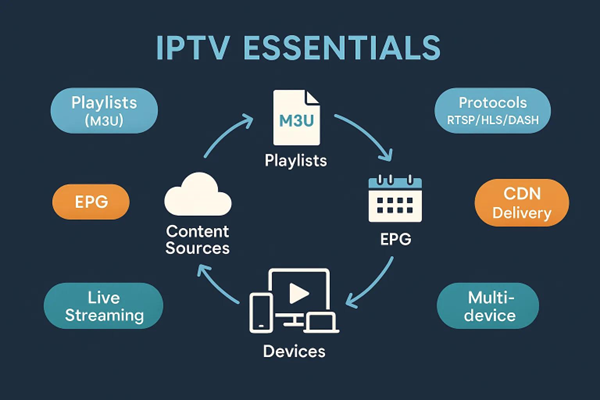
- Protocols like RTSP, HLS, and MPEG-DASH help maintain video quality and reduce buffering.
- Smooth IPTV depends on fast internet and often uses Content Delivery Networks (CDNs) to scale delivery.
- Legitimate IPTV providers follow copyright rules and distribute content through licensed, subscription models.
- IPTV turns video signals into data packets so live and on-demand content can be delivered over standard networks.
Key Components of IPTV:
To understand IPTV, look at its three core parts: playlists, the Electronic Program Guide (EPG), and live streaming. Each one plays a specific role in how viewers find and watch content.
Playlists
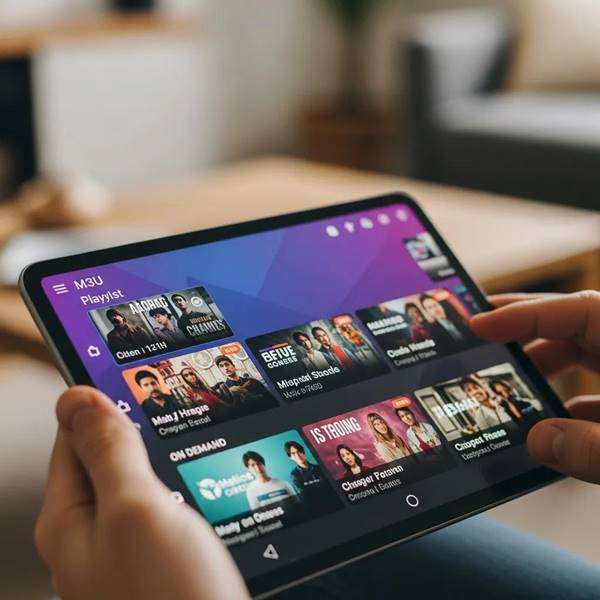
Playlists organize streams and files so your IPTV app can show channels and on-demand titles. An M3U file, for example, is a simple text list of stream URLs and metadata that apps read to display channels, logos, and categories. Playlists can be edited or curated, letting users and providers tailor which channels appear and how they’re grouped for easy navigation.
Electronic Program Guide (EPG)
The EPG is the on-screen schedule that helps you see what’s airing now and next. It pulls program data from channel feeds and presents it in a browsable layout so users can plan viewing, set reminders, and discover shows. A well-integrated EPG makes an IPTV service feel familiar and fast to use.
Live Streaming
Live streaming is the mechanism that delivers real-time TV over IP networks. Instead of radio or satellite signals, IPTV splits video into data packets sent across the internet and reassembled by your device. This packet-based delivery supports higher resolutions and near-instant access to events as they happen, giving viewers an immersive, timely experience.
Benefits of IPTV Subscription Services
Subscription IPTV adds features and reliability that improve daily viewing. Key perks include:
- Multi-device Compatibility: Watch on smart TVs, phones, tablets, and computers—your subscription moves with you.
- High-quality Streaming: With faster internet and better encoding, IPTV can deliver HD and UHD streams with crisp playback.
- User-friendly Navigation: EPGs and customizable playlists make it easy to find channels and on-demand titles.
For dependable service, Xtreme HD IPTV positions itself as a global provider offering live TV channels and VOD through internet streaming.
What is IPTV Technology and How Does It Enable Live TV Streaming?
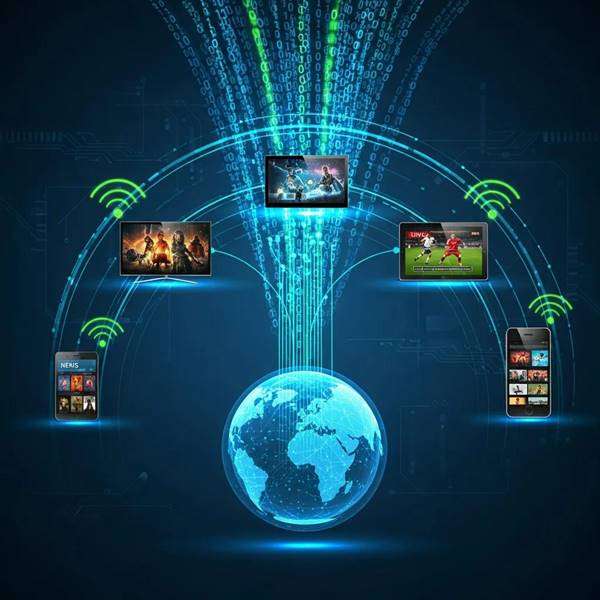
IPTV technology sends television over IP networks by converting video into data packets that travel across the internet. Those packets are reassembled and decoded by your device, letting you stream channels and on-demand content without traditional broadcast constraints. The result is flexible access, often with better picture quality and faster channel switching.
How do IPTV subscription services deliver live TV and VOD content?
Providers combine several technologies to stream live and on-demand content: high-speed internet for transmission, encoding and packaging servers to prepare streams, and CDNs to distribute content closer to users. On the viewer side, apps decode the incoming packets so channels and VOD play smoothly on your device.
Which devices support IPTV streaming and how do they work?
A wide range of devices supports IPTV:
- Smart TVs: Many TVs include IPTV apps or let you install third-party apps to access streaming playlists.
- Streaming Devices: Roku, Amazon Fire Stick, and Apple TV can run IPTV apps to bring internet channels to any TV.
- Mobile Devices: Smartphones and tablets use dedicated IPTV apps for watching on the go.
All these devices connect to the internet, run IPTV client software, decode the stream, and present the channel lineup and EPG to the user.
What is an M3U Playlist and How Do You Download and Use It for IPTV?
An M3U playlist is a plain-text file listing stream URLs and metadata for channels and VOD. To use one, download the M3U file and import it into your IPTV app or player. The app reads the list and displays channels, logos, and categories so you can start watching.
How does an M3U playlist organize live TV channels and VOD content?
M3U files list each stream’s URL with tags for channel name, group, and logo. IPTV apps parse that structure to show an organized menu—making it easy to switch channels, jump to VOD, or browse categories.
Where can users find reliable M3U playlist downloads for IPTV?
Trusted sources include official IPTV providers, curated community sites, and reputable forums. Always prioritize licensed services to avoid legal and stability issues. Many paid providers, including Xtreme HD IPTV, include curated playlists with their subscriptions.
How Does the Electronic Program Guide Enhance IPTV Viewing Experience?
An integrated EPG gives a single place to view schedules, summaries, and upcoming shows—so you can quickly find what you want to watch and set reminders. When EPG data is combined with both broadcast and on-demand listings, navigation becomes seamless and discovery improves.
Effective EPG integration addresses the challenge of navigating large content libraries by unifying broadcast schedules and VOD entries in one interface.
Navigating IPTV Content: Broadcast, On-Demand & EPG Integration
With IPTV, broadcast and on-demand services can be offered together. That abundance of content creates a navigation challenge, which is best solved by a unified access method. The Media Space Navigator merges VOD entries with live-show data from EPG feeds into a single graph that links related items.
Media space navigator: navigating video content on IPTV portals, 2008
What is an EPG guide for IPTV and how does it work?
An EPG aggregates program metadata from channels and presents it in a browsable guide. Middleware on the provider side collects and formats the EPG, then client apps display schedules, descriptions, and timing so viewers can plan and explore programming.
Putting an EPG into practice typically requires middleware that ties the broadcaster’s content management to the IPTV platform.
IPTV EPG Implementation & Middleware for Broadcasters
Upgrading broadcasting from satellite to IPTV involves careful middleware planning. Implementations must analyze middleware frameworks and adapt existing systems to host EPG and content-management features. Training and hands-on work with middleware platforms—such as WWAF—helps smooth the transition and enables IPTV functionality with minimal disruption.
IPTV implementation for television broadcaster, 2015
How does EPG integration improve live TV channel navigation?
EPG integration adds real-time listings and a consistent, searchable layout, letting users locate shows faster and switch channels with confidence. That organized presentation reduces browsing time and increases viewer satisfaction.
What Streaming Protocols Optimize IPTV Quality and User Experience?
Key streaming protocols help IPTV balance quality and reliability:
- Real-Time Streaming Protocol (RTSP): Supports media control—play, pause, and rewind—during live or recorded streams.
- Hypertext Transfer Protocol (HTTP): Widely compatible; used to deliver video across standard web infrastructure.
- Dynamic Adaptive Streaming over HTTP (DASH): Adjusts stream quality in real time based on network conditions to reduce buffering.
Together, these protocols help IPTV deliver consistent playback and adapt to changing network speeds.
Which streaming protocols are commonly used in IPTV services?
Common protocols in IPTV systems include:
- RTSP: For real-time control and streaming.
- HTTP Live Streaming (HLS): Breaks streams into small segments for efficient delivery and broad compatibility.
- MPEG-DASH: An adaptive streaming standard that matches quality to available bandwidth.
Using these protocols helps providers offer a reliable viewing experience across networks and devices.
How do streaming protocols affect video quality and buffering?
Streaming protocols determine how video is packaged and delivered. Adaptive protocols like HLS and MPEG-DASH change bitrate on the fly so viewers get the best possible quality without excessive buffering. Efficient delivery and CDN use further reduce interruptions for a smoother experience.
Frequently Asked Questions
What are the differences between IPTV and traditional cable TV?
IPTV differs mainly in delivery: it uses Internet Protocol to send video over the web, while cable TV relies on coaxial networks. IPTV offers device flexibility, on-demand libraries, and customizable playlists—features that traditional cable’s fixed programming doesn’t easily provide.
Can I use IPTV without a subscription?
Some free IPTV options exist, but most reliable services require a subscription. Paid plans provide wider channel selection, better stream quality, EPG support, and stable playlists. Free sources may be limited in content, quality, or legality—so choose carefully.
How does internet speed affect IPTV streaming quality?
Internet speed directly impacts playback. For standard definition, around 10 Mbps is a practical minimum; for HD, aim for 25 Mbps or more. Slower or unstable connections can cause buffering, pixelation, or connection drops.
What should I do if my IPTV service is buffering frequently?
If you see frequent buffering, first test your internet speed and restart your router. Use a wired Ethernet connection instead of Wi‑Fi when possible. If problems continue, reach out to your IPTV provider for support or check whether the CDN or server region can be adjusted.
Are there any legal concerns with using IPTV services?
Yes—unlicensed IPTV services can distribute copyrighted content illegally. Always pick reputable providers that hold proper licensing to avoid legal issues, service shutdowns, or poor-quality streams.
What features should I look for in a quality IPTV service?
Look for a wide channel lineup, consistent video quality, a clear EPG, and easy playlist management. Device compatibility, responsive customer support, trial options, and positive user reviews are also key signs of a trustworthy service.
Conclusion
IPTV subscription services give you a modern, flexible way to watch television—combining high-quality streaming with helpful navigation tools like playlists and EPGs. Whether you want live events, timeshifted shows, or on-demand libraries, IPTV delivers a tailored viewing experience across your devices. If you’re ready to upgrade how you watch TV, consider a licensed provider that meets your needs and offers reliable support. Explore IPTV and discover a more flexible way to enjoy entertainment.

In the digital age, the way we consume television and media has undergone a significant transformation, and Internet Protocol Television Read more

The landscape of the streaming industry has changed dramatically in recent years, with several players vying for dominance. Typhoon IPTV Read more

How to jailbreak a Chromebook? Chromebooks have gained popularity as lightweight, efficient, and affordable devices that provide seamless integration with Read more

Kemo IPTV is a popular IPTV service provider that delivers television programs and other video content to your device. The Read more